Atlas · token pipeline
One source for every surface. 14 months, 3 platforms.
Motion-first. AI-readable. Built in the open.
Amaca is my personal design system. It started as a side project — a place to practice the kind of system I'd been wanting to build for years (full story here). It's grown into something more specific: a design system where motion is a foundation, not a finish, and where every rule is written so an AI agent can read and apply it as cleanly as a human can.
The system in three layers — hard tokens at the base, components built strictly from them, and the applied patterns that compose both. Each layer cites the one below it, never the reverse.
The tokens everything else is built from. Color, type, spacing, motion, and the rules that hold them together.
The primitives I reach for when designing a product surface. Buttons, forms, cards, and the patterns that emerge from them.
How the system performs in practice: the presentation and case study templates, and the guidelines, from the principles to voice and accessibility.
The symbol: three isometric cubes in motion forming a triangle, one cube per product. It ships as a fixed asset, and the shell renders it inside the brand tile.
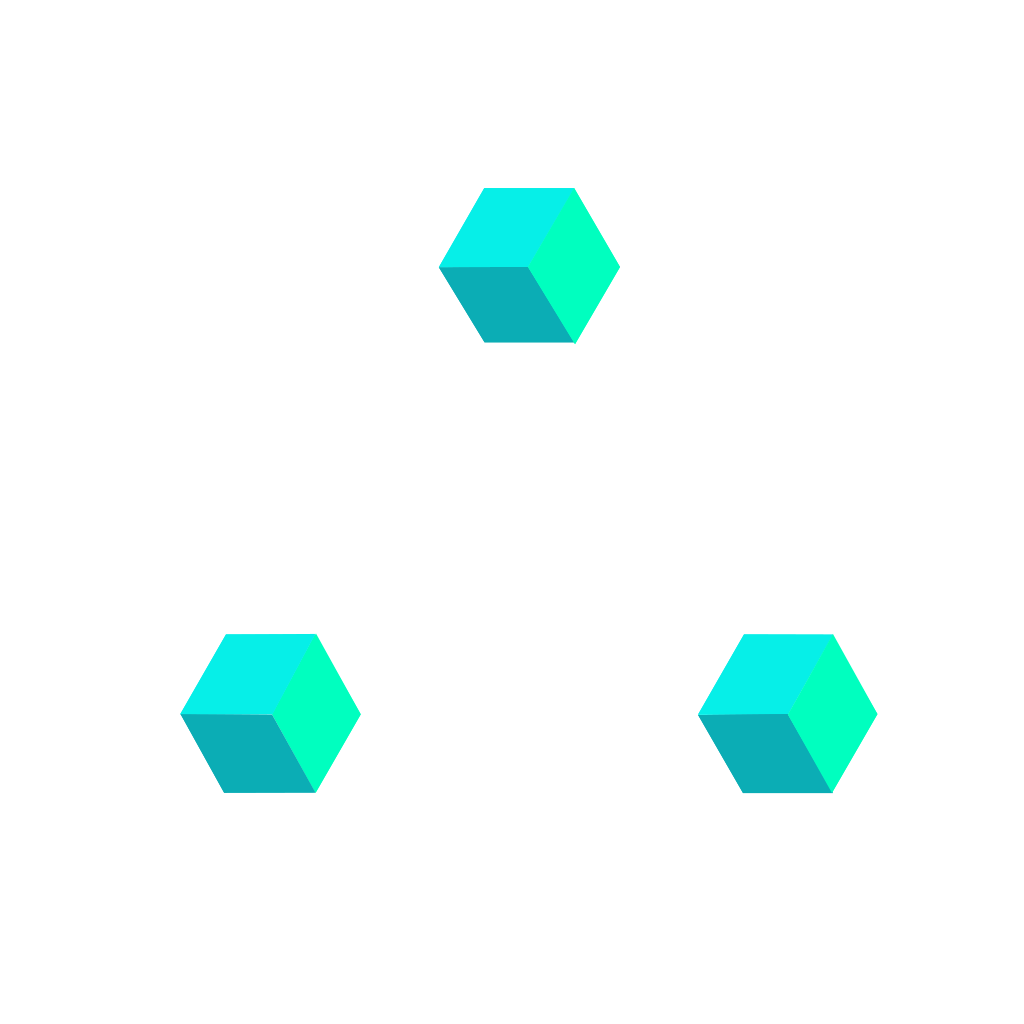
Each cube is a product. The triangle is a system — components snapping together, breaking apart, reassembling. The motion is intrinsic, not applied: the mark is an animated SVG, one vector file describing every rotation and every transition. The logo follows the same logic as the system itself — written, not decorated.
Pick your tool, grab the file — or the turnkey .zip — and drop it in. Every download is token-only: it makes any AI reference your tokens by name instead of inventing values. Same source on every surface — the spec is DESIGN.md, the tokens are tokens.css / tokens.dtcg.json. MIT.
One address, nothing to install. Your AI reads the components with their rules, the tokens and the spec straight from amaca.design, always at the published version. The Claude Code plugin brings it with the skill.
https://www.amaca.design/mcp{ "mcpServers": { "amaca": { "type": "http", "url": "https://www.amaca.design/mcp" } } }
claude mcp add --transport http amaca https://www.amaca.design/mcp
Start with the three on top, or jump to your stack. One download per tool — a small bundle with the file, the tokens/spec it needs, and a usage README inside.
The rules as a Claude skill (tokens bundled) + a CLAUDE.md for Claude Code.
amaca-frontend.skillIn-canvas custom skill: builds with Amaca Variables, audits what landed on canvas, repairs in a verify loop. Fetch-first — it never invents values.
amaca-figma.mdThe spec in the Google Labs design.md standard — paste into Stitch's project box.
DESIGN.mdOne package, two manifests, one skill — Agent Plugins 1.0 for Cursor, Codex, Copilot, VS Code and Kiro, plus the Claude Code manifest. /plugin marketplace add angelomacaione/amaca-design
One repo-root file read natively by 28+ agents (Codex, Cursor, Copilot, Windsurf, Aider…).
Self-contained paste-in with the token values inlined — no companion files.
Scoped rules — amaca-core.mdc always on, amaca-html.mdc and amaca-react.mdc on the files they govern — plus .github/copilot-instructions.md and the agent skill Cursor reads from .agents/skills/.
Same self-contained paste-in — these builders have no filesystem.
Every token as a @theme block — generates bg-primary-500, p-4, rounded-lg.
tokens.css (vars + reset) + components.css — var(--token) everywhere, no build step.
Tokens as W3C DTCG JSON — stable 2025.10 format — for Style Dictionary, Tokens Studio, any DTCG-aware build.
Per-runtime. Pick the row that matches your tool — the first three mirror the hero cards above.
In Claude Code: /plugin marketplace add angelomacaione/amaca-design, then /plugin install amaca-design@amaca; it installs the skill from amaca-plugin.zip with a SHA-256 pin. In the Claude app: Settings → Capabilities → Skills → upload amaca-frontend.skill. Invoke with amaca-frontend or just describe an Amaca task — the skill auto-triggers on context.
In any Figma file: prompt box → attachment icon → Skills → Add skill → upload amaca-figma.md. Then /amaca-figma: it fetches the live spec first, generates with Amaca Variables, and self-audits in a verify loop — or audits a selection on canvas evidence. Code-side sync (tokens pushed as Variables over the Figma MCP) stays available through the amaca-frontend skill.
Download DESIGN.md — the spec ships in the Google Labs design.md standard. On Stitch's Start with your project screen, paste it into the existing DESIGN.md box (or upload the file). Pick the most capable model for brand fidelity.
Frontier-tier model required. On lighter models the spec is read as passive context, not instructions — see § 03.3 capability tiers.
Where the editor installs Agent Plugins (Cursor, GitHub Copilot, VS Code, OpenAI Codex, Kiro), install amaca-plugin.zip. Otherwise unzip amaca-ide.zip at the repo root: core + per-target rules, attached only to the files they govern:
.cursor/rules/amaca-core.mdc · amaca-html.mdc · amaca-react.mdc.agents/skills/amaca-frontend/.github/copilot-instructions.md + instructions/amaca-*.instructions.md.windsurf/rules/amaca.mdCONVENTIONS.mdThe runtime reads it as instructions and grounds on the spec.
Model-gated — fidelity tracks the model behind the editor. See § 03.3.
Create a new Gem. Paste AI-INSTRUCTIONS.md into Instructions: it is self-contained, with the token values inlined. Upload DESIGN.md as the Gem's knowledge file for the full component specs. Save. That Gem now speaks Amaca for any frontend task.
Frontier-tier model required. On lighter models the spec is read as passive context, not instructions — see § 03.3 capability tiers.
Create a Custom GPT, or a Project. AI-INSTRUCTIONS.md as instructions, DESIGN.md as knowledge file. Same result.
Frontier-tier model required. On lighter models the spec is read as passive context, not instructions — see § 03.3 capability tiers.
Attach AI-INSTRUCTIONS.md to the chat: about seventy lines, every token value inlined, where DESIGN.md runs to thousands. Prefix your prompt with "Use this as the canonical reference for tokens, components, and voice — generate strictly compliant frontend code." Lighter than the skill but works when nothing else does.
Frontier-tier model required. On lighter models the spec is read as passive context, not instructions — see § 03.3 capability tiers.
Prompt-to-app builders impose their own stack (usually React + Tailwind + shadcn) and treat a pasted spec as soft context. Give them AI-INSTRUCTIONS.md as project knowledge and, where they take files, theme.css (the Tailwind @theme) as the project foundation — those travel; the enforcement workflow does not. Replit is closest (its Agent reads project files — drop a rules file). Base44 is the tightest (locked stack). Compliance is model- and platform-gated: a frontier model + tokens-as-foundation gets most of the way — verify with the § 03.3 scan.
npm install amaca-design, then import amaca-design/tokens.css before amaca-design/components.css. With no install, link the same two files from jsDelivr: cdn.jsdelivr.net/npm/amaca-design@5/tokens.css. The package also carries theme.css (the Tailwind v4 @theme), tokens.dtcg.json and DESIGN.md. Satoshi loads from www.amaca.design; its files are not in the package.
npx shadcn add https://www.amaca.design/r/button.json writes the component's CSS and an example into your project, with the tokens and the components it uses. No React and no components.json needed. Every item carries its contract in meta.amaca: usage, parts and their tokens, rules, variants. The index is /r/registry.json.
The DESIGN.md the skill bundles, and the raw download serves, is organized in the Google design.md grammar:
| Block | Contents |
|---|---|
## Overview | How to use the file, quick reference, token roles in the YAML front-matter. |
## Colors | Every named hex, scale step, gradient, and the 85/10/5 proportion law. |
## Typography | Display through caption — size, weight, leading, tracking. Family fallbacks. |
## Layout · Shapes · Elevation | The 4-px scale, radius steps, shadow specs. |
## Motion | Durations, easings, the single curve everything rides on. |
## Components | Buttons, forms, cards, badges, navigation, accordion, chat, loader, diagrams, checkbox, select — props, states, do/don't. |
## Do's and Don'ts | The five principles, the anti-patterns, and the rules for AI agents. Voice included. |
## Accessibility | Color pairs with ratios, focus rules, reduced-motion contracts. |
## Changelog | Every release, top to bottom. Same as § 31.1. |
The skill encodes a 7-step workflow and 14 verification checks. How rigorously a model runs them depends on its reasoning, how faithfully it follows instructions and how it reads files, more than on its name: model families change every few months, so this page names tiers, not models. Judge the output, not the label.
A provider’s most capable tier. Expect explicit tool calls to read DESIGN.md, syntactic token registry checks, gap-surfacing protocol invoked correctly, voice register maintained.
A provider’s small, fast tier. Token references are mostly canonical, principles are cited, structure is sound. Expect two weaknesses:
check_compliance from the MCP server on what it wrote. It flags hex literals (#XXXXXX instead of var(--color)), raw px (16px instead of var(--s-4)), raw durations and easings (ratified continuous loops are the only exception), --ease-spring on effect properties (color, background, opacity, shadow — § 06.3 RIGID), classes outside the § 3 registry and a missing @media (prefers-reduced-motion: reduce) override, each with the token that fixes it. Without the MCP server, grep the code for the same things. Either way it catches most drift, whatever the model.
primary-500 (#F051D5) defaults to obsidian-950 — 6.5:1, AA. One ratified exception (v2.6.0, § 6.3): .btn-primary, .badge-solid and .card-feature-tab carry obsidian-050 at ≈2.8:1 — kept on perceptual grounds, scoped to those three selectors. Every other magenta fill — chips, tinted badges, non-button CTAs — stays dark-text.
Beyond model size, the runtime's file-grounding architecture matters. Agentic tools that read files through explicit tool calls (Claude Code, Cursor, Continue) read what you give them — what you upload is what gets read. Consumer chat tools that abstract file uploads as context embeddings may produce performative compliance: the model announces reading DESIGN.md but the actual grounding is shallow.
Wherever the app supports it, the most reliable route is the MCP server, https://www.amaca.design/mcp: the model reads the components, the tokens and the spec by tool call, at the published version, and checks its own output. Without MCP, use the platform’s custom-assistant wrapper — Gemini Gems, ChatGPT custom GPTs — where instructions and knowledge files load for the whole session, not per message.
Tailwind v4 @theme is native: tokens become first-class utilities (bg-primary-500, rounded-md) straight from tokens.css — no Google spec, no build hack. React is first-class in amaca-frontend v1.1.
bg-primary-500 · text-obsidian-950 · rounded-md
Every token resolves to a utility class against the same var() chain the CSS surface uses. No CSS modules, no translation layer.
@import "amaca-design/theme.css";
One line wires the full token scale into a Tailwind v4 project. theme.css is a @theme projection of tokens.css — var() aliases, no duplicated literals.
tokens.json
The Google design.md / W3C DTCG export stays available as an optional, generated projection for lint, diff, and cross-tool interop — not the thing that unlocks React. Same one-way model: derived from tokens.css, not authored separately.
Two SemVer streams, one rule each.
Pinned to the system release — the version in the site header is the version of the spec this page ships. Strict SemVer from v1.2.0 onward — minor bumps for additions, major for breaking renames.
Decoupled from spec version. The skill's own SemVer covers workflow changes — new posture rules, verification checks, deploy targets. v1.2.2 re-bundles on the current spec — multi-target across HTML, React, and Figma — and since v1.2.0 it verifies its own output before handing it over. The in-canvas Figma skill (amaca-figma) versions separately.
Use it in client work, internal tools, your own systems. Attribution appreciated, not required.
The palette is built around a single primary accent — magenta — set against a calibrated obsidian neutral scale. Two supporting colors (cyan and petrol) carry secondary emphasis when needed, and four semantic colors are reserved exclusively for feedback. The system is dark-first because most of my product work lives in dark interfaces; the obsidian scale is engineered to carry typographic weight without strain.
The magenta range. Use for primary actions, links, data emphasis, and gradients. Never for body text.
The working surface. Twelve-step scale from page bedrock to bone. Body text lives at 100; metadata at 300; edges at 700.
High-voltage cyan. Use for focus accents, highlighted states, and secondary emphasis — never as a second primary.
Deep petrol teal. Used for default badges, quiet tags, and neutral chips that shouldn’t read as brand but still need color.
Reserved for feedback only — success, warning, danger, info. Never use as decoration.
A colour with an alpha is a token colour times a tint: color-mix(in srgb, var(--hue) calc(var(--tint-*) * 100%), transparent). Seven steps, shown on --primary-500; an opacity is 0, 1 or a token. A value between two steps snaps to the nearest, the smaller at equal distance.
One row per color token: value, sanctioned use, and the misuse to refuse. The 85/10/5 law decides the proportions; this matrix decides the placements.
| Token | Value | Use | Don't |
|---|---|---|---|
--primary-500 | #F051D5 | Primary CTA, focus ring, emphasis | Body text, large backgrounds |
--grad-signal | magenta 500→300 | Headlines, accents, data highlights | More than one per screen |
--obsidian-950 | #07090B | Page background only | Card surfaces |
--obsidian-100 | #E3E7EC | Body text on dark | Pure white — never use #FFF |
--danger | #FF5B5B | Destructive actions, form errors | Warnings or neutral states |
One typeface carries the whole voice. Light through Black, with a monospace companion for metadata and engineering context. Tight letter-spacing at display sizes, loose leading at body.
The display end of the scale, display to h6, one Swatch type tile each (§ 3.36): the sample in its class at full size, cropped at the end of the line, then size / leading / tracking and weight. Negative tracking is part of the voice at this size, not a tweak.
Reshape.
Design that compounds.
A case for quiet precision.
Systems outlive the work
Evidence over opinion
The obvious answer, made inevitable
A label that leads a group
The text scale, lede to micro: the steps running copy actually uses, one Swatch type tile each. Each tile declares its size and leading — reference the token, never the number.
Lede paragraph. Sits under page titles, once per page, to set the register before body text takes over.
Body copy. Reads comfortably at 62–72 characters per line. Default for paragraphs, long-form notes and case studies.
Small text. Captions, table rows, secondary UI copy.
Caption · image credit, footnote, timestamp.
Micro · mono labels, eyebrows, kbd keys.
The Satoshi weights the system ships. One typeface carries every register — the mono voice is Satoshi too, tracked and upper-cased, never a second family.
Numbered rules for combining the scale: tracking bounds, weight pairings, the register mixes that hold. Pair inside them.
Every margin, padding, and gap snaps to a multiple of 4, with one half step for micro gaps. Fifteen steps carry the whole system, from hairline to hero.
The spacing scale: a 4px grid from --s-0 to --s-32, with --s-0-5 (2px) under the first step, one Swatch space tile each (§ 3.36): the bar at 1:1 on the 4px grid. Every gap, inset, and rhythm in the system is one of these steps.
Where to reach on the scale for the common cases — icon gaps, button padding, card rhythm, section breath. The fastest route from a layout decision to its token.
| Context | Token | Notes |
|---|---|---|
| Inline icon–label gap | --s-2 | 8px. Always. |
| Button padding (inline) | --s-6 | 24px on the default button; --s-4 small, --s-8 large. No block padding: the height is a min-height of --s-8 · --s-10 · --s-12. |
| Card interior padding | --s-6 | 24px standard. --s-8 on hero cards. |
| Subsection vertical rhythm | --s-20 | 80px between subsections. |
| Page top padding | --s-12 | 48px below top bar. |
| Section → section | --s-24 | 96px breathing room on long pages. |
Radius stays small — 8 to 12 px is the working range. Pills and dots take --r-full; everything else stays on the scale.
--r-xl for the hero of a case study, --r-2xl for a hero block.--r-full as a shape, not a size: it makes a pill or a circle (button, chip, switch, radio, avatar, status dots, slider track and thumb, the segmented control's track and thumb, skeleton circle, the key-point dot of a case study, the floating navigation bar).The radius scale, --r-none to --r-full, one Swatch radius tile each (§ 3.36): the shape at the token’s radius, 1:1. Sub-4px hairlines are a ratified closed list (§ Shapes in the contract), not scale members.
Shadows are low-key, inset-first, reserved for the hierarchy of surfaces — never for emphasis.
Level 0 to 4, the menu shadow, the two brand glows and the three focus rings, one Swatch shadow tile each (§ 3.36): a surface on a section ground, where cards and popovers sit. Elevation on this ground is tonal — an inset highlight over a soft drop — never a hard outline; the rings exist only for focus and are never used as depth.
Six durations, five easings. Decel for entrances, Soft for reading entrances, Accel for exits, Ease in-out for state changes, Spring for playful reveals, Draw for data reveals.
The motion vocabulary at a glance: five easings and where each belongs, one Swatch motion tile each (§ 3.36). Time runs across, position up; the ball on the right rides the curve at the dot’s height. Decel, accel and ease in-out run on the same --d-base so the curves can be compared; spring rides --d-slow, the overshoot needs the room, and soft rides it too, as a page’s entrance does. Each tile plays three times and rests on the end. The pairing rules and the durations each job usually rides are in § 09.3.
Click to re-trigger animations.
Six duration tokens, each named for a job. Stat count-up is a RIGID rule: numeric stats and KPIs compose from zero to their target riding --d-draw · --ease-decel and land exactly on the final value; under reduced motion they jump straight to it.
| Token | ms | Use |
|---|---|---|
--d-instant | 100 | Hover state, tap feedback |
--d-quick | 200 | Button states, focus rings |
--d-base | 350 | Default — most UI transitions |
--d-slow | 600 | Page enters, panel slides |
--d-scene | 900 | Hero reveals, orchestrated sequences |
--d-draw | 1200 | Chart draw-on, count-up, progressive data reveals |
The trigger decides the pairing: user-triggered states ride --d-quick · --ease-standard; system-triggered transitions — content entering, leaving, or moving without a direct pointer cause — ride --d-base · --ease-decel. Spatial vs Effects is a RIGID rule: every animated property has a type, and the type gates the easing. Spatial properties — transform, position, size, shape — may use any easing, including --ease-spring. Effect properties — color, background, opacity, shadow — use no-overshoot curves only; --ease-spring on an effect property is off-system, and greppable per line.
| Token | Curve | Use |
|---|---|---|
--ease-decel | cubic-bezier(0.16, 1, 0.3, 1) | Default for system-triggered transitions — entrances, reveals. The system signature |
--ease-accel | cubic-bezier(0.7, 0, 0.84, 0) | Exits, dismissals |
--ease-standard | cubic-bezier(0.45, 0, 0.55, 1) | Ease in-out, symmetric: user-triggered state changes — hover, press, focus, selected |
--ease-spring | cubic-bezier(0.34, 1.56, 0.64, 1) | Pop-in, delight, overshoot — spatial properties only |
--ease-soft | cubic-bezier(0.12, 0.23, 0.5, 1) | Reading entrances: a page’s blocks as it opens, a card coming into view. A gentle out on --d-slow over --s-8 |
Every component that moves documents its motion in one fixed schema — same four columns everywhere, no prose specs. The Motion column accepts token pairs only; the Property column declares the type (spatial / effect) so the rule above is checkable on the row itself; the Reduced motion column uses a closed vocabulary — instant · fade-only · none — recording only how the component lands when the global kill-switch (§ 24.3) fires. Seeded with the site-canonical patterns; every new component ships its rows here — and in DESIGN.md § Motion — in the same release. Continuous loops are a ratified class: they run while the component is mounted, on per-component literal clocks — the --d-* scale describes perceived transitions, not idle rhythm. Mechanical loops ride linear (or steps), never an easing curve; every loop is ratified by its own loop row above, and a loop literal without a row is drift — the raw-duration grep exception covers exactly this list, nothing else.
| Component | Trigger | Property (type) | Motion | Reduced motion |
|---|---|---|---|---|
Entrance reveal ([data-fade]) | enter viewport | opacity (effect) · translateY 12px→0 (spatial) | --d-slow · --ease-decel | instant |
| Page shell | section activate | the section's direct children, as three blocks: opacity (effect) · translateY --s-8→0 (spatial); .page-header after --d-quick, .usage one --d-quick later, the rest together one --d-quick after the block before it | --d-slow · --ease-soft | none — the page is at rest |
| Button | press | background · border · colour (effect) | --d-quick · --ease-standard | instant |
| Button (primary) | press | scale 1 → .97 (spatial) | --d-quick · --ease-spring | none — no scale |
| Chart card | enter viewport | opacity (effect) · translateY --s-8→0 (spatial), 80ms apart in reading order; a stat starts its count-up on the same frame | --d-slow · --ease-soft | none — shown at rest |
| Chart card | stat reveal | count-up (effect · text) | --d-draw · --ease-decel | none — jumps to the value |
| Plot | plot reveal | baseline clip width (spatial) | --d-scene · --ease-decel · delay --d-base | none — drawn |
| Plot | plot reveal | line stroke-dashoffset (spatial) | --d-draw · --ease-decel · delay --d-base + --d-slow | none — drawn |
| Plot | plot reveal | area opacity (effect) | --d-slow · --ease-soft · delay --d-base + 2 × --d-slow | none — drawn |
| Plot | plot reveal | point radius (spatial) | --d-base · --ease-spring · delay --d-base + 2 × --d-slow + --d-quick × i | none — drawn |
| Plot | plot reveal | bar width (spatial) · value label count-up (effect · text) | --d-scene · --ease-decel · delay 2 × --d-base + --d-instant × i | none — drawn |
| Plot | plot reveal | column height (spatial) | --d-slow · --ease-decel · delay 2 × --d-base + --d-instant × i | none — drawn |
| Plot | plot reveal | donut slice sweep (spatial) · legend % count-up (effect · text) | --d-slow · --ease-decel · delay --d-slow + --d-instant × i | none — drawn |
| Plot | plot reveal | donut total count-up (effect · text) | --d-draw · --ease-decel · delay 2 × --d-base | none — jumps to the value |
| Timeline | plot reveal | bar width (spatial) | --d-scene · --ease-decel · delay 2 × --d-base + --d-instant × i | none — drawn |
| Timeline | plot reveal | labels · today (effect · spatial) | the entrance reveal: --d-slow · --ease-decel | none — shown |
| Map | hover · focus | cluster glow (effect) | --d-quick · --ease-standard | instant |
| Map | hover on grey land | country fill + faint glow (effect) | --d-quick · --ease-standard | instant |
| Map | open | the rest of the land dims (effect) | --d-quick · --ease-standard | instant |
| Pie | legend hover | border-color · background (effect) | --d-quick · --ease-standard | instant |
| Accordion | open | panel grid-rows (spatial) | duration by distance · --ease-decel | instant |
| Accordion | close | panel grid-rows (spatial) | duration by distance · --ease-standard | instant |
| Accordion | open | chevron rotate 90° (spatial) | --d-base · --ease-decel | instant |
| Accordion | close | chevron rotate 0° (spatial) | --d-base · --ease-standard | instant |
| Accordion | open | panel body opacity (effect) | --d-quick · --ease-decel · delay 80ms | instant |
| Accordion | hover / open state | trigger + chevron color (effect) | --d-quick · --ease-decel | instant |
| Tabs | select | indicator transform + width (spatial) | --d-base · --ease-decel | instant |
| Tabs | panel switch | panel opacity (effect) · translateY 6px→0 (spatial) | --d-quick · --ease-standard | instant |
| Segmented control | select | thumb transform + width (spatial) | --d-base · --ease-decel | instant |
| Segmented control | hover · select | segment label color (effect) | --d-quick · --ease-standard | instant |
| Segmented control | panel switch | panel opacity (effect) · translateY 6px→0 (spatial) | --d-quick · --ease-standard | instant |
| Card | hover | border-color · box-shadow (effect) | --d-quick · --ease-standard | instant |
| Card | hover · focus-within | media child scale 1→1.05 (spatial) | --d-slow · --ease-decel | none — no zoom |
| Card | hover ends · focus leaves | media child scale 1.05→1 (spatial) | --d-slow · --ease-decel | none — no zoom |
| Card | enter viewport | opacity (effect) · translateY --s-8→0 (spatial), 80ms apart in reading order | --d-slow · --ease-soft | none — shown at rest |
| Lightbox | open | backdrop + content opacity (effect) — no scale-in | --d-quick · --ease-decel | instant |
| Lightbox | close | backdrop + content opacity (effect) | --d-quick · --ease-accel | instant |
| Modal | open | panel opacity (effect) | --d-quick · --ease-decel | instant |
| Modal | open | panel translateY --s-2→0 (spatial) | --d-base · --ease-decel | instant |
| Modal | open | scrim background (effect) | --d-quick · --ease-decel | instant |
| Modal | close | panel opacity + translateY (effect · spatial) · scrim background (effect) | --d-quick · --ease-accel | instant |
| Avatar | hover · press (interactive) | border-color (effect) | --d-quick · --ease-standard | instant |
| List | hover (interactive row) | background (effect) | --d-quick · --ease-standard | instant |
| Pagination | hover · focus (link) | background · color (effect) | --d-quick · --ease-standard | instant |
| Slider | hover · focus (thumb) | box-shadow (effect) | --d-quick · --ease-standard | instant |
| Chat | message enter · container (.chat-bubble, .chat-status, .chat-avatar, .chat-meta) | scale 0.92→1 (spatial) | --d-base · --ease-spring | instant |
| Chat | message enter · container | opacity (effect) | --d-base · --ease-standard | instant |
| Chat | message enter · content (.chat-bubble-content) | opacity (effect) · translateY 3px→0 (spatial) | --d-quick · --ease-standard · delay 80ms | instant |
| Chat | roll-off (.is-out) | opacity (effect) · translateY −8px (spatial) | --d-quick · --ease-accel | instant — still hides |
| Chat | roll-off (.is-out) | max-height + margin collapse (spatial) | --d-base · --ease-accel | instant — still hides |
| Chat | typing dots (loop) | translateY 0→−4px→0 (spatial) · opacity 0.3→1→0.3 (effect) | --d-slow · --ease-standard · stagger 0/160/320ms | none — the dots hold still at full opacity |
| Chat | send idle → ready | background + color (effect) | --d-quick · --ease-standard | instant |
| Loader | success | check scale-in (spatial) | --d-base · --ease-spring | instant |
| Loader | success | .loader-anim opacity → 0 (effect) · scale → 0.7 (spatial) | --d-base · --ease-spring | instant |
| Loader | skeleton handoff | full-page loader → .skeleton-stack swap | after a --d-scene wait | instant swap, shimmer disabled |
| Diagrams | enter viewport · nodes | opacity (effect) | --d-base · --ease-decel · stagger ~70ms | instant — straight to resolved |
| Diagrams | enter viewport · edges + clusters | opacity (effect) | --d-base · --ease-decel · after nodes, +40ms each | instant — straight to resolved |
| Stat / KPI | enter viewport | text content count-up 0→target (effect) | --d-draw · --ease-decel | instant — jump to final value |
| Loader | wait (loop) | brand mark SVG (spatial) | media clock (SVG SMIL, 4.5 s loop) · infinite | hidden — fallback ring shown |
| Loader | wait (loop) | fallback ring rotate (spatial) | 1400ms · linear · infinite | ratified exception — keeps spinning |
| Loader | label cycle (loop) | label opacity crossfade (effect) | 2400ms cycle · 200ms crossfade | instant swap |
| Skeleton | wait (loop) | shimmer sweep (effect) | 1600ms · linear · infinite | disabled — static fill |
| Popover | open | opacity (effect) · translateY −4px→0 (spatial) | --d-quick · --ease-decel | instant |
| Popover | close | opacity (effect) · translateY 0→−4px (spatial) | --d-quick · --ease-accel | instant |
| Drawer | open | slide in from its edge (spatial) · scrim fade (effect) | --d-base · --ease-decel | instant |
| Drawer | close | slide out to its edge (spatial) · scrim fade (effect) | --d-base · --ease-accel | instant |
| Stepper | reveal | dot scale 0→1 (spatial) · fade (effect) | --d-slow · --ease-spring for scale, --ease-decel for opacity · 520ms + 80ms per step | instant |
| Stepper | reveal | text rise 8px (spatial) · fade (effect) | --d-slow · --ease-decel · 520ms + 80ms per step | instant |
| Stepper | reveal | connector draw, done or dashed (spatial) · appear (effect) | --d-slow · --ease-decel · 580ms + 80ms per step; appears on --d-quick | instant |
| Stepper | current (loop) | ring scale 1→1.33 (spatial) · fade (effect) | 2400ms · --ease-standard · infinite | still ring |
| Progress | reveal · value change | fill draw (spatial) | --d-scene · --ease-decel · 700ms on reveal | instant — at its value |
| Navigation · top bar | item hover / press | color (effect) | --d-quick · --ease-standard | instant |
| Navigation · sidebar | item hover / press | color (effect) | --d-quick · --ease-standard | instant |
| Breadcrumb | crumb hover / press | color (effect) | --d-quick · --ease-standard | instant |
| Table | link row hover / press | background (effect) | --d-quick · --ease-standard | instant |
| Input | hover | border-color (effect) | --d-quick · --ease-standard | instant |
| A11y caret (demo) | idle (loop) | caret opacity blink (effect) | 1s · steps(1) · infinite | stopped by the kill-switch |
| Date picker | open | popover opacity (effect) · translateY −4px→0 (spatial) | --d-quick · --ease-decel | instant |
| Date picker | close | popover opacity (effect) · translateY 0→−4px (spatial) | --d-quick · --ease-accel | instant |
| Date picker | day hover | background · color (effect) | --d-quick · --ease-standard | instant |
| Date picker | year mode | title chevron rotate 180° (spatial) | --d-quick · --ease-standard | instant |
| Time input | open | popover opacity (effect) · translateY −4px→0 (spatial) | --d-quick · --ease-decel | instant |
| Time input | close | popover opacity (effect) · translateY 0→−4px (spatial) | --d-quick · --ease-accel | instant |
| Checkbox · Radio | check / uncheck | border-color · background (effect) | --d-quick · --ease-standard | instant |
| Switch | toggle | knob left 2px↔16px (spatial) | --d-base · --ease-standard | instant |
| Switch | toggle | track background · knob background (effect) | --d-quick · --ease-standard | instant |
| Toast | enter | opacity (effect) · translateX 24px→0 (spatial) | --d-base · --ease-decel | instant |
| Toast | dismiss (.is-out) | opacity (effect) · translateX 0→24px (spatial) — retraces the entry | --d-quick · --ease-accel | instant — still hides |
| Toast | dismiss (.is-collapsing) | max-height · padding · border · margin collapse (spatial) — repositions the stack | --d-base · --ease-decel | instant — still hides |
| Alert | enter viewport | opacity (effect) · translateY 12px→0 (spatial) | --d-slow · --ease-decel · stagger 90ms | instant |
| Tooltip | open on hover / focus | opacity (effect) · translateY 2px→0 (spatial) | --d-quick · --ease-standard | instant |
| Tooltip | close (another opens · Escape · scroll) | opacity (effect) · translateY 0→2px (spatial) | --d-quick · --ease-standard | instant |
| Chip | hover (pressable) | border-color (effect) | --d-quick · --ease-standard | instant |
| Chip | select | border-color · color (effect) | --d-quick · --ease-standard | instant |
| Chip | deselect | border-color · color (effect) | --d-quick · --ease-standard | instant |
| Chip | dismiss | opacity (effect) · scale 1→0.92 (spatial) | --d-quick · --ease-accel | instant — still removes |
| Case study | enter | section eyebrow, title, text: a 24px rise (spatial) · fade (effect) | --d-slow · --ease-decel, 0 / 80 / 160ms | instant |
| Case study | enter | outcome number count-up (effect) | --d-draw · --ease-decel | the final number, no count |
| Case study | hover · focus | figure border and shadow (effect) | --d-quick · --ease-standard | instant |
| Case study | hover · focus | figure hint (effect) | --d-quick · --ease-standard | instant |
| Case study | hover · focus | more-case picture scale 1→1.05 (spatial) | --d-slow · --ease-decel | none |
53 icons, one name each, one grid, one stroke. The album is the whole set.
Every icon as a Swatch icon tile (§ 3.36): the drawing 4× on its 16 grid with the 14 live area dashed, then at 16 and 24. The drawing is copied into the markup as it is; a drawing that is not here is not in the system. Component spec: § 3.1 in the contract.
Actions
Arrows and chevrons
Navigation and panels
Status and content
People and chat
Shapes
Various
Four steps from the size tokens. The stroke is 1.5 on the 16 grid, so it grows with the size: 1.3px at 14, 1.5 at 16, 1.9 at 20, 2.3 at 24.
The icon takes the colour of its container. The only role is muted, --obsidian-300, for decorative icons inside a field.
Beside a label, alone in a button that carries the name, and trailing. In a button the icon is 14.
One rule: copy it from the album.
Copy the drawing from the album, hide it from the screen reader when a label is beside it, and let the container give it the colour.
Redraw an icon, set a stroke width or a colour on it, or fill an outline icon.
A standard 12-col grid with a 1180px max content width. Sidebar is fixed; content breathes.
The page grid — twelve columns compressing to eight, then four. Columns are page anatomy; the component grid presets in § 15.3 handle everything inside a section.
The four breakpoints with their columns and gutters. Layout changes at these widths and nowhere else.
| Name | Min width | Columns | Gutter |
|---|---|---|---|
| Mobile | 0 | 4 | 16px |
| Tablet | 720 | 8 | 20px |
| Desktop | 1024 | 12 | 24px |
| Wide | 1440 | 12 | 24px, capped at 1180 content |
The compositions the system ships — sidebar and content, hero three-up, editorial split — and how each reflows down the breakpoints.
Four surfaces the browser paints are styled: the scrollbars, the selection, the caret. They are not components, and everything else the browser paints stays native. Scroll the box both ways and select its text.
A long table scrolls both ways: the corner where the bars meet stays transparent.
The thumb lightens to --obsidian-600 under the pointer.
Select this text: the selection is magenta with near-white type.
Firefox draws its own dark bar instead; nothing here asks it otherwise.
Everything else the browser paints stays native.
A long table scrolls both ways: the corner where the bars meet stays transparent.
The thumb lightens to --obsidian-600 under the pointer.
Select this text: the selection is magenta with near-white type.
Firefox draws its own dark bar instead; nothing here asks it otherwise.
Everything else the browser paints stays native.
A long table scrolls both ways: the corner where the bars meet stays transparent.
The thumb lightens to --obsidian-600 under the pointer.
Select this text: the selection is magenta with near-white type.
Firefox draws its own dark bar instead; nothing here asks it otherwise.
Everything else the browser paints stays native.
| Surface | Treatment |
|---|---|
::-webkit-scrollbar | 10px on both axes |
::-webkit-scrollbar-track | transparent: the page shows through |
::-webkit-scrollbar-thumb | --obsidian-700, --r-sm, a --bw-2 border in --obsidian-950 that sets it in |
::-webkit-scrollbar-thumb:hover | --obsidian-600 |
::-webkit-scrollbar-corner | transparent, where the two bars meet |
::selection | --primary-500 fill, --obsidian-050 text |
caret-color | --primary-500 on input and textarea |
One shell, one active section; the grid lays out and does nothing else.
Keep one .app per document and one active section, switched by the controller.
Toggle .active by hand in the markup, or drop min-width: 0 from .main.
Lay panels out on the presets, with the --s-4 gap.
Give the grid a surface or a padding, or change its gap: stop and ask.
One primary per screen. Everything else recedes. Five variants × three sizes × states.
.btn-primary.The primary button, part by part, with the tokens that draw each part. Switch to Code for its HTML and the rules of components.css that draw it, ready to copy or download.
<button class="btn btn-primary">Primary action</button>
.btn{
  display:inline-flex;
  align-items:center;
  justify-content:center;
  gap:var(--s-2);
  font-family:var(--font-sans);
  font-size:var(--t-body);
  font-weight:500;
  letter-spacing:var(--tr-snug);
  line-height:1;
  min-height:var(--s-10);
  padding:0 var(--s-6);
  border-radius:var(--r-full);
  transition:all var(--d-quick) var(--ease-standard);
  border:var(--bw-1) solid transparent;
  white-space:nowrap;
}
.btn:disabled{
  opacity:var(--opacity-disabled);
  cursor:not-allowed;
}
.btn-primary{
  background:var(--primary-500);
  color:var(--obsidian-050);
  border-color:var(--primary-500);
  box-shadow:var(--sh-2);
  transition:all var(--d-quick) var(--ease-standard), transform var(--d-quick) var(--ease-spring);
}
.btn-primary:hover{
  background:var(--primary-500);
  color:var(--obsidian-050);
  border-color:var(--primary-500);
  box-shadow:var(--sh-glow), var(--sh-3);
}
.btn-primary:active:not(:disabled){
  background:var(--primary-600);
  border-color:var(--primary-600);
  box-shadow:var(--sh-1);
  transform:scale(.97);
}
@media (prefers-reduced-motion: reduce){
  .btn-primary:active:not(:disabled){
    transform:none;
  }
}
.btn:focus-visible{
  outline:var(--focus-width) solid var(--obsidian-100);
  outline-offset:var(--focus-offset);
  box-shadow:var(--ring-halo);
}What the contract holds the button to, word for word from its section of DESIGN.md.
.btn-primary per screen. Everything else recedes..btn grows to at least 44px tall and every .btn-icon 44px wide — the § 6 floor. .btn-lg already clears it; dense desktop keeps 32.--ring-halo). Never remove outline without re-implementing focus visibility.default · hover · active · focus-visible · disabled · loading, values in the state index. loading is .is-loading on the button: the label turns transparent but keeps the width, and the loader sits at the centre — its composition is § 3.19's. disabled is the native attribute — <button disabled> — which the CSS reads as :disabled; no class produces it.active). A coloured fill darkens toward --obsidian-950: the primary lands on --primary-600 (the palette's pressed step, 4.09 : 1 for its label), the danger fill on 85% --danger. A neutral fill goes one step past its hover; the outline takes the link's pressed magenta; the floating button keeps its translucent fill and darkens its edge. Only the primary moves: it gives to scale(.97) on --d-quick · --ease-spring (L8), and under reduced motion it does not move. Never a lighter fill on press (§ 6.3).--obsidian-050) on --primary-500 — a ratified exception to the § 6 floor (§ 6.3, ≈ 2.8 : 1), kept on perceptual grounds. Scoped to .btn-primary; rest and hover are bounded to --primary-500 (no lighten); pressed darkens to --primary-600. The only other light label on magenta is .badge-solid (§ 6.3); never elsewhere.The button variants, one job each. One primary per screen; everything else supports it.
A button that stays on screen while the content under it scrolls: Back in a long page, such as a case study. The fill is translucent and blurred, so the text reads through it, and it takes no height of its own. Scroll inside the frame.
Three months of observation came before a single screen. Every interaction was logged for six weeks, then read against eye-tracking data from the research partners.
The map that came back was clear: most distracted-driving events clustered around three flows. Those three became the targets, and everything else waited until they had shipped and been measured.
Every screen had to read in one glance at arm's length. Type grew a step, labels lost a word, and every state that mattered got its own colour and its own word.
The center stack, the cluster and the companion app read the same tokens, so a change shipped once and landed everywhere.
Three sizes — 32, 40, 48 — and the default is the middle one. Size signals density, not importance: the variant does that.
Icon-and-label compositions, leading and trailing, and the icon-only square for toolbars where the meaning is universal. The icon-only button is named by its aria-label; the icon itself is hidden from assistive tech.
One primary per screen; the variant says how much it matters.
Keep one .btn-primary per screen and let the rest recede; give an icon-only button an aria-label that names the action.
Bold the label, lighten the primary on hover, or remove the outline without a focus ring in its place.
Pick the size for density (32 · 40 · 48) and let the variant carry importance.
Use a button to go to another page: that is a Link.
Text that takes the reader to another page or resource. Underlined at rest, because the colour alone is not enough.
The link in running text, part by part, with the tokens that draw each part. Switch to Code for its HTML and the rules of components.css that draw it, ready to copy or download.
Every value is derived from a token in the file.
<p>Every value is <a class="link" href="#">derived from a token</a> in the file.</p>
.link{
  color:var(--primary-400);
  text-decoration:underline;
  text-decoration-thickness:var(--bw-1);
  text-underline-offset:var(--s-1);
  border-radius:var(--r-sm);
  cursor:pointer;
  transition:color var(--d-quick) var(--ease-standard),text-decoration-thickness var(--d-quick) var(--ease-standard);
}
.link:hover{
  color:var(--primary-300);
  text-decoration-thickness:var(--bw-2);
}
.link:active{
  color:var(--primary-500);
}
.link:focus-visible{
  outline:var(--focus-width) solid var(--obsidian-100);
  outline-offset:var(--focus-offset);
  box-shadow:var(--ring-halo);
}
.link[aria-disabled="true"]{
  color:var(--obsidian-400);
  text-decoration-thickness:var(--bw-1);
  cursor:not-allowed;
}What the contract holds the link to, word for word from its section of DESIGN.md.
.link. .link-quiet is legal only when nothing around the link is running text. When in doubt, .link: an underline that is not needed costs nothing, a missing one is a WCAG failure. A .link-quiet inside a <p>, an <li> of prose or any element that carries running text is a defect, and check 60 fails it.--primary-400, underlined at rest. The colour alone is 2.1:1 against the body text, under the 3:1 a link needs to stand out without a cue (§ 6 floor #1, WCAG 1.4.1), so the underline is not optional and not hover-only. --info is not a link colour: it belongs to status (§ 3.16).--bw-1, offset --s-1, so it clears the descenders. It thickens to --bw-2 on hover while the colour moves to --primary-300; pressed lands on --primary-500. --primary-600 is reserved for the filled button.--focus-width --obsidian-100, offset --focus-offset, --ring-halo, radius --r-sm.href carrying aria-disabled="true": --obsidian-400, cursor: not-allowed. A disabled link is rare; if the destination is not available, prefer plain text.default · hover · focus-visible · active · disabled. Motion: the colour and the thickness on --d-quick · --ease-standard, in the § 8.3 index.Underline 1px at rest, 2px on hover with the lighter colour; pressed lands on --primary-500. Component spec: § 3.7 in the contract.
Every value is derived from a token and not chosen by hand. For the details see the contract specification, section 3.
The link on a card keeps the same rule. Read the case study, or the one not published yet.
No underline at rest; it appears on hover and focus. Only for a standalone link, where the position and the label already say it is a link. Inside a sentence the colour is 2.1:1 against the text, and WCAG 1.4.1 fails.
In a paragraph use the underlined link, so the reader finds it without hovering.
Default, hover, focus-visible, active and disabled. There is no visited state: in an application the colour of a link carries no history.
One rule: a link goes somewhere, a button does something.
Put the link on the words that name the destination: "the contract specification", not "click here".
Use a link for an action on the current page. That is a button: a link is announced as navigation and cannot be pressed with Space.
A square with a tick. The value commits when the form is sent, never on change.
The checkbox, part by part, with the tokens that draw each part. Switch to Code for its HTML and the rules of components.css that draw it, ready to copy or download.
<label class="check"><input type="checkbox" checked> Published</label>
.check{
  display:inline-flex;
  align-items:center;
  gap:var(--s-2);
  cursor:pointer;
  font-size:var(--t-small);
  color:var(--obsidian-100);
}
.check input{
  appearance:none;
  width:var(--s-4);
  height:var(--s-4);
  border:var(--bw-1) solid var(--border-input);
  border-radius:var(--r-xs);
  background:var(--surface-field);
  display:grid;
  place-items:center;
  transition:border-color var(--d-quick) var(--ease-standard), background var(--d-quick) var(--ease-standard);
}
.check input:checked{
  background:var(--primary-500);
  border-color:var(--primary-500);
}
.check input:checked::after{
  content:"";
  width:10px;
  height:6px;
  border:var(--bw-2) solid var(--obsidian-950);
  border-top:0;
  border-right:0;
  transform:rotate(-45deg) translate(1px,-1px);
}
.check input:focus-visible{
  outline:var(--focus-width) solid var(--obsidian-100);
  outline-offset:var(--focus-offset);
  box-shadow:var(--ring-halo);
}
.check input:disabled{
  opacity:var(--opacity-disabled);
  cursor:not-allowed;
}
.check:has(input:disabled){
  color:var(--obsidian-400);
  cursor:not-allowed;
}What the contract holds the checkbox to, word for word from its section of DESIGN.md.
<label> is the hit target; on mobile it must reach 44×44 (§ 6 floor #7) — pad the label, don't grow the box.input, not the label, so the halo traces the control.A square with a tick: many of many. The value applies when the form is submitted. Shape carries the meaning before colour does. What separates the three choice controls is when they commit.
Shape first: a square with a tick.
Make the whole label the target, at least 44×44 on a phone, and keep the focus ring on the input.
Put a tick in a circle, or use a checkbox for a change that applies at once: that is a Switch.
A circle with a dot, always in a named group. Like the checkbox, it applies on submit.
The radio, part by part, with the tokens that draw each part. Switch to Code for its HTML and the rules of components.css that draw it, ready to copy or download.
<label class="radio"><input type="radio" name="kit-radio" checked> Everyone</label>
.radio{
  display:inline-flex;
  align-items:center;
  gap:var(--s-2);
  cursor:pointer;
  font-size:var(--t-small);
  color:var(--obsidian-100);
}
.radio input{
  appearance:none;
  width:var(--s-4);
  height:var(--s-4);
  border:var(--bw-1) solid var(--border-input);
  border-radius:var(--r-full);
  background:var(--surface-field);
  display:grid;
  place-items:center;
  transition:border-color var(--d-quick) var(--ease-standard), background var(--d-quick) var(--ease-standard);
}
.radio input:checked{
  border-color:var(--primary-500);
}
.radio input:checked::after{
  content:"";
  width:8px;
  height:8px;
  border-radius:var(--r-full);
  background:var(--primary-500);
}
.radio input:focus-visible{
  outline:var(--focus-width) solid var(--obsidian-100);
  outline-offset:var(--focus-offset);
  box-shadow:var(--ring-halo);
}
.radio input:disabled{
  opacity:var(--opacity-disabled);
  cursor:not-allowed;
}
.radio:has(input:disabled){
  color:var(--obsidian-400);
  cursor:not-allowed;
}What the contract holds the radio to, word for word from its section of DESIGN.md.
<label> is the hit target; on mobile it must reach 44×44 (§ 6 floor #7) — pad the label, don't grow the box.input, not the label, so the halo traces the control.A circle with a dot: one of many, always in a named group with a default. Like the checkbox, it applies on submit.
One of many, and always one checked.
Keep exactly one option checked in a named group, with a default.
Put a dot in a square, or leave a group with nothing checked.
A track with a knob, and the only choice control that commits on change. If it needs a Save button, it is a checkbox.
The switch, part by part, with the tokens that draw each part. Switch to Code for its HTML and the rules of components.css that draw it, ready to copy or download.
<label class="switch"><input type="checkbox" role="switch" checked> Show dates</label>
.switch{
  display:inline-flex;
  align-items:center;
  gap:var(--s-2);
  cursor:pointer;
  font-size:var(--t-small);
  color:var(--obsidian-100);
}
.switch input{
  appearance:none;
  width:var(--s-8);
  height:calc(var(--s-4) + var(--s-0-5));
  background:var(--obsidian-700);
  border-radius:var(--r-full);
  position:relative;
  transition:background var(--d-quick) var(--ease-standard);
}
.switch input::after{
  content:"";
  position:absolute;
  top:var(--s-0-5);
  left:var(--s-0-5);
  width:14px;
  height:14px;
  background:var(--obsidian-200);
  border-radius:var(--r-full);
  transition:left var(--d-base) var(--ease-standard), background var(--d-quick) var(--ease-standard);
}
.switch input:checked{
  background:var(--primary-500);
}
.switch input:checked::after{
  left:var(--s-4);
  background:var(--obsidian-950);
}
.switch input:focus-visible{
  outline:var(--focus-width) solid var(--obsidian-100);
  outline-offset:var(--focus-offset);
  box-shadow:var(--ring-halo);
}
.switch input:disabled{
  opacity:var(--opacity-disabled);
  cursor:not-allowed;
}
.switch:has(input:disabled){
  color:var(--obsidian-400);
  cursor:not-allowed;
}What the contract holds the switch to, word for word from its section of DESIGN.md.
<label> is the hit target; on mobile it must reach 44×44 (§ 6 floor #7) — pad the label, don't grow the box.input, not the label, so the halo traces the control.A track with a knob: the only choice control that applies immediately, on change.
The fill carries the state, never a stroke.
Let the fill carry the switch’s state: the quiet track when off, magenta when on.
Put a stroke on the switch track. The fill carries the state; a border makes it read as a checkbox that lost its tick.
Drag a handle along a scale to pick a value, or two to pick a range. A native range input underneath, so the keyboard, the form value and the screen reader come with it.
The slider, part by part, with the tokens that draw each part. Switch to Code for its HTML and the rules of components.css that draw it, ready to copy or download.
<div class="slider"><div class="slider-head"><label class="label" for="kit-slider">Volume</label><output class="slider-value" for="kit-slider">40</output></div><input class="slider-input" id="kit-slider" type="range" min="0" max="100" value="40" style="--p:40%"><div class="slider-scale"><span>0</span><span>100</span></div></div>
.label{
  font-family:var(--font-mono);
  font-size:var(--t-micro);
  letter-spacing:var(--tr-mono);
  text-transform:uppercase;
  color:var(--obsidian-300);
}
.slider{
  display:flex;
  flex-direction:column;
  gap:var(--s-2);
}
.slider-head{
  display:flex;
  align-items:baseline;
  justify-content:space-between;
  gap:var(--s-3);
}
.slider-value{
  color:var(--obsidian-100);
  font-size:var(--t-small);
  font-variant-numeric:tabular-nums;
}
.slider-scale{
  display:flex;
  justify-content:space-between;
  color:var(--obsidian-300);
  font-size:var(--t-caption);
  font-variant-numeric:tabular-nums;
}
.slider-input{
  -webkit-appearance:none;
  appearance:none;
  display:block;
  width:100%;
  height:var(--s-8);
  margin:0;
  padding:0;
  background:transparent;
  cursor:pointer;
  outline:none;
}
.slider-input::-webkit-slider-runnable-track{
  height:var(--s-1);
  border-radius:var(--r-full);
  background:linear-gradient(to right,var(--primary-500) var(--p,0%),var(--obsidian-600) var(--p,0%));
}
.slider-input::-moz-range-track{
  height:var(--s-1);
  border-radius:var(--r-full);
  background:linear-gradient(to right,var(--primary-500) var(--p,0%),var(--obsidian-600) var(--p,0%));
}
.slider-input::-webkit-slider-thumb{
  -webkit-appearance:none;
  appearance:none;
  box-sizing:border-box;
  width:var(--s-5);
  height:var(--s-5);
  margin-top:calc((var(--s-1) - var(--s-5)) / 2);
  border:var(--bw-2) solid var(--obsidian-950);
  border-radius:var(--r-full);
  background:var(--obsidian-100);
  box-shadow:var(--sh-1);
  transition:box-shadow var(--d-quick) var(--ease-standard);
}
.slider-input::-moz-range-thumb{
  box-sizing:border-box;
  width:var(--s-5);
  height:var(--s-5);
  border:var(--bw-2) solid var(--obsidian-950);
  border-radius:var(--r-full);
  background:var(--obsidian-100);
  box-shadow:var(--sh-1);
  transition:box-shadow var(--d-quick) var(--ease-standard);
}
.slider-input:hover::-webkit-slider-thumb{
  box-shadow:var(--ring-field);
}
.slider-input:hover::-moz-range-thumb{
  box-shadow:var(--ring-field);
}
.slider-input:focus-visible::-webkit-slider-thumb{
  box-shadow:var(--ring-halo);
}
.slider-input:focus-visible::-moz-range-thumb{
  box-shadow:var(--ring-halo);
}
.slider-input:active{
  cursor:grabbing;
}
.slider-input:disabled{
  opacity:var(--opacity-disabled);
  cursor:not-allowed;
}
@media (prefers-reduced-motion:reduce){
  .slider-input::-webkit-slider-thumb, .slider-input::-moz-range-thumb{
    transition:none;
  }
}
.slider{
  width:min(100%, calc(var(--s-32) * 2));
}What the contract holds the slider to, word for word from its section of DESIGN.md.
name.aria-label ("Minimum price", "Maximum price"), and the pair is a role="group" named by the visible label. The lower thumb cannot pass the upper one; they can meet..slider-value, beside the label; the minimum and the maximum sit in .slider-scale. A slider with no visible value is a guess.--p on the input (single), --lo and --hi on the pair (range), as percentages of the scale. Without the script the control still works and the fill is absent.disabled.--d-quick · --ease-standard, none under reduced motion (§ 06.4).A label, the value beside it, the scale under the track. The fill runs from the start to the handle. Arrow keys move one step, Page Up and Page Down ten, Home and End go to the ends. The last one is disabled.
Two handles on one track, each its own range input with its own name. The lower cannot pass the upper; they can meet. A range starts on a selection inside the scale, not on the whole of it.
Count the steps, not the values.
Set a step that gives between ten and a few hundred positions, show the value beside the label, and name each handle of a range.
Use a slider for three choices or for a value the reader has to hit exactly, or start a range on the whole scale.
Every field draws its outline at 3:1 against its fill; the focus glow carries the attention load. Labels in mono keep them distinct from content.
The text input, part by part, with the tokens that draw each part. Switch to Code for its HTML and the rules of components.css that draw it, ready to copy or download.
<label class="field"><span class="label">Email</span><input class="input" type="email" placeholder="you@studio"><span class="help">We never share it.</span></label>
.field{
  display:flex;
  flex-direction:column;
  gap:var(--s-1);
}
.label{
  font-family:var(--font-mono);
  font-size:var(--t-micro);
  letter-spacing:var(--tr-mono);
  text-transform:uppercase;
  color:var(--obsidian-300);
}
.input{
  background:var(--surface-field);
  border:var(--bw-1) solid var(--border-input);
  border-radius:var(--r-md);
  color:var(--obsidian-100);
  min-height:var(--s-10);
  padding:var(--s-2) var(--s-3);
  font-family:var(--font-sans);
  font-size:var(--t-small);
  outline:none;
  transition:all var(--d-quick) var(--ease-standard);
  width:100%;
}
.input:hover:not(:focus):not(:disabled):not([readonly]):not([aria-invalid="true"]){
  border-color:var(--obsidian-300);
}
.input:focus{
  border-color:var(--primary-500);
  box-shadow:var(--ring-field);
}
.input[aria-invalid="true"]{
  border-color:var(--danger);
}
.input[aria-invalid="true"]:focus{
  border-color:var(--danger);
  box-shadow:var(--ring-field-danger);
}
.input:disabled{
  opacity:var(--opacity-disabled);
  cursor:not-allowed;
}
.input[readonly]{
  background:var(--obsidian-900);
  color:var(--obsidian-300);
}
.input::placeholder{
  color:var(--obsidian-300);
}
.input[type="search"]::-webkit-search-cancel-button, .input[type="search"]::-webkit-search-decoration{
  -webkit-appearance:none;
  appearance:none;
}
.help{
  font-size:var(--t-caption);
  color:var(--obsidian-300);
}What the contract holds the text input to, word for word from its section of DESIGN.md.
--t-micro, --obsidian-300 — the neutral mono register (§ Typography); they took it first, for legibility over dark fields, and v5.2.0 gave it to every neutral label. Always persistent — placeholder is not a label.--s-10, declared. min-height: var(--s-10), block padding --s-2, type --t-small: a single-line field is 40px, the height of the default button beside it (§ 3.6). The height is the token, not a sum of paddings..help; the error variant is .help.error.aria-invalid="true" — the border and the helper text both follow from it. Colour alone never says "error" (§ 6 floor #1).default · hover · focus-visible · error · disabled · readonly, values in the state index (hover is the field's outline, one step lighter, and the .input-action's; error is not a search state). No state is described in prose here..icon as a direct child of .input-wrap: decorative (aria-hidden), --icon-sm, --obsidian-300, no click. The field pads --s-8 on the left to clear it..input-action: a <button type="button"> last in the .input-wrap, 32px square, --r-sm, --icon-sm, --obsidian-300 and --obsidian-100 on hover. The field pads --s-10 on the right. It carries an aria-label: it has no text. The date picker and the time picker use this same part (§ 3.13)..input-action with data-input-clear and the x of § 3.1. It is visible only while the field has a value (:placeholder-shown, so the field needs a placeholder) and hidden when the field is disabled or readonly. Clicking it empties the field, fires input and gives the focus back to the field.<form role="search"> with type="search", so Enter submits natively. The browser's own clear button is removed: there is one. A search has no error state: no results is a result and is shown where the results go, never on the field.Text, search and textarea, each with a persistent label and the helper text below. States live in the contract’s state matrix; error is aria-invalid, never color alone.
The icon on the left says what the field is for; the clear button on the right appears once there is something to clear. Enter submits the form. Type in the first one to try it. A search has no error state: no results is a result, shown where the results go.
A label that stays; an error said in words.
Give every field a persistent label, and say an error in the helper text as well as in the border.
Use the placeholder as the label, or let colour alone say "error".
Show the clear button only while the field has a value, and show "no results" where the results go.
Give a search field an error state, or keep the browser's own clear button beside ours.
A list of options, a number on a slider or a set of actions, behind one trigger. The panel opens below and flips only when the room runs out.
The select, its menu laid open apart from the field, part by part, with the tokens that draw each part. Switch to Code for its HTML and the rules of components.css that draw it, ready to copy or download.
<div class="field"><span class="label" id="kit-select-label">Status</span><div class="select-wrap"><button type="button" class="select select-trigger" aria-haspopup="listbox" aria-expanded="false" aria-labelledby="kit-select-label"><span class="select-value">Published</span></button><ul class="select-menu" role="listbox" aria-labelledby="kit-select-label" hidden><li class="select-option" role="option" aria-selected="false"><span class="select-option-label">Draft</span><svg class="icon select-check" viewBox="0 0 16 16" aria-hidden="true" focusable="false"><path d="M3 8.5l3 3 7-7.5"/></svg></li><li class="select-option" role="option" aria-selected="false"><span class="select-option-label">Pending</span><svg class="icon select-check" viewBox="0 0 16 16" aria-hidden="true" focusable="false"><path d="M3 8.5l3 3 7-7.5"/></svg></li><li class="select-option" role="option" aria-selected="true"><span class="select-option-label">Published</span><svg class="icon select-check" viewBox="0 0 16 16" aria-hidden="true" focusable="false"><path d="M3 8.5l3 3 7-7.5"/></svg></li><li class="select-option" role="option" aria-selected="false"><span class="select-option-label">Archived</span><svg class="icon select-check" viewBox="0 0 16 16" aria-hidden="true" focusable="false"><path d="M3 8.5l3 3 7-7.5"/></svg></li></ul></div></div>
.field{
  display:flex;
  flex-direction:column;
  gap:var(--s-1);
}
.label{
  font-family:var(--font-mono);
  font-size:var(--t-micro);
  letter-spacing:var(--tr-mono);
  text-transform:uppercase;
  color:var(--obsidian-300);
}
.select{
  background:var(--surface-field);
  border:var(--bw-1) solid var(--border-input);
  border-radius:var(--r-md);
  color:var(--obsidian-100);
  min-height:var(--s-10);
  padding:var(--s-2) var(--s-3);
  font-family:var(--font-sans);
  font-size:var(--t-small);
  outline:none;
  transition:all var(--d-quick) var(--ease-standard);
  width:100%;
}
.select{
  appearance:none;
  -webkit-appearance:none;
  -moz-appearance:none;
  padding-right:var(--s-8);
  background-image:url("data:image/svg+xml,%3Csvg xmlns='http://www.w3.org/2000/svg' viewBox='0 0 16 16' fill='none' stroke='%238A94A3' stroke-width='1.5' stroke-linecap='round' stroke-linejoin='round'%3E%3Cpath d='M3 6l5 5 5-5'/%3E%3C/svg%3E");
  background-repeat:no-repeat;
  background-position:right var(--s-3) center;
  background-size:var(--icon-xs) var(--icon-xs);
}
.select-wrap{
  position:relative;
  width:100%;
}
.select-trigger{
  display:flex;
  align-items:center;
  justify-content:flex-start;
  text-align:left;
  cursor:pointer;
  width:100%;
}
.select-trigger[aria-expanded="true"]{
  border-color:var(--primary-500);
  box-shadow:var(--ring-field);
}
.select-value{
  flex:1;
  color:var(--obsidian-100);
}
.select-menu{
  position:absolute;
  top:calc(100% + var(--s-1));
  left:0;
  right:0;
  margin:0;
  padding:var(--s-1);
  list-style:none;
  background:var(--obsidian-850);
  border:var(--bw-1) solid var(--obsidian-700);
  border-radius:var(--r-md);
  box-shadow:var(--sh-menu);
  z-index:var(--z-menu);
  max-height:240px;
  overflow:auto;
}
.select-menu[hidden]{
  display:none;
}
.select-option{
  display:flex;
  align-items:center;
  gap:var(--s-2);
  min-width:0;
  padding:var(--s-2);
  border-radius:calc(var(--r-md) - var(--r-xs));
  font-family:var(--font-sans);
  font-size:var(--t-small);
  color:var(--obsidian-100);
  cursor:pointer;
  transition:background var(--d-quick) var(--ease-standard);
}
.select-option:hover, .select-option:focus-visible{
  background:var(--obsidian-800);
  outline:none;
}
.select-option[aria-selected="true"]{
  color:var(--primary-400);
}
.select-option-label{
  flex:1;
  min-width:0;
  overflow:hidden;
  text-overflow:ellipsis;
  white-space:nowrap;
}
.select-check{
  width:var(--icon-xs);
  height:var(--icon-xs);
  visibility:hidden;
}
.select-option > .select-check{
  color:inherit;
}
.select-option[aria-selected="true"] .select-check{
  visibility:visible;
}
.select-option[aria-disabled="true"]{
  opacity:var(--opacity-disabled);
  cursor:not-allowed;
}
.select-option[aria-disabled="true"]:hover{
  background:transparent;
}
@supports (appearance: base-select){
  select.select, select.select::picker(select){
    appearance:base-select;
  }
  select.select{
    line-height:normal;
  }
  select.select::picker-icon{
    display:none;
  }
  select.select::picker(select){
    position-try-order:normal;
    position-try-fallbacks:flip-block;
    margin-block:var(--s-1);
    padding:var(--s-1);
    max-height:240px;
    overflow:auto;
    background:var(--obsidian-850);
    border:var(--bw-1) solid var(--obsidian-700);
    border-radius:var(--r-md);
    box-shadow:var(--sh-menu);
  }
  select.select option{
    padding:var(--s-2);
    border-radius:calc(var(--r-md) - var(--r-xs));
    font-family:var(--font-sans);
    font-size:var(--t-small);
    color:var(--obsidian-100);
    cursor:pointer;
    transition:background var(--d-quick) var(--ease-standard);
  }
  select.select option::checkmark{
    display:none;
  }
  select.select option:hover, select.select option:focus-visible{
    background:var(--obsidian-800);
    outline:none;
  }
  select.select option:checked{
    color:var(--primary-400);
  }
}
.select:hover:not(:focus):not(:disabled):not([aria-invalid="true"]){
  border-color:var(--obsidian-300);
}
.select:focus{
  border-color:var(--primary-500);
  box-shadow:var(--ring-field);
}
.select[aria-invalid="true"]{
  border-color:var(--danger);
}
.select[aria-invalid="true"]:focus{
  border-color:var(--danger);
  box-shadow:var(--ring-field-danger);
}
.select:disabled{
  opacity:var(--opacity-disabled);
  cursor:not-allowed;
}
.select-trigger:focus-visible{
  outline:var(--focus-width) solid var(--obsidian-100);
  outline-offset:var(--focus-offset);
  box-shadow:var(--ring-halo);
}
@media (prefers-reduced-motion: reduce){
  .select-menu{
    transition:none !important;
  }
}What the contract holds the select to, word for word from its section of DESIGN.md.
aria-expanded on .select-trigger toggles "true"/"false"; open state activates the magenta border + glow (same focus treatment as .input:focus)..input .textarea .select | focus-visible row of the state index does not apply to .select-trigger, which has its own row — a trigger is pressed, not typed into. The magenta border stays, from .select:focus..select-menu placement is viewport-aware: open below the trigger by default; flip above only when the menu's height does not fit below and above offers more room; max-height = min(240px, room on the chosen side), with internal scroll beyond it — measure the menu's natural height with getBoundingClientRect() rounded up (not scrollHeight, which rounds and skips the border), and scroll only when the menu is really shortened; clamp horizontally to the viewport. The menu never covers adjacent content (e.g. a chat composer the control sits above). Use position:fixed measured from the trigger's rect (.select-menu.is-fixed) when the control may sit near a viewport edge or above important content. A transformed ancestor becomes the containing block of a fixed element, so measure where (0,0) lands and subtract it; position:absolute; top:calc(100% + 4px); left:0; right:0 is acceptable only when there is always room below. Background --obsidian-850 (or --obsidian-900 for an elevated overlay); hidden attribute used to dismiss (do not toggle display directly)..select-menu carries transition:none inside the reduced-motion override (v5.0.0)..select-option[aria-selected="true"] is rendered in --primary-400, with a check after the label (.select-check, the album's check, 14px) in the colour of the text. The check's room is reserved on every row, so labels never move when the choice changes. Hover/focus background is --obsidian-800..select-menu.Enter/Space/↓ on trigger opens.↓/↑ navigate options; Home/End jump to the first and last; no wrap from the last to the first. First open lands on the currently selected option (aria-selected="true"), or the first if none.Enter/Space on focused option commits + closes; trigger receives focus back.Esc closes without committing; trigger receives focus back.Tab from open menu closes and proceeds.resize, and on a page scroll that moves the trigger. Its anchored coordinates would otherwise drift from the trigger. Scrolling inside the menu never closes it.blur does not auto-close (browser-quirk; leave the menu, let the next click handle it).The native <select> for short lists, the custom listbox when options need a look of their own. The chosen option keeps the magenta text and gains a check after its label; a disabled option stays visible and the arrow keys skip it. Both open below the trigger and flip only when there is no room.
A number set without typing it. The field is the same; the panel holds one Slider, with one handle or two, and the field shows the value while it moves. Esc puts back the value the panel opened with.
Actions behind a labelled button or a kebab. The same panel and row, with an icon in front and a shortcut after; the destructive action comes last, after a divider. A kebab at the end of a row opens inward.
A long list splits into named groups: a heading in the grammar of the label, a full-bleed divider between groups. Typing a letter jumps to the next option that starts with it.
A choice stays, an action runs, a number slides. The panel finds its own room.
Open the panel below the field and above it only when the bottom edge would clip it; open a kebab at the end of a row inward, aligned to its end. Put a destructive action last, after a divider, and one Slider at most in a panel.
Pin the panel below a field at the bottom of the screen, or let it cover what the person still needs, such as a composer. Use a Menu to hold a value, mix a Slider with options, or put two Sliders in one panel.
HH:MM in 24 hours, formatted as you type, bounded so an invalid time cannot be entered.
The time input, its wheel laid open apart from the field, part by part, with the tokens that draw each part. Switch to Code for its HTML and the rules of components.css that draw it, ready to copy or download.
<div class="field"><label class="label" for="kit-time">Time</label><div class="tp-wrap"><div class="input-wrap"><input class="input" id="kit-time" type="text" value="18:00"><button type="button" class="input-action" aria-label="Open time picker"><svg class="icon" viewBox="0 0 16 16" aria-hidden="true" focusable="false"><circle cx="8" cy="8" r="6.25"/><path d="M8 4.75V8l2.25 1.5"/></svg></button></div><div class="tp-popover" hidden><div class="tp-wheels"><div class="tp-wheel"><div class="tp-wheel-list"><div class="tp-wheel-item">16</div><div class="tp-wheel-item">17</div><div class="tp-wheel-item is-active">18</div><div class="tp-wheel-item">19</div><div class="tp-wheel-item">20</div></div></div><span class="tp-sep">:</span><div class="tp-wheel"><div class="tp-wheel-list"><div class="tp-wheel-item">50</div><div class="tp-wheel-item">55</div><div class="tp-wheel-item is-active">00</div><div class="tp-wheel-item">05</div><div class="tp-wheel-item">10</div></div></div></div></div></div></div>
.field{
  display:flex;
  flex-direction:column;
  gap:var(--s-1);
}
.label{
  font-family:var(--font-mono);
  font-size:var(--t-micro);
  letter-spacing:var(--tr-mono);
  text-transform:uppercase;
  color:var(--obsidian-300);
}
.input{
  background:var(--surface-field);
  border:var(--bw-1) solid var(--border-input);
  border-radius:var(--r-md);
  color:var(--obsidian-100);
  min-height:var(--s-10);
  padding:var(--s-2) var(--s-3);
  font-family:var(--font-sans);
  font-size:var(--t-small);
  outline:none;
  transition:all var(--d-quick) var(--ease-standard);
  width:100%;
}
.input:hover:not(:focus):not(:disabled):not([readonly]):not([aria-invalid="true"]){
  border-color:var(--obsidian-300);
}
.input:focus{
  border-color:var(--primary-500);
  box-shadow:var(--ring-field);
}
.input[aria-invalid="true"]{
  border-color:var(--danger);
}
.input[aria-invalid="true"]:focus{
  border-color:var(--danger);
  box-shadow:var(--ring-field-danger);
}
.input:disabled{
  opacity:var(--opacity-disabled);
  cursor:not-allowed;
}
.input[readonly]{
  background:var(--obsidian-900);
  color:var(--obsidian-300);
}
.input::placeholder{
  color:var(--obsidian-300);
}
.input-wrap{
  position:relative;
  width:100%;
}
.input-wrap:has(> .input-action) .input{
  padding-right:var(--s-10);
}
.input[type="search"]::-webkit-search-cancel-button, .input[type="search"]::-webkit-search-decoration{
  -webkit-appearance:none;
  appearance:none;
}
.input-action{
  position:absolute;
  right:var(--s-1);
  top:50%;
  transform:translateY(-50%);
  display:grid;
  place-items:center;
  width:var(--s-8);
  height:var(--s-8);
  border:0;
  background:transparent;
  cursor:pointer;
  color:var(--obsidian-300);
  border-radius:var(--r-sm);
  transition:color var(--d-quick) var(--ease-standard), background var(--d-quick) var(--ease-standard);
}
.input-action:hover{
  color:var(--obsidian-100);
  background:var(--obsidian-800);
}
.input-action:focus-visible{
  outline:var(--focus-width) solid var(--obsidian-100);
  outline-offset:var(--s-px);
  box-shadow:var(--ring-halo);
  color:var(--obsidian-100);
}
.input:placeholder-shown ~ .input-action[data-input-clear], .input[readonly] ~ .input-action[data-input-clear], .input:disabled ~ .input-action{
  visibility:hidden;
}
.tp-wrap{
  position:relative;
}
.tp-popover{
  position:absolute;
  top:calc(100% + var(--s-1));
  left:0;
  width:200px;
  background:var(--obsidian-900);
  border:var(--bw-1) solid var(--obsidian-700);
  border-radius:var(--r-lg);
  box-shadow:var(--sh-3);
  padding:var(--s-3);
  z-index:var(--z-popover);
  font-family:var(--font-sans);
  opacity:0;
  transform:translateY(-4px);
  pointer-events:none;
  transition:opacity var(--d-quick) var(--ease-accel), transform var(--d-quick) var(--ease-accel);
}
.tp-popover.is-open{
  opacity:1;
  transform:translateY(0);
  pointer-events:auto;
  transition:opacity var(--d-quick) var(--ease-decel), transform var(--d-quick) var(--ease-decel);
}
.tp-popover[hidden]{
  display:none;
}
.tp-wheels{
  position:relative;
  display:grid;
  grid-template-columns:1fr auto 1fr;
  align-items:center;
  height:calc(28px * 7);
  --tp-item-h:28px;
  --tp-visible:7;
  --tp-center:3;
}
.tp-sep{
  font-family:var(--font-sans);
  font-size:var(--t-lead);
  font-weight:600;
  color:var(--obsidian-300);
  padding:0 var(--s-1);
}
.tp-wheels::before{
  content:"";
  position:absolute;
  left:0;
  right:0;
  top:calc(var(--tp-item-h) * var(--tp-center));
  height:var(--tp-item-h);
  background:color-mix(in srgb, var(--primary-500) calc(var(--tint-fill) * 100%), transparent);
  border-top:var(--bw-1) solid color-mix(in srgb, var(--primary-500) calc(var(--tint-glow) * 100%), transparent);
  border-bottom:var(--bw-1) solid color-mix(in srgb, var(--primary-500) calc(var(--tint-glow) * 100%), transparent);
  pointer-events:none;
  border-radius:var(--r-sm);
}
.tp-wheels::after{
  content:"";
  position:absolute;
  inset:0;
  background:linear-gradient(180deg, var(--obsidian-900) 0%, color-mix(in srgb, var(--obsidian-900) calc(var(--tint-strong) * 100%), transparent) 14%, transparent 36%, transparent 64%, color-mix(in srgb, var(--obsidian-900) calc(var(--tint-strong) * 100%), transparent) 86%, var(--obsidian-900) 100%);
  pointer-events:none;
  border-radius:var(--r-sm);
}
.tp-wheel{
  height:100%;
  overflow-y:scroll;
  scroll-snap-type:y mandatory;
  scrollbar-width:none;
  -ms-overflow-style:none;
  scroll-behavior:smooth;
}
.tp-wheel::-webkit-scrollbar{
  display:none;
}
.tp-wheel-list{
  padding:calc(var(--tp-item-h) * var(--tp-center)) 0;
}
.tp-wheel-item{
  height:var(--tp-item-h);
  display:grid;
  place-items:center;
  font-family:var(--font-sans);
  font-size:var(--t-small);
  font-variant-numeric:tabular-nums;
  color:var(--obsidian-300);
  scroll-snap-align:center;
  scroll-snap-stop:always;
  cursor:pointer;
  transition:color var(--d-quick) var(--ease-standard), font-weight var(--d-quick) var(--ease-standard);
}
.tp-wheel-item.is-active{
  color:var(--obsidian-100);
  font-weight:600;
}
.tp-wheel:focus-visible{
  outline:var(--focus-width) solid var(--obsidian-100);
  outline-offset:calc(-1 * var(--s-0-5));
  box-shadow:var(--ring-halo);
  border-radius:var(--r-sm);
}
@media (prefers-reduced-motion: reduce){
  .tp-popover, .tp-wheel-item{
    transition:none;
  }
  .tp-wheel{
    scroll-behavior:auto;
  }
  .input-action{
    transition:none;
  }
}
.tp-wheel-item:focus-visible{
  outline:var(--focus-width) solid var(--obsidian-100);
  outline-offset:var(--focus-offset);
  box-shadow:var(--ring-halo);
}
.tp-popover{
  display:block;
}
.tp-popover{
  position:static;
  margin-top:var(--s-6);
  max-height:none;
  opacity:1;
  transform:none;
  pointer-events:auto;
}What the contract holds the time input to, word for word from its section of DESIGN.md.
maxlength="5" and inputmode="numeric" are required.type="time": the native picker does not follow the system.HH:MM, 24h. Auto-formats as you type — the colon is inserted after the second digit, and each position is bounded so an invalid time is impossible to enter. No type="time": the native picker doesn't respect the system.
2
H2max 3 if H1 = 2, else 0–9
M1max 5
M20–9
maxlength="5" + inputmode="numeric" are required.: is inserted automatically — users only type digits.Typed, and formatted as it is typed.
Let the field format HH:MM as it is typed, with inputmode="numeric" and maxlength="5".
Use type="time": the native picker does not follow the system.
A single date or a range, typed digit by digit or picked from the calendar popover.
The date picker, its calendar laid open apart from the field, part by part, with the tokens that draw each part. Switch to Code for its HTML and the rules of components.css that draw it, ready to copy or download.
<div class="field"><label class="label" for="kit-date">Date</label><div class="dp-wrap"><div class="input-wrap"><input class="input" id="kit-date" type="text" value="18/08/2026"><button type="button" class="input-action" aria-label="Open calendar"><svg class="icon" viewBox="0 0 16 16" aria-hidden="true" focusable="false"><rect x="2" y="3" width="12" height="11" rx="1.75"/><path d="M2 6.5h12M5 1.75v2.75M11 1.75v2.75"/></svg></button></div><div class="dp-popover" role="dialog" aria-label="August 2026" hidden><div class="dp-header"><button class="dp-nav" type="button" aria-label="Previous month"><svg class="icon" viewBox="0 0 16 16" aria-hidden="true" focusable="false"><path d="M10 3L5 8l5 5"/></svg></button><button class="dp-title" type="button">August 2026</button><button class="dp-nav" type="button" aria-label="Next month"><svg class="icon" viewBox="0 0 16 16" aria-hidden="true" focusable="false"><path d="M6 3l5 5-5 5"/></svg></button></div><div class="dp-dow"><span>M</span><span>T</span><span>W</span><span>T</span><span>F</span><span>S</span><span>S</span></div><div class="dp-grid"><button class="dp-day" type="button">1</button><button class="dp-day" type="button">2</button><button class="dp-day" type="button">3</button><button class="dp-day" type="button">4</button><button class="dp-day" type="button">5</button><button class="dp-day" type="button">6</button><button class="dp-day" type="button">7</button><button class="dp-day" type="button">8</button><button class="dp-day" type="button">9</button><button class="dp-day" type="button">10</button><button class="dp-day" type="button">11</button><button class="dp-day is-today" type="button">12</button><button class="dp-day" type="button">13</button><button class="dp-day" type="button">14</button><button class="dp-day" type="button">15</button><button class="dp-day" type="button">16</button><button class="dp-day" type="button">17</button><button class="dp-day" type="button" aria-selected="true">18</button><button class="dp-day" type="button">19</button><button class="dp-day" type="button">20</button><button class="dp-day" type="button">21</button><button class="dp-day" type="button">22</button><button class="dp-day" type="button">23</button><button class="dp-day" type="button">24</button><button class="dp-day" type="button">25</button><button class="dp-day" type="button">26</button><button class="dp-day" type="button">27</button><button class="dp-day" type="button">28</button></div></div></div></div>
.field{
  display:flex;
  flex-direction:column;
  gap:var(--s-1);
}
.label{
  font-family:var(--font-mono);
  font-size:var(--t-micro);
  letter-spacing:var(--tr-mono);
  text-transform:uppercase;
  color:var(--obsidian-300);
}
.input{
  background:var(--surface-field);
  border:var(--bw-1) solid var(--border-input);
  border-radius:var(--r-md);
  color:var(--obsidian-100);
  min-height:var(--s-10);
  padding:var(--s-2) var(--s-3);
  font-family:var(--font-sans);
  font-size:var(--t-small);
  outline:none;
  transition:all var(--d-quick) var(--ease-standard);
  width:100%;
}
.input:hover:not(:focus):not(:disabled):not([readonly]):not([aria-invalid="true"]){
  border-color:var(--obsidian-300);
}
.input:focus{
  border-color:var(--primary-500);
  box-shadow:var(--ring-field);
}
.input[aria-invalid="true"]{
  border-color:var(--danger);
}
.input[aria-invalid="true"]:focus{
  border-color:var(--danger);
  box-shadow:var(--ring-field-danger);
}
.input:disabled{
  opacity:var(--opacity-disabled);
  cursor:not-allowed;
}
.input[readonly]{
  background:var(--obsidian-900);
  color:var(--obsidian-300);
}
.input::placeholder{
  color:var(--obsidian-300);
}
.input-wrap{
  position:relative;
  width:100%;
}
.input-wrap:has(> .input-action) .input{
  padding-right:var(--s-10);
}
.input[type="search"]::-webkit-search-cancel-button, .input[type="search"]::-webkit-search-decoration{
  -webkit-appearance:none;
  appearance:none;
}
.input-action{
  position:absolute;
  right:var(--s-1);
  top:50%;
  transform:translateY(-50%);
  display:grid;
  place-items:center;
  width:var(--s-8);
  height:var(--s-8);
  border:0;
  background:transparent;
  cursor:pointer;
  color:var(--obsidian-300);
  border-radius:var(--r-sm);
  transition:color var(--d-quick) var(--ease-standard), background var(--d-quick) var(--ease-standard);
}
.input-action:hover{
  color:var(--obsidian-100);
  background:var(--obsidian-800);
}
.input-action:focus-visible{
  outline:var(--focus-width) solid var(--obsidian-100);
  outline-offset:var(--s-px);
  box-shadow:var(--ring-halo);
  color:var(--obsidian-100);
}
.input:placeholder-shown ~ .input-action[data-input-clear], .input[readonly] ~ .input-action[data-input-clear], .input:disabled ~ .input-action{
  visibility:hidden;
}
.dp-wrap{
  position:relative;
}
.dp-popover{
  position:absolute;
  top:calc(100% + var(--s-1));
  left:0;
  width:280px;
  background:var(--obsidian-900);
  border:var(--bw-1) solid var(--obsidian-700);
  border-radius:var(--r-lg);
  box-shadow:var(--sh-3);
  padding:var(--s-3);
  z-index:var(--z-popover);
  font-family:var(--font-sans);
  opacity:0;
  transform:translateY(-4px);
  pointer-events:none;
  transition:opacity var(--d-quick) var(--ease-accel), transform var(--d-quick) var(--ease-accel);
}
.dp-popover[hidden]{
  display:none;
}
.dp-header{
  display:flex;
  align-items:center;
  justify-content:space-between;
  padding:var(--s-1) var(--s-1) var(--s-2);
}
.dp-title{
  flex:1;
  display:flex;
  align-items:center;
  justify-content:center;
  gap:var(--s-1);
  background:transparent;
  border:0;
  cursor:pointer;
  font-family:var(--font-sans);
  font-size:var(--t-small);
  font-weight:600;
  color:var(--obsidian-100);
  letter-spacing:var(--tr-snug);
  padding:var(--s-1) var(--s-2);
  border-radius:var(--r-sm);
  transition:background var(--d-quick) var(--ease-standard);
}
.dp-title:hover{
  background:var(--obsidian-800);
}
.dp-title:focus-visible{
  outline:var(--focus-width) solid var(--obsidian-100);
  outline-offset:var(--s-px);
  box-shadow:var(--ring-halo);
}
.dp-title svg{
  width:var(--icon-xs);
  height:var(--icon-xs);
  color:var(--obsidian-400);
  transition:transform var(--d-quick) var(--ease-standard);
}
.dp-popover[data-mode="years"] .dp-title svg{
  transform:rotate(180deg);
}
.dp-nav{
  display:grid;
  place-items:center;
  width:28px;
  height:28px;
  border:0;
  background:transparent;
  cursor:pointer;
  color:var(--obsidian-300);
  border-radius:var(--r-sm);
  transition:color var(--d-quick) var(--ease-standard), background var(--d-quick) var(--ease-standard);
}
.dp-nav:hover:not(:disabled){
  color:var(--obsidian-100);
  background:var(--obsidian-800);
}
.dp-nav:disabled{
  color:var(--obsidian-500);
  cursor:not-allowed;
}
.dp-nav:focus-visible{
  outline:var(--focus-width) solid var(--obsidian-100);
  outline-offset:var(--s-px);
  box-shadow:var(--ring-halo);
}
.dp-nav svg{
  width:var(--icon-xs);
  height:var(--icon-xs);
}
.dp-dow{
  display:grid;
  grid-template-columns:repeat(7,1fr);
  font-family:var(--font-mono);
  font-size:var(--t-micro);
  letter-spacing:var(--tr-mono);
  color:var(--obsidian-500);
  text-align:center;
  padding:var(--s-1) 0;
  margin-bottom:var(--s-0-5);
}
.dp-dow span{
  padding:var(--s-1) 0;
}
.dp-grid{
  display:grid;
  grid-template-columns:repeat(7,1fr);
  gap:var(--s-0-5);
}
.dp-day{
  display:grid;
  place-items:center;
  height:var(--s-8);
  border:0;
  background:transparent;
  cursor:pointer;
  font-family:var(--font-sans);
  font-size:var(--t-small);
  font-variant-numeric:tabular-nums;
  color:var(--obsidian-100);
  border-radius:var(--r-sm);
  transition:background var(--d-quick) var(--ease-standard), color var(--d-quick) var(--ease-standard);
}
.dp-day:focus-visible{
  outline:var(--focus-width) solid var(--obsidian-100);
  outline-offset:calc(-1 * var(--s-0-5));
  box-shadow:var(--ring-halo);
}
.dp-day:disabled{
  color:var(--obsidian-600);
  cursor:not-allowed;
  background:transparent;
}
@media (prefers-reduced-motion: reduce){
  .dp-popover, .dp-day, .dp-nav, .dp-title, .input-action{
    transition:none;
  }
}
.dp-popover)[hidden]{
  display:block;
}
.dp-popover){
  position:static;
  margin-top:var(--s-6);
  max-height:none;
  opacity:1;
  transform:none;
  pointer-events:auto;
}What the contract holds the date picker to, word for word from its section of DESIGN.md.
<input> plus a labelled <button> — never a bare div. The popover is role="dialog" with an accessible name..is-today and .is-selected are visually distinct on purpose: today is a ring, selection is a fill. When a range end lands on today, the ring is dropped (the fill already says it).<button disabled>, not styled-out divs — keyboard users must be able to tell.DD/MM/YYYY, single date. Typed input is digit-by-digit masked (slashes auto-insert) and the trailing icon opens a calendar popover that stays in sync. No native type="date" — the browser picker doesn't respect the system. Optional min/max attributes constrain both the typed value and the picker.
2026-05-01 → 2026-12-31.
3
D2max 1 if D1 = 3; if D1 = 0, must be 1–9; else 0–9
M1max 1
M2max 2 if M1 = 1; if M1 = 0, must be 1–9; else 0–9
Y1–40–9
maxlength="10" + inputmode="numeric" required.data-min & data-max in ISO YYYY-MM-DD; both optional.Two coupled inputs sharing one popover. Two months side-by-side on desktop, stacked on mobile. Click 1 sets the start, click 2 sets the end — clicking before start swaps. Footer presets cover the analytics defaults; the helper line auto-counts inclusive days.
data-range-start & data-range-end inside a data-range-group wrapper.N days (inclusive count) on commit.data-min & data-max on either input bound the whole range.A real input and a labelled button; today a ring, the selection a fill.
Pair a real <input> with a labelled button; today is a ring, the selection a fill.
Build the trigger from a div, style disabled days out instead of disabling them, or open a calendar for a date the reader already knows, such as a birth date.
Always Satoshi, always paired with a dot when live. Badges are feedback; they’re never content.
The badge, part by part, with the tokens that draw each part. Switch to Code for its HTML and the rules of components.css that draw it, ready to copy or download.
<span class="badge badge-brand"><span class="dot"></span>Published</span>
.badge{
  --tint-hue:var(--tertiary-500);
  display:inline-flex;
  align-items:center;
  gap:var(--s-1);
  font-family:var(--font-sans);
  font-size:var(--t-small);
  letter-spacing:var(--tr-snug);
  padding:var(--s-2) var(--s-4);
  border-radius:var(--r-md);
  border:var(--bw-1) solid color-mix(in srgb, var(--tint-hue) calc(var(--tint-edge-deep) * 100%), transparent);
  color:var(--tertiary-300);
  background:color-mix(in srgb, var(--tint-hue) calc(var(--tint-fill-deep) * 100%), transparent);
  font-weight:500;
  white-space:nowrap;
  flex:none;
}
.badge .dot{
  width:var(--s-1);
  height:var(--s-1);
  border-radius:var(--r-full);
  background:currentColor;
}
.badge-brand{
  border-color:color-mix(in srgb, var(--tint-hue) calc(var(--tint-edge) * 100%), transparent);
  background:color-mix(in srgb, var(--tint-hue) calc(var(--tint-fill) * 100%), transparent);
}
.badge-brand{
  --tint-hue:var(--primary-500);
  color:var(--primary-400);
}What the contract holds the badge to, word for word from its section of DESIGN.md.
--t-small, weight 500, --tr-snug; padding --s-2 --s-4, gap --s-1; corner --r-md. Line height and case come from the context. It is taller than the Chip on purpose: the badge reports, the chip is handled.--tint-fill / --tint-edge. The default's deep hue, --tertiary-500, uses the heavier --tint-fill-deep / --tint-edge-deep. Never a hand-written rgba.white-space: nowrap) and never shrinks in a flex row (flex: none): when room runs out, the text beside it wraps instead..dot, --s-1 square, --r-full, currentColor) leads every status badge. The solid badge carries none.--obsidian-050 on --primary-500: the second ratified exception of § 6.3, bounded like the first.default only: a badge is static — no hover, no focus. If it needs one, it is a button or a chip.The badge variants: semantic color plus the dot. Shape and label carry the state; the tint reinforces it.
Badges in running context — rows, cards, headers — where they annotate a noun rather than announce a state.
A badge is a label read at a glance; it holds its line.
Keep it to a word or two, the status first, on one line beside what it describes.
Let it break onto two lines. When room runs out the text beside it wraps; the badge never does.
A chip carries a value a person put there: a filter, a tag, a removable choice. Status the system computed is a badge.
The chip, part by part, with the tokens that draw each part. Switch to Code for its HTML and the rules of components.css that draw it, ready to copy or download.
<span class="chip chip-brand"><span class="chip-dot"></span> Design systems</span>
.chip{
  display:inline-flex;
  align-items:center;
  gap:var(--s-1);
  position:relative;
  font-family:var(--font-sans);
  font-size:var(--t-small);
  font-weight:500;
  letter-spacing:var(--tr-snug);
  line-height:var(--lh-snug);
  white-space:nowrap;
  padding:var(--s-1) var(--s-3);
  border-radius:var(--r-full);
  border:var(--bw-1) solid var(--obsidian-700);
  background:var(--obsidian-800);
  color:var(--obsidian-100);
  transition:border-color var(--d-quick) var(--ease-standard), color var(--d-quick) var(--ease-standard), background var(--d-quick) var(--ease-standard);
}
button.chip::before, a.chip::before{
  content:"";
  position:absolute;
  top:50%;
  left:50%;
  width:max(100%,var(--target-touch));
  height:var(--target-touch);
  transform:translate(-50%,-50%);
}
.chip .chip-dot{
  width:var(--s-1);
  height:var(--s-1);
  border-radius:var(--r-full);
  background:currentColor;
  flex:none;
}
.chip-brand{
  border-color:color-mix(in srgb, var(--tint-hue) calc(var(--tint-edge) * 100%), transparent);
  background:color-mix(in srgb, var(--tint-hue) calc(var(--tint-fill) * 100%), transparent);
}
.chip-brand{
  --tint-hue:var(--primary-500);
  color:var(--primary-400);
}
button.chip, a.chip{
  cursor:pointer;
  text-decoration:none;
}
button.chip:hover, a.chip:hover{
  border-color:var(--obsidian-600);
}
button.chip:active, a.chip:active{
  background:var(--obsidian-700);
}
button.chip[aria-pressed="true"]{
  border-color:var(--primary-500);
  color:var(--primary-400);
}
button.chip:disabled{
  opacity:var(--opacity-disabled);
  cursor:not-allowed;
  color:var(--obsidian-400);
}
@media (prefers-reduced-motion: reduce){
  .chip{
    transition:none;
  }
}
.chip:focus-visible{
  outline:var(--focus-width) solid var(--obsidian-100);
  outline-offset:var(--focus-offset);
  box-shadow:var(--ring-halo);
}What the contract holds the chip to, word for word from its section of DESIGN.md.
--tint-fill (0.08), border at --tint-edge (0.3) — tokens since v4.3.0 — text on the full token — the same pair § 3.14 already uses, so the two small labelled objects of the system read as one family. The neutral chip is the exception and the majority case: --obsidian-800 on --obsidian-700, the card surfaces. A filled chip — solid magenta behind white — is off-system: one filled accent per viewport is the whole 85 / 10 / 5 budget, and a filter row would spend it six times over.--r-full, always. A chip with a rectangular radius is a badge wearing a chip's label. The radius is how the two are told apart at a glance, so it is not a variant.--t-small. --t-micro is the dense step, legal inside a table cell or a toolbar and nowhere else. No other step is on-scale for a chip.<button> and the whole object is the target; a tag that leads to the list of its tag is an <a>, pressable the same way, with no aria-pressed and no disabled state; a dismissible chip is static and the dismiss button is the only target. A chip that is both is off-system — that pattern is a list row, not a chip. Carbon reaches the same rule from the other side: "avoid using tags with multiple functions to prevent confusion and reduce accidental clicks". It is a decision, not a law — Calcite and Fluent ship the combination deliberately.--t-small the rendered box is shorter than the 44×44 floor (§ 6), so the hit area is extended with a transparent inset pseudo-element. Growing the chip to reach 44px instead makes the densest component in the system the tallest one.aria-pressed, and a group of them is a role="group" with an accessible name. Selection lands on the border and the text (--primary-500 · --primary-400), never on a magenta fill: a filter row is exactly the place where one filled accent becomes six.aria-label="Remove Motion", never a bare × and never "Remove". Removing a chip changes a collection the reader can't otherwise see change, so the field's own live region announces it — not a toast (§ 3.17 is for things that happened somewhere else).+N chip, which is itself a .chip and a button. A horizontally scrolling chip row hides values from a keyboard and from a screen reader alike.A compact label for one value that belongs to something else — a tag on a post, a facet on a result set, a recipient already entered. Where a badge reports what the system computed, a chip carries what a person chose. Six variants on the badge's tint, an optional dot; most chips are neutral and static.
Pressable chips narrow a set. Each is a button that holds its state in aria-pressed, and the row is a named group. Selection lands on the border and the label, so a row of six selections still spends no fill.
Values entered into a field. The chip itself stays static; the dismiss is the only target and its label names the value it removes. The field announces the removal in its own live region, and a long collection collapses behind a trailing count.
The chip is the one object here the reader owns: they put the value there, so they can take it back.
Use a chip for a value someone entered, chose or can take back. It may be pressable or removable — one of the two, never both.
Use a chip to report status the system computed: that is a badge, and the giveaway is that nobody can remove it. Or let it break onto two lines: the text beside it wraps instead.
An alert states a condition where it applies, and stays as long as the condition is true.
.help.error.The alert, part by part, with the tokens that draw each part. Switch to Code for its HTML and the rules of components.css that draw it, ready to copy or download.
<div class="alert alert-success" role="status"><svg class="icon alert-icon" viewBox="0 0 16 16" aria-hidden="true" focusable="false"><path d="M3 8.5l3 3 7-7.5"/></svg><div class="alert-title">Draft published</div><div class="alert-body">The changes are live for every reader.</div></div>
.alert{
  display:grid;
  grid-template-columns:auto minmax(0,1fr);
  column-gap:var(--s-3);
  row-gap:var(--s-1);
  align-items:center;
  padding:var(--s-3) var(--s-4);
  background:var(--obsidian-850);
  border:var(--bw-1) solid var(--obsidian-800);
  border-left:var(--bw-2) solid var(--primary-500);
  border-radius:var(--r-md);
  font-size:var(--t-small);
  color:var(--obsidian-200);
}
.alert-icon{
  grid-column:1;
  grid-row:1;
  width:16px;
  height:16px;
  color:var(--primary-400);
}
.alert-title{
  grid-column:2;
  grid-row:1;
  font-weight:600;
  color:var(--obsidian-100);
  min-width:0;
}
.alert-body{
  grid-column:2;
  grid-row:1;
  min-width:0;
  overflow-wrap:anywhere;
}
.alert:has(.alert-title) .alert-body{
  grid-column:1 / -1;
  grid-row:2;
}
.alert-success{
  border-left-color:var(--success);
}
.alert-success .alert-icon{
  color:var(--success);
}What the contract holds the alert to, word for word from its section of DESIGN.md.
--obsidian-850; semantics ride the 2px left rule and the icon. A tinted alert surface would spend the 5% semantic budget on furniture (§ Law, L1).aria-hidden — it is the shape half of "colour never alone" (§ 6 floor #1). The text carries the meaning.role="status" for informative, role="alert" for danger. Nothing else.[data-alert-fade] + .is-in, opacity plus 12px from below on --d-slow · --ease-decel, the same ride as [data-fade]. Staggered when several land together. Under reduced motion they are simply there.Inline, in flow, addressed to the whole surface. The fill never changes — semantics ride the 2px left rule and the icon, so the accent budget stays spent on actions, not on furniture. An alert is never dismissible — not on a timer, and not by the reader either.
tokens.css line 47 — unterminated custom property.Click to re-trigger animations.
An alert states a condition; it clears when the condition clears.
Let an alert clear when the condition clears. If the reader has to be able to make the message go away, it was never an alert — it was a toast.
Give an alert a close button. It lets someone hide a state that is still true, and the next reader inherits a screen that lies.
Carry the semantics on the left rule and the icon. The surface stays --obsidian-850 in every variant, so the accent budget stays spent on actions.
Tint the fill red or green to say "error" or "success". That spends the 10% band on furniture, and colour alone never carries meaning.
A toast reports something that just happened. It notifies; it is never the record.
The toast, part by part, with the tokens that draw each part. Switch to Code for its HTML and the rules of components.css that draw it, ready to copy or download.
<div class="toast toast-success is-in" role="status"><svg class="icon toast-icon" viewBox="0 0 16 16" aria-hidden="true" focusable="false"><path d="M3 8.5l3 3 7-7.5"/></svg><div class="toast-title">Draft published</div><button class="toast-dismiss" type="button" aria-label="Dismiss"><svg class="icon" viewBox="0 0 16 16" aria-hidden="true" focusable="false"><path d="M3.5 3.5l9 9M12.5 3.5l-9 9"/></svg></button><div class="toast-body">Live on the blog. <button class="toast-action" type="button">Undo</button></div></div>
.toast{
  pointer-events:auto;
  display:grid;
  grid-template-columns:auto minmax(0,1fr) auto;
  column-gap:var(--s-3);
  row-gap:var(--s-1);
  align-items:center;
  padding:var(--s-4);
  background:var(--obsidian-850);
  border:var(--bw-1) solid var(--obsidian-700);
  border-left:var(--bw-2) solid var(--primary-500);
  border-radius:var(--r-md);
  box-shadow:var(--sh-3);
  font-size:var(--t-small);
  color:var(--obsidian-200);
  opacity:0;
  transform:translateX(24px);
  transition:opacity var(--d-base) var(--ease-decel), transform var(--d-base) var(--ease-decel);
}
.toast.is-in{
  opacity:1;
  transform:translateX(0);
}
.toast-icon{
  grid-column:1;
  grid-row:1;
  width:var(--icon-sm);
  height:var(--icon-sm);
  color:var(--primary-400);
}
.toast-title{
  grid-column:2;
  grid-row:1;
  font-weight:600;
  color:var(--obsidian-100);
  min-width:0;
}
.toast-body{
  grid-column:2;
  grid-row:1;
  min-width:0;
  overflow-wrap:anywhere;
}
.toast:has(.toast-title) .toast-body{
  grid-column:1 / -1;
  grid-row:2;
}
.toast-action{
  font-family:var(--font-mono);
  font-size:var(--t-micro);
  letter-spacing:var(--tr-mono);
  text-transform:uppercase;
  color:var(--primary-400);
  background:transparent;
  border:0;
  cursor:pointer;
  padding:var(--s-1) 0;
  margin-top:var(--s-2);
  transition:color var(--d-quick) var(--ease-standard);
}
.toast-action:hover{
  color:var(--primary-300);
}
.toast-action:focus-visible{
  outline:var(--focus-width) solid var(--obsidian-100);
  outline-offset:var(--focus-offset);
  box-shadow:var(--ring-halo);
}
.toast-dismiss{
  grid-column:3;
  grid-row:1;
  display:grid;
  place-items:center;
  width:20px;
  height:20px;
  color:var(--obsidian-400);
  border-radius:var(--r-sm);
  background:transparent;
  border:0;
  cursor:pointer;
  transition:color var(--d-quick) var(--ease-standard), background var(--d-quick) var(--ease-standard);
}
.toast-dismiss:hover{
  color:var(--obsidian-100);
  background:var(--obsidian-800);
}
.toast-dismiss:focus-visible{
  outline:var(--focus-width) solid var(--obsidian-100);
  outline-offset:var(--s-px);
  box-shadow:var(--ring-halo);
}
.toast-dismiss svg{
  width:var(--icon-xs);
  height:var(--icon-xs);
}
.toast-success{
  border-left-color:var(--success);
}
.toast-success .toast-icon{
  color:var(--success);
}
.toast{
  width:min(100%, calc(var(--s-32) * 2.5));
}What the contract holds the toast to, word for word from its section of DESIGN.md.
data-autohide is permitted only when the toast carries no action and is not .toast-danger; anything with an Undo or an error stays until dismissed. Hover and focus pause any countdown.aria-live="polite"; a .toast-danger carries role="alert" on the toast itself.--d-quick · --ease-accel — that is the exit. Its box then collapses on --d-base · --ease-decel — and that is not an exit at all: it is the repositioning of the toasts below, which are not leaving, they are settling into a new place. Accel on the collapse would tell the survivors they are being dismissed too. Same roll-off shape as the chat message (§ 3.35). Removing the node outright drops everything below it by a full toast height in one frame — that reads as a glitch, not a dismissal..is-in, --d-base · --ease-decel — the system announcing itself. Out: .is-out, --d-quick · --ease-accel — the reader dismissed it, get out of the way. Remove the node after the exit resolves; under reduced motion it goes at once.What an alert becomes when the message is about an action that just happened somewhere else. Transient, stacked bottom-right, three visible at most. Auto-dismiss is opt-in and bounded: only for a toast with no action that is not an error, and hover or focus pauses the countdown.
Click to re-trigger animations.
Four types, one rule on the left and one icon: the default for a neutral event, success, warning and danger. The fill never changes.
A toast reports an event, and something durable keeps the record.
Mirror every toast somewhere durable. A toast is a notification of a result, never the record of it.
Auto-hide a toast that carries an Undo or an error. The countdown races the reader; hover and focus must pause it.
A track and a fill on the primary, drawn on as the value arrives.
The progress bar, part by part, with the tokens that draw each part. Switch to Code for its HTML and the rules of components.css that draw it, ready to copy or download.
<div class="progress"><span class="progress-label" id="kit-progress">Upload</span><div class="progress-track" role="progressbar" aria-labelledby="kit-progress" aria-valuenow="60" aria-valuemin="0" aria-valuemax="100"><div class="progress-fill" style="--value:60%"></div></div><span class="progress-value">60%</span></div>
.progress{
  display:flex;
  align-items:center;
  gap:var(--s-4);
}
.progress-label{
  font-family:var(--font-mono);
  font-size:var(--t-micro);
  letter-spacing:var(--tr-mono);
  text-transform:uppercase;
  color:var(--obsidian-300);
}
.progress-track{
  flex:1;
  height:var(--s-2);
  border-radius:var(--r-full);
  background:var(--obsidian-700);
}
.progress-fill{
  height:100%;
  width:var(--value, 0%);
  border-radius:inherit;
  background:var(--grad-progress);
  box-shadow:var(--sh-glow-soft);
  transform-origin:left;
  transition:width var(--d-scene) var(--ease-decel);
}
.progress-value{
  font-size:var(--t-small);
  color:var(--obsidian-100);
  font-variant-numeric:tabular-nums;
}
.progress[data-reveal] .progress-fill{
  transform:scaleX(0);
}
@media (prefers-reduced-motion: reduce){
  .progress-fill{
    transition:none;
  }
  .progress[data-reveal] .progress-fill{
    transform:none;
    transition:none;
  }
}
.progress{
  width:min(100%, calc(var(--s-32) * 2));
}What the contract holds the progress bar to, word for word from its section of DESIGN.md.
.progress-sm, 4px, where the bar sits inside a row or a card. Nothing between: 6px is not on the scale.role="progressbar", aria-valuenow, aria-valuemin, aria-valuemax and a name; the value is also written as text.--d-scene · --ease-decel from 700ms and lands exactly on its value; a new value moves the fill on the same curve. Reduced motion: the fill is at its value.The linear meter: draws from zero to its value on view and lands exactly. The value is stated in text beside the bar. Two heights: 8px by default, 4px with .progress-sm where the bar sits inside a row or a card.
Click to re-trigger animations.
A known amount of work, with its value written.
Write the value beside the bar and name the bar.
Use it for an unknown wait, or stack two bars for one task.
A loader is a contract: something is happening, don't leave. The Amaca logo carries that contract at four scales — inside a button, beside an input, over a card, across the viewport. Under prefers-reduced-motion the animated mark steps aside and a single magenta ring spins in its place.
The loader, part by part, with the tokens that draw each part. Switch to Code for its HTML and the rules of components.css that draw it, ready to copy or download.
<span class="loader loader-lg" role="status" aria-label="Loading"><img class="loader-anim" src="assets/logo-loader-fast.svg" alt="" aria-hidden="true"></span>
.loader{
  display:inline-flex;
  align-items:center;
  justify-content:center;
  position:relative;
  flex-shrink:0;
  vertical-align:middle;
  line-height:1;
}
.loader-lg{
  width:var(--loader-lg);
  height:var(--loader-lg);
}
.loader-anim{
  display:block;
  width:100%;
  height:100%;
  object-fit:contain;
  pointer-events:none;
  transition:opacity var(--d-quick) var(--ease-standard), transform var(--d-quick) var(--ease-standard);
}
@media (prefers-reduced-motion: reduce){
  .loader-anim{
    display:none !important;
  }
}What the contract holds the loader to, word for word from its section of DESIGN.md.
Tokenized spacing between logo and label, padding on overlay variants, alpha on the backdrop. Each measurement maps to a system token — no raw px in component code.
Five shapes for five waits. The standalone is the floor; everything else composes from it. Success swaps the mark for a check on --ease-spring when the wait resolves green.
Four sizes, four tokens. The SVG scales linearly — the file is vector. Hit-area follows the box exactly; no extra padding.
Four real-world placements. Click any Trigger to start the wait, watch the loader hold the surface, then resolve.
A submit handler is in flight. The button stays the same size; the label crossfades to the loader so layout never shifts.
A loader has a job. If it isn't communicating a real wait, it's decoration — and decoration on a brand mark dilutes the mark.
Show the loader within 100ms of the action that triggered the wait. Late loaders read as a glitch, not feedback.
Pop the loader after the response already returned. A 200ms wait deserves no loader at all — show the result.
One full-page loader per route at a time. After 800ms hand off to skeleton frames so the page reads as structurally present.
Stack a section loader inside a card that already sits inside a full-page loader. The user can't tell which wait is which.
Pair every loader with an accessible name — aria-label on the loader root or a visible label. Screen readers announce role=status politely.
Use the loader as a decorative animation in the corner of a hero. The mark is in motion because something is loading — never because the page is.
Resolve to the success state when a wait completes green — the checkmark crossfades in over the logo on --ease-spring and the live region announces.
Let the loader keep spinning after the wait is over. A loader that won't stop is a bug surface, not a state.
A grey placeholder with the size of the content that is coming. When the data lands nothing moves, because the room was already there.
The skeleton, part by part, with the tokens that draw each part. Switch to Code for its HTML and the rules of components.css that draw it, ready to copy or download.
<div class="skeleton-circle" aria-hidden="true"></div><div class="skeleton-stack"><div class="skeleton-line" style="width:70%" aria-hidden="true"></div><div class="skeleton-line" style="width:45%" aria-hidden="true"></div></div>
.skeleton-stack{
  display:grid;
  gap:var(--s-3);
  width:100%;
}
.skeleton-line, .skeleton-circle{
  position:relative;
  overflow:hidden;
  background:var(--obsidian-700);
}
.skeleton-line{
  height:var(--s-3);
  border-radius:var(--r-sm);
}
.skeleton-circle{
  --size:var(--s-8);
  flex:none;
  width:var(--size);
  height:var(--size);
  border-radius:var(--r-full);
}
.skeleton-line::after, .skeleton-circle::after{
  content:"";
  position:absolute;
  inset:0;
  background:linear-gradient( 90deg, transparent 0, color-mix(in srgb, var(--primary-500) calc(var(--tint-fill) * 100%), transparent) 50%, transparent 100% );
  animation:skeleton-shimmer 1600ms linear infinite;
}
@media (prefers-reduced-motion: reduce){
  .skeleton-line::after, .skeleton-circle::after{
    animation:none;
    opacity:0;
  }
}What the contract holds the skeleton to, word for word from its section of DESIGN.md.
--obsidian-700. --obsidian-800 is the colour of the card and the shapes would disappear.--tint-fill over 1600 ms, linear, in a loop. No high-contrast sweep.aria-busy="true" and a name (aria-label). When the content lands, aria-busy goes away and a live region (role="status") says so.aria-hidden="true". A skeleton is never focusable and never a link.A line for text, a circle for a person, a block for an image. The fill is --obsidian-700, so it stays visible inside a card; the shimmer is a quiet magenta tint and stops under reduced motion.
The region is aria-busy while the shapes are there, the shapes are aria-hidden, and a live region says when the content arrives. The two states have the same height.
A skeleton promises a shape; keep the promise.
Draw the shapes at the size of the content and announce the end of the wait.
Use a skeleton for a wait of a few hundred milliseconds, for content whose shape you do not know, or as the only sign that something is loading.
A window that interrupts the page to ask for a decision or to collect a piece of data. It holds attention until the person answers, which is why it is rare.
The modal, open in place without its backdrop, part by part, with the tokens that draw each part. Switch to Code for its HTML and the rules of components.css that draw it, ready to copy or download.
<dialog class="modal" aria-labelledby="kit-modal-title"><div class="modal-head"><h2 class="modal-title" id="kit-modal-title">Publish the project?</h2><button class="btn btn-ghost btn-sm btn-icon" type="button" aria-label="Close"><svg class="icon" viewBox="0 0 16 16" aria-hidden="true" focusable="false"><path d="M3.5 3.5l9 9M12.5 3.5l-9 9"/></svg></button></div><p class="modal-body">The project and its 14 versions go live for every reader.</p><div class="modal-foot"><button class="btn btn-secondary btn-sm" type="button">Cancel</button><button class="btn btn-primary btn-sm" type="button">Publish</button></div></dialog>
.modal{
  width:calc(100% - var(--s-8));
  max-width:var(--w-modal);
  max-height:calc(100vh - var(--s-8));
  overflow:auto;
  margin:auto;
  padding:var(--s-6);
  background:var(--obsidian-800);
  color:var(--obsidian-100);
  border:var(--bw-1) solid var(--obsidian-700);
  border-radius:var(--r-lg);
  box-shadow:var(--sh-4);
  font-family:var(--font-sans);
  opacity:0;
  transform:translateY(var(--s-2));
  transition:opacity var(--d-quick) var(--ease-accel),transform var(--d-quick) var(--ease-accel), overlay var(--d-quick) var(--ease-accel) allow-discrete,display var(--d-quick) var(--ease-accel) allow-discrete;
}
.modal[open]{
  opacity:1;
  transform:none;
  transition:opacity var(--d-quick) var(--ease-decel),transform var(--d-base) var(--ease-decel), overlay var(--d-quick) var(--ease-decel) allow-discrete,display var(--d-quick) var(--ease-decel) allow-discrete;
}
.modal::backdrop{
  background:transparent;
  transition:background var(--d-quick) var(--ease-accel),overlay var(--d-quick) var(--ease-accel) allow-discrete,display var(--d-quick) var(--ease-accel) allow-discrete;
}
.modal[open]::backdrop{
  background:var(--scrim);
  backdrop-filter:blur(var(--blur-veil));
  transition:background var(--d-quick) var(--ease-decel),overlay var(--d-quick) var(--ease-decel) allow-discrete,display var(--d-quick) var(--ease-decel) allow-discrete;
}
.modal-head{
  display:flex;
  align-items:center;
  justify-content:space-between;
  gap:var(--s-4);
  margin-bottom:var(--s-4);
}
.modal-title{
  margin:0;
  font-size:var(--t-h6);
  font-weight:700;
  line-height:var(--lh-snug);
}
.modal-body{
  margin:0;
  color:var(--obsidian-200);
  font-size:var(--t-body);
}
.modal-foot{
  display:flex;
  justify-content:flex-end;
  flex-wrap:wrap;
  gap:var(--s-2);
  margin-top:var(--s-6);
}
@media (prefers-reduced-motion:reduce){
  .modal, .modal[open]{
    transition:none;
    transform:none;
  }
  .modal::backdrop, .modal[open]::backdrop{
    transition:none;
  }
}
.modal{
  width:min(100%, calc(var(--s-32) * 2.5));
}What the contract holds the modal to, word for word from its section of DESIGN.md.
--sh-4 and the --scrim behind it. A modal with a radius of its own is a second card shape.--scrim is a veil. The page stays visible, dimmed and softened by --blur-veil (the Veil material). The Lightbox takes the Bar material, darker and more blurred, because it is a viewer.showModal(). The browser then traps focus, makes the rest of the page inert, and closes on Esc; none of that is rebuilt. It rides --z-overlay, and the page behind does not scroll.aria-labelledby points at .modal-title. A confirmation that needs the answer to proceed uses role="alertdialog" and aria-describedby on the body.Esc always closes. A click on the scrim closes too, except in a role="alertdialog" and whenever the modal holds data not yet saved. The close button is always present, so the way out never depends on a gesture..btn-danger and is never the default focus. A modal has at most two actions and no third "learn more" link; that goes in the body.--s-4 of margin on each side, the actions stack at full width, and the body scrolls inside the panel. A panel anchored to the bottom is a different component and is not this one.--s-2; out: the same, faster. Reduced motion: instant. Rows in the § 06.4 index.default. The panel is never focused or pressed itself (§ 3.0.1); the controls inside carry their own states.480px by default; 720px, .modal-wide, for a form of several fields or a table. There is no third width. At 480px and below the panel keeps a margin on each side and the actions stack.
A real <dialog> opened with showModal(): focus is trapped, the page behind is inert, Esc closes, and focus returns to the button that opened it. The confirmation is an alertdialog, so a click on the scrim does not close it.
A modal asks one thing and gives it clear answers.
Ask one thing and give it two clear answers, with the primary action last and a destructive one never focused first.
Use a modal for a message that needs no reply. That is an alert or a toast, and it must not stop the person.
A panel anchored to the button that opened it. It holds a link, a short form or a few actions, and the page stays where it was.
The popover, open in place, part by part, with the tokens that draw each part. Switch to Code for its HTML and the rules of components.css that draw it, ready to copy or download.
<div class="popover" id="kit-popover" popover><div class="popover-head"><h3 class="popover-title">Rename</h3></div><div class="popover-body"><label class="label" for="kit-popover-name">Name</label><input class="input" id="kit-popover-name" value="Atlas tokens"></div><div class="popover-foot"><button class="btn btn-ghost btn-sm" type="button">Cancel</button><button class="btn btn-primary btn-sm" type="button">Save</button></div></div>
.popover{
  margin:0;
  inset:auto;
  position-area:bottom span-right;
  position-try-fallbacks:flip-block, flip-inline;
  margin-block:var(--s-1);
  width:max-content;
  min-width:var(--w-popover-min);
  max-width:min(var(--w-popover), calc(100vw - var(--s-8)));
  padding:var(--s-4);
  background:var(--obsidian-900);
  color:var(--obsidian-100);
  border:var(--bw-1) solid var(--obsidian-700);
  border-radius:var(--r-lg);
  box-shadow:var(--sh-3);
  font-family:var(--font-sans);
  font-size:var(--t-small);
  line-height:var(--lh-snug);
  opacity:0;
  transform:translateY(calc(-1 * var(--s-1)));
  transition:opacity var(--d-quick) var(--ease-accel), transform var(--d-quick) var(--ease-accel), overlay var(--d-quick) var(--ease-accel) allow-discrete, display var(--d-quick) var(--ease-accel) allow-discrete;
}
.popover:popover-open{
  opacity:1;
  transform:none;
  transition-timing-function:var(--ease-decel);
}
.popover-head{
  display:flex;
  align-items:center;
  justify-content:space-between;
  gap:var(--s-4);
  margin-bottom:var(--s-3);
}
.popover-title{
  margin:0;
  font-size:var(--t-body);
  font-weight:700;
  line-height:var(--lh-snug);
}
.popover-body{
  display:grid;
  gap:var(--s-3);
  color:var(--obsidian-200);
}
.popover-foot{
  display:flex;
  justify-content:flex-end;
  gap:var(--s-2);
  margin-top:var(--s-4);
}
@media (prefers-reduced-motion: reduce){
  .popover{
    transition:none;
    transform:none;
  }
}
.popover{
  width:min(100%, calc(var(--s-32) * 2.5));
}
.popover){
  display:block;
  position:static;
  inset:auto;
  margin:0;
  opacity:1;
  transform:none;
}What the contract holds the popover to, word for word from its section of DESIGN.md.
popovertarget, so the browser sets aria-expanded and the link to the panel.popover (auto): a click outside or Escape closes it. A popover with a form is popover="manual": it closes only on its own buttons and on Escape, so a stray click does not lose the field. Escape on a manual one is handled by the page controller, and the focus goes back to the trigger.role="dialog" and aria-labelledby; a text-only one has aria-label. It is not modal: Tab can leave it.position-area and a flip when there is no room; no script measures anything. The one exception is the Map (§ 3.43): its popover stays inside the map and beside its cluster, so the map's script places it.--s-1 on --d-quick; out, the same, faster. Reduced motion: instant (§ 06.4).A read-only popover is auto: a click outside or Escape closes it. One with a form is manual: it closes only on its own buttons and on Escape, so a stray click does not lose the field. The trigger is a button with popovertarget.
Under 800 ms the result usually lands before the eye finds the shape, so a skeleton only flickers.
Read the Skeleton ruleBelow the trigger, aligned to its start, 4px away. .popover-top and .popover-end change the side; whatever the side, it flips when there is no room. There is no arrow.
Above the trigger, for a control near the bottom edge.
At the end side, for a control in a column.
A popover is a click away, not a hover away.
Open it with a button and give it a name, and let a form popover close only on its own buttons.
Open it on hover, put a popover inside a popover, or use it for content wider than 360 px.
A modal anchored to a side: a menu or a piece of text, flush with the edge, the page dimmed behind it. No corners, no frame of its own.
The drawer, leaning on the right edge as it does on the page, part by part, with the tokens that draw each part. Switch to Code for its HTML and the rules of components.css that draw it, ready to copy or download.
<dialog class="drawer" aria-labelledby="kit-drawer-title"><div class="drawer-head"><h2 class="drawer-title" id="kit-drawer-title">Release notes</h2><button class="btn btn-ghost btn-sm btn-icon" type="button" aria-label="Close"><svg class="icon" viewBox="0 0 16 16" aria-hidden="true" focusable="false"><path d="M3.5 3.5l9 9M12.5 3.5l-9 9"/></svg></button></div><div class="drawer-body"><p>Two new tokens, one renamed. The full list is below.</p></div><div class="drawer-foot"><button class="btn btn-secondary btn-sm" type="button">Close</button></div></dialog>
.drawer{
  --pad:var(--s-6);
  position:fixed;
  inset:0 0 0 auto;
  margin:0;
  padding:0;
  width:min(100%, calc(45ch + 2 * var(--pad)));
  max-width:100%;
  height:100%;
  max-height:none;
  flex-direction:column;
  overflow:hidden;
  background:var(--obsidian-800);
  color:var(--obsidian-100);
  border:0;
  border-radius:0;
  box-shadow:var(--sh-3);
  font-family:var(--font-sans);
  font-size:var(--t-body);
  transform:translateX(100%);
  transition:transform var(--d-base) var(--ease-accel), overlay var(--d-base) var(--ease-accel) allow-discrete, display var(--d-base) var(--ease-accel) allow-discrete;
}
.drawer[open]{
  display:flex;
  transform:none;
  transition-timing-function:var(--ease-decel);
}
.drawer::backdrop{
  background:transparent;
  transition:background var(--d-base) var(--ease-accel), overlay var(--d-base) var(--ease-accel) allow-discrete, display var(--d-base) var(--ease-accel) allow-discrete;
}
.drawer[open]::backdrop{
  background:var(--scrim);
  backdrop-filter:blur(var(--blur-veil));
  transition-timing-function:var(--ease-decel);
}
.drawer-head{
  flex:none;
  display:flex;
  align-items:center;
  justify-content:space-between;
  gap:var(--s-4);
  padding:var(--pad) var(--pad) var(--s-4);
}
.drawer-title{
  margin:0;
  font-size:var(--t-h6);
  font-weight:700;
  line-height:var(--lh-snug);
}
.drawer-body{
  flex:1;
  min-height:0;
  overflow:auto;
  padding:0 var(--pad) var(--pad);
  display:grid;
  gap:var(--s-4);
  align-content:start;
  color:var(--obsidian-200);
  font-size:var(--t-body);
}
.drawer-body > p{
  margin:0;
}
.drawer-foot{
  flex:none;
  display:flex;
  justify-content:flex-end;
  flex-wrap:wrap;
  gap:var(--s-2);
  padding:var(--s-4) var(--pad);
  border-top:var(--bw-1) solid var(--obsidian-700);
}
@media (max-width:480px){
  .drawer{
    width:100%;
  }
}
@media (prefers-reduced-motion:reduce){
  .drawer, .drawer[open]{
    transition:none;
    transform:none;
  }
  .drawer::backdrop, .drawer[open]::backdrop{
    transition:none;
  }
}What the contract holds the drawer to, word for word from its section of DESIGN.md.
--sh-3 against --sh-4), so it takes no edge.showModal(). As the modal: focus is trapped, the page behind is inert and does not scroll, Esc closes, and focus returns to the button that opened it. It has the same data-modal-open and data-modal-close hooks.aria-labelledby points at .drawer-title; the menu is a nav with an aria-label, and the current page carries aria-current="page".Esc always closes, and so does a click on the scrim, except when the drawer holds data not yet saved. The close button is always present. A click on a link of the menu closes it too.a.list-item of the List, at --t-lead; groups are named with .drawer-label, two levels at most..drawer-start.--d-base · --ease-decel and the scrim fades with it; out, the same on --ease-accel. Reduced motion: instant (§ 06.4).default and current. The panel is never focused or pressed (§ 3.0.1); the rows carry the List's states.A real <dialog> opened with showModal(), like the modal: focus is trapped, the page behind is inert, Esc or a click on the scrim closes it, and focus returns to the button. A link of the menu closes it too.
The drawer is for reading and for choosing where to go.
Use it for a menu or a text the person reads with the page still behind it, and name it with its title.
Put a form in it, stack one drawer on another, or make it a panel that stays on the page.
Opens on hover and on focus, one at a time. It labels a thing already on screen; it never holds anything the reader must reach.
.help or Alert.The tooltip, part by part, with the tokens that draw each part. Switch to Code for its HTML and the rules of components.css that draw it, ready to copy or download.
<span class="tooltip is-open" role="tooltip">Pushes local tokens to Figma</span>
.tooltip{
  position:absolute;
  bottom:calc(100% + var(--s-1));
  left:50%;
  transform:translate(-50%, 2px);
  z-index:var(--z-popover);
  max-width:var(--w-tooltip);
  width:max-content;
  padding:var(--s-1) var(--s-2);
  background:var(--obsidian-800);
  border:var(--bw-1) solid var(--obsidian-700);
  border-radius:var(--r-sm);
  box-shadow:var(--sh-2);
  font-family:var(--font-sans);
  font-size:var(--t-caption);
  line-height:var(--lh-snug);
  color:var(--obsidian-100);
  opacity:0;
  pointer-events:none;
  transition:opacity var(--d-quick) var(--ease-standard), transform var(--d-quick) var(--ease-standard);
}
.tooltip.is-open{
  opacity:1;
  transform:translate(-50%, 0);
}What the contract holds the tooltip to, word for word from its section of DESIGN.md.
Escape closes; scrolling closes. This cannot be expressed in CSS (:hover has no memory of the others), so the open state is the .is-open class and a controller owns it. A tooltip that opens on a bare :hover rule is off-system.aria-describedby; the bubble is role="tooltip". A tooltip with no trigger relationship is decoration..help or in an § 3.16 Alert.A label for something already visible. Never a container for content, never the sole carrier of meaning. Opens on hover and on focus — a tooltip reachable only by pointer fails the accessibility floor. The last one opens below and aligns its end to its anchor: near the top edge and the end edge, the bubble stays on screen.
A tooltip labels a thing already on screen.
Keep one tooltip open at a time, opened on hover and on focus. Two bubbles on screen overlap, and an overlapped label cannot be read.
Put a link, a button, or anything required inside a tooltip. There is no accessible path to reach it, and it disappears the moment the pointer leaves.
Top nav for marketing. Sidebar nav for dense documentation (this system uses its own). Breadcrumbs in mono — always.
The sidebar and the top bar, each leaning on its edge, part by part, with the tokens that draw each part. Switch to Code for its HTML and the rules of components.css that draw it, ready to copy or download.
<aside class="sidebar" aria-label="Components"><div class="nav-group has-active"><span class="nav-indicator" aria-hidden="true"></span><div class="nav-label">Inputs</div><a class="nav-item" href="#"><span class="num">11</span> Checkbox</a><a class="nav-item active" href="#" aria-current="page"><span class="num">12</span> Radio</a><a class="nav-item" href="#"><span class="num">13</span> Switch</a><a class="nav-item" href="#"><span class="num">14</span> Slider</a></div></aside>
.sidebar{
  position:sticky;
  top:0;
  height:100vh;
  border-right:var(--bw-1) solid var(--obsidian-700);
  background:var(--surface-bar);
  backdrop-filter:blur(var(--blur-bar));
  padding:var(--s-6) var(--s-5);
  display:flex;
  flex-direction:column;
  gap:var(--s-8);
  overflow-y:auto;
  z-index:var(--z-sticky);
}
.nav-group{
  display:flex;
  flex-direction:column;
  gap:var(--s-1);
  position:relative;
}
.nav-indicator{
  position:absolute;
  left:calc(-1 * var(--s-5));
  top:0;
  width:var(--bw-2);
  height:var(--s-4);
  background:var(--primary-500);
  border-radius:var(--r-xs);
  box-shadow:0 0 var(--s-3) var(--primary-500);
  transform:translateY(0);
  transition:transform var(--d-quick) var(--ease-standard), opacity var(--d-quick) var(--ease-standard);
  opacity:0;
  pointer-events:none;
  z-index:2;
}
.nav-group.has-active .nav-indicator{
  opacity:1;
}
@media (prefers-reduced-motion: reduce){
  .nav-indicator{
    transition:none;
  }
}
.nav-label{
  font-family:var(--font-mono);
  font-size:var(--t-micro);
  letter-spacing:var(--tr-mono);
  text-transform:uppercase;
  color:var(--obsidian-300);
  padding:0 var(--s-3);
  margin-bottom:var(--s-2);
  display:flex;
  align-items:center;
  gap:var(--s-2);
}
.nav-label::before{
  content:"";
  width:4px;
  height:4px;
  background:var(--primary-500);
  border-radius:1px;
}
.nav-item{
  outline-offset:var(--s-0-5);
  display:flex;
  align-items:center;
  gap:var(--s-3);
  padding:var(--s-2) var(--s-3);
  border-radius:var(--r-md);
  font-size:var(--t-small);
  color:var(--obsidian-200);
  cursor:pointer;
  transition:all var(--d-quick) var(--ease-standard);
  position:relative;
  user-select:none;
}
.nav-item .num{
  font-family:var(--font-mono);
  font-size:var(--t-micro);
  color:var(--obsidian-300);
  letter-spacing:var(--tr-mono);
  min-width:calc(var(--s-4) + var(--s-0-5));
}
.nav-item:hover{
  color:var(--obsidian-050);
}
.nav-item:active{
  color:var(--obsidian-300);
}
.nav-item.active{
  background:linear-gradient(180deg, color-mix(in srgb, var(--primary-500) calc(var(--tint-fill) * 100%), transparent), color-mix(in srgb, var(--secondary-500) calc(var(--tint-faint) * 100%), transparent));
  color:var(--obsidian-100);
  border:var(--bw-1) solid color-mix(in srgb, var(--primary-500) calc(var(--tint-glow) * 100%), transparent);
  padding:var(--s-2) var(--s-3);
}
.nav-item.active .num{
  color:var(--primary-400);
}
.nav-item.active::after{
  display:none;
}
.nav-item:focus-visible{
  outline:var(--focus-width) solid var(--obsidian-100);
  outline-offset:var(--focus-offset);
  box-shadow:var(--ring-halo);
}
@media (max-width: 900px){
  .sidebar{
    position:fixed;
    top:0;
    left:0;
    width:min(86vw, 320px);
    height:100vh;
    transform:translateX(-100%);
    transition:transform var(--d-base) var(--ease-decel);
    z-index:var(--z-menu);
    border-right:var(--bw-1) solid var(--obsidian-800);
    box-shadow:8px 0 32px color-mix(in srgb, var(--obsidian-950) calc(var(--tint-edge-deep) * 100%), transparent);
  }
  .nav-item.active::after{
    display:none;
  }
}What the contract holds the sidebar and the top bar to, word for word from its section of DESIGN.md.
--obsidian-050, pressed dims it to --obsidian-300 while it is held. The current page is --primary-400 at weight 600, with no underline and no fill: the weight is the second cue, since the magenta against --obsidian-200 is 1.44:1 (WCAG 1.4.1). data-label repeats the label so its bold width is reserved and selecting an item never moves its neighbours.--bp-md) the destinations and the action leave and the toggle appears. The same markup works in a page, a frame or a panel..drawer.drawer-nav, § 3.24) with showModal(); a toggle at the end opens it at the end, one at the start uses .drawer-start. The action moves into the drawer's foot.default · hover · active · current · focus-visible on the item; the action and the toggle are Buttons and carry the Button's rows: disabled · loading included (§ 3.6).--d-quick · --ease-standard; reduced motion: instant (§ 06.4).--surface-bar under --blur-bar, a 1px --border-subtle line on every edge, --sh-3, --r-full. No fading edge: the pill has an edge of its own.--s-4 from the top, at most the page width less --s-8. Brand, destinations and the action sit in it.--bp-md or less: a row and a pill. The bar becomes a plain row that scrolls away with the page, holding the brand and the action; the destinations float in a pill fixed --s-4 above the bottom edge and above the safe area (env(safe-area-inset-bottom), Safari's bottom toolbar), centred. The page keeps the pill's room at its foot (--s-12 + --s-8), so its last line is never under the pill. It reads the viewport, not its own width: the pill belongs to the screen the thumb holds.nav stays where it is in the document, after the brand and before the action; the CSS moves it. Reading and tab order do not change between the two forms, and nothing animates between them: a device sees one.--primary-400 at 600, the ring is drawn inside the item.The top bar at three device widths. The page below follows the tab: scroll it and the bar stays; at 720px of its own width or less the menu opens the Drawer, on the side of the toggle. Component spec: § 3.26 in the contract.
The same bar lifted off the page. Wide, one pill at the top with the brand, the destinations and the action; on a phone, the brand and the action stay at the top of the page and the destinations float in a pill at the bottom, where the thumb is. Two real pages at two widths: scroll each one. Component spec: § 3.26 in the contract.
 studio
A few destinations, one action, the current page marked.
Keep it to the brand, a few destinations and one action, and mark the current page with aria-current.
Round the flush bar or lift it off the page (that is the floating bar), underline the current item or open its menu on the side opposite the toggle.
Keep the floating bar to five destinations with their labels, and leave the page room at its foot for the pill.
Move the nav in the markup to place the pill, hide the pill on scroll, or put the action in the pill on a phone.
Tabs switch panels in place, and the indicator travels to the selected tab.
The tabs, part by part, with the tokens that draw each part. Switch to Code for its HTML and the rules of components.css that draw it, ready to copy or download.
<div class="tabs" role="tablist" aria-label="Case study"><button class="tab active" type="button" role="tab" aria-selected="true">Overview</button><button class="tab" type="button" role="tab" aria-selected="false" tabindex="-1">Process</button><button class="tab" type="button" role="tab" aria-selected="false" tabindex="-1">Outcome</button><span class="tab-indicator" aria-hidden="true"></span></div>
.tab:focus-visible{
  outline:var(--focus-width) solid var(--obsidian-100);
  outline-offset:var(--focus-offset);
  box-shadow:var(--ring-halo);
}
.tabs{
  position:relative;
  display:flex;
  border-bottom:var(--bw-1) solid var(--obsidian-800);
  padding:0 var(--s-4);
}
.tab{
  background:none;
  border:0;
  cursor:pointer;
  padding:var(--s-3) var(--s-4);
  font-family:var(--font-sans);
  font-size:var(--t-small);
  font-weight:500;
  color:var(--obsidian-300);
  transition:color var(--d-quick) var(--ease-standard);
  position:relative;
  z-index:1;
}
.tab:hover{
  color:var(--obsidian-100);
}
.tab:active{
  color:var(--obsidian-300);
}
.tab.active{
  color:var(--obsidian-100);
  font-weight:600;
}
.tab-indicator{
  position:absolute;
  left:0;
  bottom:calc(-1 * var(--s-px));
  height:2px;
  width:0;
  background:var(--primary-500);
  transition:transform var(--d-base) var(--ease-decel), width var(--d-base) var(--ease-decel);
  pointer-events:none;
  will-change:transform,width;
}
@media (prefers-reduced-motion: reduce){
  .tab-indicator{
    transition:none;
  }
}
@media (max-width: 900px){
  .tabs{
    overflow-x:auto;
    scrollbar-width:none;
  }
  .tabs::-webkit-scrollbar{
    display:none;
  }
  .tab{
    white-space:nowrap;
  }
}
.tabs){
  width:min(100%, calc(var(--s-32) * 2.5));
}What the contract holds the tabs to, word for word from its section of DESIGN.md.
display:none) before the new one fades in.Tab reaches each trigger; Enter/Space activates..tab-indicator per tablist, 2px of --primary-500, moved with transform and width; never an underline per tab.Tabs with one shared indicator that travels — 2px of magenta, transform-driven. The panel swaps as the indicator lands.
One view at a time, one indicator that travels.
Fade the new panel in once the old one is gone, under one magenta indicator that travels.
Crossfade or slide both panels, or use tabs to move between pages: that is Navigation.
A pill of two or three segments switches the view in place, and one thumb travels to the selected segment.
The segmented control, part by part, with the tokens that draw each part. Switch to Code for its HTML and the rules of components.css that draw it, ready to copy or download.
<div class="segmented" role="tablist" aria-label="View" data-segmented><button type="button" class="segmented-item" role="tab" id="kit-seg-list-tab" aria-selected="true" aria-controls="kit-seg-list"><svg class="icon icon-md" viewBox="0 0 16 16" aria-hidden="true" focusable="false"><path d="M1.75 8l2.08 2.08l2.08-2.08l-2.08-2.08z"/><path d="M10.08 8l2.08 2.08l2.08-2.08l-2.08-2.08z"/><path d="M5.92 3.83l2.08 2.08l2.08-2.08l-2.08-2.08z"/><path d="M5.92 12.17l2.08 2.08l2.08-2.08l-2.08-2.08z"/></svg>List</button><button type="button" class="segmented-item" role="tab" id="kit-seg-code-tab" aria-selected="false" aria-controls="kit-seg-code" tabindex="-1"><svg class="icon icon-md" viewBox="0 0 16 16" aria-hidden="true" focusable="false"><path d="M4.75 5.25L2 8l2.75 2.75M11.25 5.25L14 8l-2.75 2.75M9 3l-2 10"/></svg>Code</button><span class="segmented-thumb" aria-hidden="true"></span></div><div class="segmented-panel" role="tabpanel" id="kit-seg-list" aria-labelledby="kit-seg-list-tab"></div><div class="segmented-panel" role="tabpanel" id="kit-seg-code" aria-labelledby="kit-seg-code-tab" hidden></div>
.segmented-item:focus-visible{
  outline:var(--focus-width) solid var(--obsidian-100);
  outline-offset:var(--focus-offset);
  box-shadow:var(--ring-halo);
}
.segmented{
  position:relative;
  display:inline-flex;
  align-items:stretch;
  padding:var(--s-1);
  background:var(--surface-sunken);
  border:var(--bw-1) solid var(--border-subtle);
  border-radius:var(--r-full);
}
.segmented-item{
  position:relative;
  z-index:1;
  display:inline-flex;
  align-items:center;
  justify-content:center;
  gap:var(--s-2);
  height:var(--s-10);
  padding:0 var(--s-4);
  background:transparent;
  border:none;
  border-radius:var(--r-full);
  cursor:pointer;
  font-family:var(--font-sans);
  font-size:var(--t-small);
  font-weight:500;
  line-height:1;
  white-space:nowrap;
  color:var(--obsidian-300);
  transition:color var(--d-quick) var(--ease-standard);
}
.segmented-item:hover{
  color:var(--obsidian-100);
}
.segmented-item:active{
  color:var(--obsidian-300);
}
.segmented-item[aria-selected="true"]{
  color:var(--obsidian-100);
}
.segmented-thumb{
  position:absolute;
  top:var(--s-1);
  bottom:var(--s-1);
  left:0;
  width:0;
  background:var(--obsidian-700);
  border:var(--bw-1) solid var(--border-input);
  border-radius:var(--r-full);
  box-shadow:var(--sh-1);
  transition:transform var(--d-base) var(--ease-decel), width var(--d-base) var(--ease-decel);
  pointer-events:none;
  will-change:transform,width;
}
.segmented-panel{
  opacity:0;
  transform:translateY(6px);
  transition:opacity var(--d-quick) var(--ease-standard), transform var(--d-quick) var(--ease-standard);
}
@media (prefers-reduced-motion: reduce){
  .segmented-item, .segmented-thumb{
    transition:none;
  }
  .segmented-panel{
    transition:none;
    opacity:1;
    transform:none;
  }
}What the contract holds the segmented control to, word for word from its section of DESIGN.md.
default · hover · active · selected · focus-visible, values in the state index.--border-input on --surface-sunken, reads at 3.27 : 1 (WCAG 1.4.11); without the edge the fill alone is 1.24 : 1. The label of the selected segment is --obsidian-100 (12.57 : 1 on the thumb), the others --obsidian-300 (6.30 : 1 on the track).tabindex="0", the others -1. Arrow Left and Right select the neighbour and move the focus to it, Home and End go to the ends.--d-base (Motion, duration by distance).With .segmented-fill the segments share the width of their container in equal parts, for a narrow column or a phone.
Two views of one component, its anatomy and its code. The thumb travels to the segment you pick and the panel fades in as it lands; the arrow keys move between segments. Component spec: § 3.28 in the contract.
Two or three views of one thing, each named.
Keep two or three segments, each with an icon and a label, under one thumb that travels.
Drop the labels, put more than three views in it, or use it for a value a form submits: that is a Radio.
The path back to the top, in the mono register — always.
The breadcrumb, part by part, with the tokens that draw each part. Switch to Code for its HTML and the rules of components.css that draw it, ready to copy or download.
<nav class="breadcrumb" aria-label="Breadcrumb"><a href="#">Work</a><span class="sep" aria-hidden="true">/</span><a href="#">Case studies</a><span class="sep" aria-hidden="true">/</span><span class="active" aria-current="page">Atlas</span></nav>
.breadcrumb{
  display:flex;
  align-items:center;
  gap:var(--s-2);
  font-family:var(--font-mono);
  font-size:var(--t-caption);
  letter-spacing:var(--tr-mono);
  text-transform:uppercase;
  color:var(--obsidian-300);
}
.breadcrumb .sep{
  color:var(--obsidian-500);
}
.breadcrumb .active{
  color:var(--obsidian-100);
}
.breadcrumb a{
  color:inherit;
  text-decoration:none;
  border-radius:var(--r-sm);
  transition:color var(--d-quick) var(--ease-standard);
}
.breadcrumb a:hover{
  color:var(--obsidian-100);
}
.breadcrumb a:active{
  color:var(--obsidian-400);
}
.breadcrumb a:focus-visible{
  outline:var(--focus-width) solid var(--obsidian-100);
  outline-offset:var(--s-0-5);
  box-shadow:var(--ring-halo);
}What the contract holds the breadcrumb to, word for word from its section of DESIGN.md.
--t-caption · --tr-mono, gap --s-2. Crumbs --obsidian-300, .sep --obsidian-500, .active --obsidian-100.<nav aria-label="Breadcrumb"> and marks the current page with aria-current="page".--obsidian-100, presses --obsidian-400 and takes the pressable ring; the current page stays a span..active survives — crumbs and separators hide, and the register drops to --t-micro.Breadcrumbs in the mono register: the path recedes, the current page is lit. The first two are static labels, as in the shell; the third navigates: its crumbs are links that light on hover and take the focus ring. Component spec: § 3.29 in the contract.
Beside the navigation, never instead of it.
Wrap a breadcrumb that navigates in <nav aria-label="Breadcrumb"> and mark the current page with aria-current="page".
Use it as the only navigation, or to show progress through a flow: that is a Stepper.
Links between the pages of one set of items. The current page is marked, the first and the last are always there, and the rest is a gap.
The pagination, part by part, with the tokens that draw each part. Switch to Code for its HTML and the rules of components.css that draw it, ready to copy or download.
<nav class="pagination" aria-label="Pagination"><a class="pagination-link" href="#" aria-label="Previous page"><svg class="icon" viewBox="0 0 16 16" aria-hidden="true" focusable="false"><path d="M10 3L5 8l5 5"/></svg></a><ul class="pagination-list"><li><a class="pagination-link" href="#">1</a></li><li><span class="pagination-gap" aria-hidden="true">…</span></li><li><a class="pagination-link" href="#" aria-current="page">6</a></li><li><a class="pagination-link" href="#">7</a></li><li><span class="pagination-gap" aria-hidden="true">…</span></li><li><a class="pagination-link" href="#">12</a></li></ul><a class="pagination-link" href="#" aria-label="Next page"><svg class="icon" viewBox="0 0 16 16" aria-hidden="true" focusable="false"><path d="M6 3l5 5-5 5"/></svg></a></nav>
.pagination{
  display:flex;
  align-items:center;
  gap:var(--s-1);
}
.pagination-list{
  list-style:none;
  margin:0;
  padding:0;
  display:flex;
  align-items:center;
  gap:var(--s-1);
}
.pagination-link{
  display:inline-flex;
  align-items:center;
  justify-content:center;
  gap:var(--s-2);
  box-sizing:border-box;
  min-width:var(--s-8);
  height:var(--s-8);
  padding:0 var(--s-2);
  border:var(--bw-1) solid transparent;
  border-radius:var(--r-md);
  background:transparent;
  color:var(--obsidian-300);
  font:inherit;
  font-size:var(--t-small);
  font-variant-numeric:tabular-nums;
  text-decoration:none;
  cursor:pointer;
  transition:background var(--d-quick) var(--ease-standard),color var(--d-quick) var(--ease-standard);
}
.pagination-link:hover{
  background:var(--obsidian-700);
  color:var(--obsidian-100);
}
.pagination-link:focus-visible{
  outline:var(--focus-width) solid var(--obsidian-100);
  outline-offset:var(--s-px);
  box-shadow:var(--ring-halo);
  color:var(--obsidian-100);
}
.pagination-link[aria-current="page"]{
  background:var(--obsidian-700);
  border-color:var(--obsidian-500);
  color:var(--obsidian-100);
  font-weight:600;
  cursor:default;
}
.pagination-link[aria-disabled="true"]{
  opacity:var(--opacity-disabled);
  cursor:not-allowed;
  pointer-events:none;
}
.pagination-gap{
  display:inline-flex;
  align-items:center;
  justify-content:center;
  min-width:var(--s-8);
  color:var(--obsidian-300);
  font-size:var(--t-small);
}
@media (max-width:480px){
  .pagination{
    flex-wrap:wrap;
  }
  .pagination-link > span{
    display:none;
  }
  .pagination-gap{
    min-width:var(--s-6);
  }
}
@media (prefers-reduced-motion:reduce){
  .pagination-link{
    transition:none;
  }
}What the contract holds the pagination to, word for word from its section of DESIGN.md.
--bp-sm use the compact form; the numbered one still fits there, as icons without their words, but it is the fallback.aria-current="page" on its link, with the fill and the border of § 3.0.1. It stays a link.aria-label="Page 6". Previous and Next carry rel="prev" and rel="next", and their arrows are decorative.aria-disabled="true" and no href, so the row does not move and the link is not a target.--d-quick · --ease-standard, none under reduced motion (§ 06.4).First, last, the current page and one on each side; a gap stands for the pages in between. Previous and Next stay in place and go disabled at the ends, so the row does not move.
Previous, where you are, Next. For narrow spaces, under --bp-sm, and for the footer of a table. The status is text, not a link.
One set of pages, one nav.
Mark the current page with aria-current, name every number (“Page 6”), and put the page number in the page title.
Use it for a form or any linear journey, show it for a single page, or replace it with infinite scroll.
A linear progress indicator for multi-step flows: forms, onboarding, checkout.
The stepper, part by part, with the tokens that draw each part. Switch to Code for its HTML and the rules of components.css that draw it, ready to copy or download.
<nav class="stepper stepper-vertical" aria-label="Checkout"><ol class="stepper-list"><li class="stepper-step is-done"><span class="stepper-dot"><svg class="icon" viewBox="0 0 16 16" aria-hidden="true" focusable="false"><path d="M3 8.5l3 3 7-7.5"/></svg></span><span class="stepper-text"><span class="stepper-label"><span class="stepper-sr-only">Completed: </span>Cart</span><span class="stepper-meta">Done</span></span></li><li class="stepper-step" aria-current="step"><span class="stepper-dot">2</span><span class="stepper-text"><span class="stepper-label"><span class="stepper-sr-only">Current: </span>Payment</span><span class="stepper-meta">Now</span></span></li><li class="stepper-step"><span class="stepper-dot">3</span><span class="stepper-text"><span class="stepper-label">Review</span><span class="stepper-meta">Next</span></span></li></ol></nav>
.stepper{
  --stp-dot:var(--s-6);
  --stp-cur:var(--s-8);
  container-type:inline-size;
}
.stepper-list{
  list-style:none;
  margin:0;
  padding:0;
  display:flex;
}
.stepper-step{
  flex:1 1 0;
  min-width:0;
  position:relative;
  display:flex;
  flex-direction:column;
  align-items:center;
  text-align:center;
  gap:var(--s-2);
}
.stepper-step::after{
  content:"";
  position:absolute;
  top:calc(var(--stp-cur) / 2);
  left:50%;
  width:100%;
  height:var(--bw-2);
  background:repeating-linear-gradient(90deg,var(--obsidian-300) 0 var(--s-1),transparent var(--s-1) var(--s-2));
  transform:translateY(-50%);
}
.stepper-step:last-child::after{
  display:none;
}
.stepper-step.is-done::after{
  height:var(--bw-2);
  border:0;
  border-radius:var(--r-xs);
  background:var(--grad-progress);
  box-shadow:var(--sh-glow-soft);
}
.stepper-dot{
  position:relative;
  z-index:1;
  width:var(--stp-dot);
  height:var(--stp-dot);
  margin:calc((var(--stp-cur) - var(--stp-dot)) / 2) 0;
  border-radius:var(--r-full);
  display:grid;
  place-items:center;
  font-size:var(--t-caption);
  font-weight:600;
  color:var(--obsidian-300);
  background:var(--obsidian-800);
  box-shadow:inset 0 0 0 var(--bw-1) var(--obsidian-300);
}
.stepper-step.is-done .stepper-dot{
  background:var(--primary-500);
  box-shadow:none;
  color:var(--obsidian-950);
}
.stepper-step[aria-current="step"] .stepper-dot{
  width:var(--stp-cur);
  height:var(--stp-cur);
  margin:0;
  background:var(--grad-progress);
  box-shadow:var(--sh-glow);
  color:var(--obsidian-950);
  font-weight:700;
}
.stepper-step[aria-current="step"] .stepper-dot::after{
  content:"";
  position:absolute;
  inset:calc(-1 * var(--s-1));
  border-radius:var(--r-full);
  box-shadow:0 0 0 var(--bw-1) var(--primary-500);
  animation:stepper-pulse 2400ms var(--ease-standard) infinite;
}
.stepper-text{
  display:flex;
  flex-direction:column;
  align-items:inherit;
  gap:var(--s-0-5);
}
.stepper-sr-only{
  position:absolute;
  width:var(--s-px);
  height:var(--s-px);
  padding:0;
  margin:calc(-1 * var(--s-px));
  overflow:hidden;
  clip:rect(0,0,0,0);
  white-space:nowrap;
  border:0;
}
.stepper-label{
  font-size:var(--t-small);
  font-weight:400;
  color:var(--obsidian-300);
}
.stepper-meta{
  font-family:var(--font-mono);
  font-size:var(--t-micro);
  letter-spacing:var(--tr-mono);
  text-transform:uppercase;
  color:var(--obsidian-300);
}
.stepper-step.is-done .stepper-label{
  font-weight:600;
  color:var(--obsidian-100);
}
.stepper-step[aria-current="step"] .stepper-label{
  font-weight:700;
  color:var(--primary-200);
}
.stepper-step[aria-current="step"] .stepper-meta{
  color:var(--primary-200);
}
.stepper[data-reveal] .stepper-step::after{
  opacity:0;
  transform:translateY(-50%) scaleX(0);
  transform-origin:left;
}
.stepper[data-reveal] .stepper-dot{
  opacity:0;
  transform:scale(0);
}
.stepper[data-reveal] .stepper-text{
  opacity:0;
  transform:translateY(var(--s-2));
}
.stepper-vertical .stepper-list{
  flex-direction:column;
  gap:var(--s-8);
}
.stepper-vertical .stepper-step{
  flex-direction:row;
  align-items:center;
  text-align:left;
  gap:var(--s-3);
}
.stepper-vertical .stepper-text{
  align-items:flex-start;
}
.stepper-vertical .stepper-dot{
  margin:0 calc((var(--stp-cur) - var(--stp-dot)) / 2);
}
.stepper-vertical .stepper-step::after{
  top:calc(var(--stp-cur) / 2);
  left:calc(var(--stp-cur) / 2);
  width:var(--bw-2);
  height:calc(100% + var(--s-8));
  background:repeating-linear-gradient(180deg,var(--obsidian-300) 0 var(--s-1),transparent var(--s-1) var(--s-2));
  transform:translateX(-50%);
}
.stepper-vertical .stepper-step.is-done::after{
  width:var(--bw-2);
  border:0;
  background:linear-gradient(180deg,var(--primary-200),var(--primary-500));
}
.stepper-vertical[data-reveal] .stepper-step::after{
  transform:translateX(-50%) scaleY(0);
  transform-origin:top;
}
@container (max-width: 480px){
  .stepper-list{
    flex-direction:column;
    gap:var(--s-8);
  }
  .stepper-step{
    flex-direction:row;
    align-items:center;
    text-align:left;
    gap:var(--s-3);
  }
  .stepper-text{
    align-items:flex-start;
  }
  .stepper-dot{
    margin:0 calc((var(--stp-cur) - var(--stp-dot)) / 2);
  }
  .stepper-step::after{
    top:calc(var(--stp-cur) / 2);
    left:calc(var(--stp-cur) / 2);
    width:var(--bw-2);
    height:calc(100% + var(--s-8));
    background:repeating-linear-gradient(180deg,var(--obsidian-300) 0 var(--s-1),transparent var(--s-1) var(--s-2));
    transform:translateX(-50%);
  }
  .stepper-step.is-done::after{
    width:var(--bw-2);
    height:calc(100% + var(--s-8));
    border:0;
    background:linear-gradient(180deg,var(--primary-200),var(--primary-500));
  }
  .stepper[data-reveal] .stepper-step::after{
    transform:translateX(-50%) scaleY(0);
    transform-origin:top;
  }
}
@media (prefers-reduced-motion: reduce){
  .stepper[data-reveal] .stepper-step::after, .stepper[data-reveal] .stepper-dot, .stepper[data-reveal] .stepper-text{
    opacity:1;
    transition:none;
  }
  .stepper[data-reveal] .stepper-dot, .stepper[data-reveal] .stepper-text{
    transform:none;
  }
  .stepper[data-reveal] .stepper-step::after{
    transform:translateY(-50%);
    transition:none;
  }
  .stepper-vertical[data-reveal] .stepper-step::after{
    transform:translateX(-50%);
  }
  .stepper-step[aria-current="step"] .stepper-dot::after{
    animation:none;
    transform:none;
    opacity:var(--opacity-disabled);
  }
}What the contract holds the stepper to, word for word from its section of DESIGN.md.
.stepper-vertical forces the column for long labels or more steps.aria-current="step"; done steps before it, upcoming steps after.--grad-progress at --bw-2; the one after the current and upcoming steps is a dashed --obsidian-300 line, 4px dashes and 4px gaps (--s-1) (5.6 : 1 on a card).--obsidian-300 (5.6 : 1 on --obsidian-800); the number and the check on a filled dot are --obsidian-950 (6.5 : 1 on --primary-500).--d-slow · --ease-spring (opacity on --ease-decel) and its text rises 8px, from 520ms plus 80ms per step; each connector draws to the next dot on --d-slow · --ease-decel from 580ms plus 80ms per step, done or dashed alike, so the choreography holds for any number of steps. The current dot breathes: a 1px ring scales to 1.33 and fades, 2400ms, in a loop. Reduced motion: everything in place, the ring still.Done steps carry a check and a drawn connector, the current step breathes, upcoming steps stay outlined. The current step is announced: aria-current="step" and a hidden word for each state.
Click to re-trigger animations.
The same steps in a column. It is automatic below 480px of the stepper’s own width, and forced with .stepper-vertical anywhere.
Click to re-trigger animations.
Horizontal while every label fits on one line; vertical when they don’t. One ladder for the reveal, whatever the state.
Use the horizontal stepper for three to five steps with short labels, from 480px of width up; let it turn vertical below, or force the vertical one for long labels or more steps.
Squeeze a horizontal stepper until its labels wrap, hide the labels to make it fit, or show more than one current step.
Reveal it on one ladder: dot n scales in from 520ms + 80ms·n, the connector that leaves it draws from 580ms + 80ms·n, both on --d-slow. Done or upcoming only changes the paint, so one more step is one more rung.
Time the done and the upcoming steps as two phases, hold one back until the other ends, or start the ladder from the current step: the reveal would change every time the person moves on.
Every card carries a micro-header with context — project code, date, index. The case-file influence sits here, quietly.
The card; the badge and the button inside it have their own pages, part by part, with the tokens that draw each part. Switch to Code for its HTML and the rules of components.css that draw it, ready to copy or download.
One source for every surface. 14 months, 3 platforms.
<article class="card"><div class="card-meta"><span>CS-017 · 2025</span><span class="badge badge-brand"><span class="dot"></span>Live</span></div><h3>Atlas · token pipeline</h3><p>One source for every surface. 14 months, 3 platforms.</p><div class="card-actions"><button type="button" class="btn btn-primary btn-sm">Open case file</button></div></article>
.card{
  background:var(--obsidian-800);
  border:var(--bw-1) solid var(--obsidian-700);
  border-radius:var(--r-lg);
  padding:var(--s-6);
  position:relative;
  transition:border-color var(--d-quick) var(--ease-standard), box-shadow var(--d-quick) var(--ease-standard);
}
.card:hover{
  border-color:var(--obsidian-600);
  box-shadow:var(--sh-2);
}
.card-meta{
  display:flex;
  align-items:center;
  justify-content:space-between;
  margin-bottom:var(--s-4);
  font-family:var(--font-mono);
  font-size:var(--t-micro);
  letter-spacing:var(--tr-mono);
  text-transform:uppercase;
  color:var(--obsidian-300);
}
.card-actions{
  display:flex;
  gap:var(--s-3);
  margin-top:var(--s-6);
}
@media (max-width: 480px){
  .card{
    padding:var(--s-5);
  }
}
.card{
  width:min(100%, calc(var(--s-32) * 2.5));
}What the contract holds the card to, word for word from its section of DESIGN.md.
--obsidian-800. Border: 1px solid --obsidian-700. Radius: --r-lg..card-meta) with project code, date, or index. Mono, --t-micro, --obsidian-300.--s-8 of rise, --d-slow · --ease-soft, the page's own entrance (§ Page shell). A card already in view when the page opens rides with its page block. Cards that show later, together, go in reading order, 80ms apart (capped at eight steps), and the content rides with its card, it does not enter on its own. A stat's count-up starts on the same frame as its card or block. A card inside a card moves with its parent. Under reduced motion the cards are at rest and every number shows its value.--obsidian-600, shadow --sh-2..btn-primary only when the card is the screen's single primary act.The project card: micro-header, media, title, body, and at most one action. Surfaces ride the card ramp; the media scales on hover, the card itself never lifts.
Rethinking the center stack for a next-gen EV. 18 months, 4 platforms.
Pending state card. This payload is merely illustrative.
On-call dashboards for a SaaS infra company.
Click to re-trigger animations.
The stat card is a chart with no plot, so it lives with the charts: Charts › Stat · one number (§ 44.3) holds the demo, the classes and the count-up. The surface is this page’s card ramp.
One line of a list: a square media, the micro-header, a title and one clipped line, then a chevron. The whole card is the link, so it holds no button; it hovers like any card and takes the focus ring of a pressable.
The one item a page leads with: media and tags on one side, title, text, reading time and the action on the other, a magenta light from the top right corner and a tab that names why it leads. Once per page; one column under the medium breakpoint.
How a single token file reached web, iOS, Android and the in-car cluster without a hand-copied value, and what the team stopped arguing about.
One micro-header, at most one action.
Give every card a micro-header and at most one action, last on its own row.
Put a gradient on a card, or a .btn-primary unless the card is the screen's single primary act.
Let the media zoom inside its clip, on hover and on focus-within.
Grow the card itself, or invent a spacing the anatomy does not have: stop and ask.
Make the whole row card the link, and use the feature card once per page.
Put a button inside a row card, or give the feature card’s light, tab or surface another colour.
For dense reference content where users scan headers first and read selectively. Single-open by default; chevron rotates 90° on expand. Keyboard-operable, prefers-reduced-motion safe.
The accordion, one item open, part by part, with the tokens that draw each part. Switch to Code for its HTML and the rules of components.css that draw it, ready to copy or download.
Every release keeps the old names working for one minor, then removes them.
<div class="accordion"><div class="acc-item is-open"><button type="button" class="acc-trigger" aria-expanded="true" aria-controls="kit-acc-panel"><span class="acc-chevron"><svg class="icon" viewBox="0 0 16 16" aria-hidden="true" focusable="false"><path d="M6 3l5 5-5 5"/></svg></span><span class="acc-label">Continuous evolution</span><span class="acc-num">01 / 01</span></button><div class="acc-panel" id="kit-acc-panel"><div class="acc-panel-inner"><div class="acc-panel-body"><p>Every release keeps the old names working for one minor, then removes them.</p></div></div></div></div></div>
.accordion{
  display:flex;
  flex-direction:column;
  border-radius:var(--r-lg);
  overflow:hidden;
  background:var(--obsidian-950);
}
.acc-item{
  border-bottom:var(--bw-1) solid var(--obsidian-800);
  background:transparent;
  transition:background var(--d-quick) var(--ease-decel);
}
.acc-item:last-child{
  border-bottom:0;
}
.acc-item.is-open{
  background:color-mix(in srgb, var(--primary-500) calc(var(--tint-faint) * 100%), transparent);
}
.acc-trigger{
  display:grid;
  grid-template-columns:auto minmax(0,1fr) auto;
  align-items:center;
  gap:var(--s-4);
  width:100%;
  min-height:calc(var(--s-12) + var(--s-2));
  padding:var(--s-4) var(--s-6);
  background:transparent;
  border:0;
  color:var(--obsidian-100);
  text-align:left;
  cursor:pointer;
  font:inherit;
  font-size:var(--t-body);
  letter-spacing:var(--tr-snug);
  transition:color var(--d-quick) var(--ease-decel);
}
.acc-trigger:hover{
  color:var(--obsidian-050);
}
.acc-trigger:active{
  color:var(--obsidian-300);
}
.acc-trigger:focus-visible{
  outline:var(--focus-width) solid var(--obsidian-100);
  outline-offset:calc(-1 * var(--focus-width));
  box-shadow:var(--ring-halo);
}
.acc-chevron{
  display:inline-flex;
  align-items:center;
  justify-content:center;
  width:16px;
  height:16px;
  flex:0 0 16px;
  color:var(--obsidian-400);
  transition:transform var(--d-base) var(--ease-standard), color var(--d-quick) var(--ease-standard);
}
.acc-chevron svg{
  width:var(--icon-xs);
  height:var(--icon-xs);
  display:block;
}
.acc-item.is-open .acc-chevron{
  transform:rotate(90deg);
  color:var(--primary-400);
  transition:transform var(--d-base) var(--ease-decel), color var(--d-quick) var(--ease-standard);
}
.acc-label{
  min-width:0;
  font-weight:500;
}
.acc-num{
  font-family:var(--font-mono);
  font-size:var(--t-caption);
  letter-spacing:var(--tr-mono);
  color:var(--obsidian-500);
  text-transform:uppercase;
  flex-shrink:0;
}
.acc-item.is-open .acc-num{
  color:var(--primary-400);
}
.acc-panel{
  display:grid;
  grid-template-rows:0fr;
  transition:grid-template-rows var(--acc-d, var(--d-slow)) var(--ease-standard);
}
.acc-item.is-open .acc-panel{
  grid-template-rows:1fr;
  transition:grid-template-rows var(--acc-d, var(--d-slow)) var(--ease-decel);
}
.acc-panel-inner{
  overflow:hidden;
  min-height:0;
}
.acc-panel-body{
  padding:0 var(--s-6) var(--s-6) calc(var(--s-4) + var(--s-4) + var(--s-6));
  color:var(--obsidian-300);
  line-height:1.7;
  font-size:var(--t-small);
  opacity:0;
  transition:opacity var(--d-quick) var(--ease-decel) 80ms;
}
.acc-item.is-open .acc-panel-body{
  opacity:1;
}
.acc-panel-body p{
  margin:0 0 var(--s-3);
}
.acc-panel-body p:last-child{
  margin-bottom:0;
}
@media (prefers-reduced-motion: reduce){
  .acc-trigger, .acc-chevron, .acc-panel, .acc-panel-body, .acc-item{
    transition:none;
  }
}
.accordion{
  width:min(100%, calc(var(--s-32) * 2.5));
}What the contract holds the accordion to, word for word from its section of DESIGN.md.
aria-expanded toggled, Enter/Space opens/closes.default · hover · active · expanded · focus-visible on the trigger, values in the state index. Focus is the system's pressable ring, drawn inside the row.Each part of the accordion with the rule that governs it — hit target, single control, chevron direction, duration by measured height.
| Part | Rule |
|---|---|
.acc-trigger | Full-row hit target — minimum 56px tall. Entire row is a single button; never put a separate toggle inside. |
.acc-chevron | Rotates from 0° (closed) to 90° (open) over 320ms on the standard ease. Color shifts to primary-400 on open. No swap-icon. |
.acc-num | Optional. Mono index in the form NN / NN. Use when the set has a fixed, ordered count; omit on FAQ-style lists. |
.acc-panel | Animates via grid-template-rows 0fr → 1fr — no JS height measurement. Body fades in 80ms after the row starts opening. |
aria-expanded | Required on every trigger. Toggled in JS in lockstep with .is-open. The panel carries role="region" and an id referenced by aria-controls. |
| Reduced motion | Under prefers-reduced-motion: reduce, the row swaps instantly — no rotation, no fade, no grid transition. |
Used inside case-study briefs and project requirements lists. Opening one panel closes the others — keeps the eye anchored. First item is open on mount so the surface never reads as inert.
Clean informative text that is displayed only when someone wants to deep dive more. Crucial to cluster topics under the same group.
Ship the platform as a living surface, not a release. Feature-flag everything; let production teams roll out capabilities to fleets in cohorts without redeploying the console.
Workstations run 10–14h shifts under variable lighting. Type stays at 16px minimum; primary actions clear AAA contrast on every surface; error states never rely on hue alone.
Every OTA action — operator, target VIN range, package hash, timestamp — is logged and exportable. The interface surfaces this trail in-context, not in a separate compliance tool.
When users compare answers side-by-side. Add data-multi on the wrapper — items toggle independently. Use sparingly; default to single-open.
Yes — typically as a 12–16 week engagement with embedded engineering pairing. I don't ship throwaway redesigns; the system has to outlive my involvement.
Two weeks for a discovery sprint — research, audit, a short written direction. Anything shorter doesn't leave room to disagree with the brief, which is usually where the work is.
Remote-first, with on-site weeks for kickoff and major milestones. I'm based in Milan and travel comfortably across EU.
Headers scanned first, one panel open.
Open one panel at a time by default, each header a real button with aria-expanded.
Fold away content the reader will read in full: that is a page with headings.
A hairline between two blocks of one container. It carries no space of its own: the container sets the gap on both sides.
The divider with a label, part by part, with the tokens that draw each part. Switch to Code for its HTML and the rules of components.css that draw it, ready to copy or download.
<div class="divider-label" role="separator"><span>or</span></div>
.divider{
  display:block;
  width:100%;
  height:0;
  margin:0;
  padding:0;
  border:0;
  border-top:var(--bw-1) solid var(--obsidian-700);
}
.divider-label{
  display:flex;
  align-items:center;
  gap:var(--s-3);
  width:100%;
  color:var(--obsidian-300);
  font-size:var(--t-caption);
}
.divider-label::before, .divider-label::after{
  content:"";
  flex:1;
  border-top:var(--bw-1) solid var(--obsidian-700);
}
.divider-label){
  width:min(100%, calc(var(--s-32) * 2));
}What the contract holds the divider to, word for word from its section of DESIGN.md.
hr: a change of topic, with the implicit role separator. A line that only decorates is not a Divider: the rows of a List and a Table already carry their own hairline.div has no meaning, so it carries role="separator" and aria-orientation="vertical". The parent has a definite height or is a flex row.role="separator": that role makes its children presentational and the word would be lost to the screen reader. The two lines are pseudo-elements.--s-4 to --s-6), like the icon's.--obsidian-700, 1px. --border-subtle (--obsidian-800) vanishes inside a card, which is --obsidian-800; a heavier line is a different component, not a thicker divider.Horizontal is an hr; vertical is a div with role="separator" and aria-orientation; the labelled one is two lines around a word and is not a separator, so the word stays readable.
A line is a break, not decoration.
Draw it where the topic changes, and let the container give the space on both sides.
Put one between the rows of a List or a Table, stack lines to make a heavier one, or add a margin to the divider itself.
A chatbot interface lives or dies on cadence. Bubbles land with a small spring overshoot, typing indicators promise a reply, and the conversation never overcrowds the surface — older messages roll off after three exchanges. Own bubbles use --primary-700 (deep brand), so --primary-500 stays reserved for CTAs and focus.
A message from the assistant and a reply, part by part, with the tokens that draw each part. Switch to Code for its HTML and the rules of components.css that draw it, ready to copy or download.
<div class="chat-msg chat-msg-bot is-in"><div class="chat-avatar chat-avatar-bot" aria-hidden="true">AM</div><div class="chat-stack"><div class="chat-meta"><span class="chat-meta-name">Amaca</span><span class="chat-meta-time">10:42</span></div><div class="chat-bubble chat-bubble-bot"><div class="chat-bubble-content">Which tokens changed?</div></div></div></div><div class="chat-msg chat-msg-own is-in"><div class="chat-stack"><div class="chat-bubble chat-bubble-own"><div class="chat-bubble-content">Two, and one renamed.</div></div></div></div>
.chat-msg{
  display:flex;
  align-items:flex-end;
  gap:var(--s-3);
  max-width:84%;
}
.chat-msg-bot{
  align-self:flex-start;
}
.chat-msg-own{
  align-self:flex-end;
  flex-direction:row-reverse;
}
.chat-avatar{
  width:32px;
  height:32px;
  border-radius:50%;
  flex-shrink:0;
  background:var(--obsidian-700);
  color:var(--obsidian-100);
  display:flex;
  align-items:center;
  justify-content:center;
  font-family:var(--font-mono);
  font-size:var(--t-caption);
  font-weight:600;
  letter-spacing:var(--tr-mono);
  text-transform:uppercase;
}
.chat-avatar-bot{
  background:var(--obsidian-800);
  color:var(--primary-400);
  border:var(--bw-1) solid var(--obsidian-700);
}
.chat-stack{
  display:flex;
  flex-direction:column;
  gap:var(--s-1);
  min-width:0;
}
.chat-msg-own .chat-stack{
  align-items:flex-end;
}
.chat-meta{
  display:flex;
  align-items:baseline;
  gap:var(--s-2);
  margin-bottom:var(--s-0-5);
  padding:0 var(--s-2);
}
.chat-meta-name{
  font-size:var(--t-caption);
  font-weight:600;
  color:var(--obsidian-200);
  letter-spacing:var(--tr-snug);
}
.chat-meta-time{
  font-family:var(--font-mono);
  font-size:var(--t-micro);
  letter-spacing:var(--tr-mono);
  color:var(--obsidian-300);
}
.chat-bubble{
  padding:var(--s-3) var(--s-4);
  border-radius:var(--r-lg);
  font-size:var(--t-body);
  line-height:var(--lh-normal);
  letter-spacing:var(--tr-snug);
  word-wrap:break-word;
  overflow-wrap:anywhere;
}
.chat-bubble-bot{
  background:var(--obsidian-800);
  color:var(--obsidian-100);
  border:var(--bw-1) solid var(--obsidian-700);
}
.chat-bubble-own{
  background:var(--primary-700);
  color:var(--obsidian-050);
}
.chat-msg .chat-bubble, .chat-msg .chat-avatar, .chat-msg .chat-meta{
  opacity:0;
  transform:scale(0.92);
  transition:opacity var(--d-base) var(--ease-standard), transform var(--d-base) var(--ease-spring);
}
.chat-msg-own .chat-bubble{
  transform-origin:bottom right;
}
.chat-msg-bot .chat-bubble{
  transform-origin:bottom left;
}
.chat-msg .chat-avatar, .chat-msg .chat-meta{
  transform:translateY(4px) scale(1);
}
.chat-msg.is-in .chat-bubble, .chat-msg.is-in .chat-avatar, .chat-msg.is-in .chat-meta{
  opacity:1;
  transform:none;
}
.chat-bubble-content{
  opacity:0;
  transform:translateY(3px);
  transition:opacity var(--d-quick) var(--ease-standard), transform var(--d-quick) var(--ease-standard);
}
.chat-msg.is-in .chat-bubble-content{
  opacity:1;
  transform:none;
  transition-delay:80ms;
}
@media (prefers-reduced-motion: reduce){
  .chat-msg .chat-bubble, .chat-msg .chat-avatar, .chat-msg .chat-meta, .chat-msg .chat-bubble-content{
    transition:none !important;
    transform:none !important;
    opacity:1 !important;
  }
}
@media (max-width: 720px){
  .chat-msg{
    max-width:92%;
  }
}What the contract holds the chat to, word for word from its section of DESIGN.md.
--primary-700 — the deep brand accent.--primary-500 is not used here. It stays reserved for CTAs and focus rings, so the 85/10/5 budget holds in long conversations..chat-avatar-spacer for column alignment, never repeats the avatar..chat-stack, swap .chat-bubble content) so layout doesn't shift..is-out still hides (instantly), per the motion table.Every transition resolves to a token, in the canonical § 09.4 grammar. Two-stage bubble entry: the container scales from 0.92 with an --ease-spring overshoot (spatial only — the opacity rides --ease-standard), then the inner content fades up 80ms behind.
| Trigger | Property (type) | Motion | Reduced motion |
|---|---|---|---|
message enter · container .chat-bubble | scale 0.92→1 (spatial) | --d-base · --ease-spring | instant |
| message enter · container | opacity (effect) | --d-base · --ease-standard | instant |
message enter · content .chat-bubble-content | opacity (effect) · translateY 3px→0 (spatial) | --d-quick · --ease-standard · delay 80ms | instant |
roll-off .chat-msg.is-out | opacity (effect) · translateY −8px (spatial) | --d-quick · --ease-accel | instant — still hides |
roll-off .chat-msg.is-out | max-height + margin collapse (spatial) | --d-base · --ease-accel | instant — still hides |
typing dots .chat-dot (loop) | translateY 0→−4px→0 (spatial) · opacity 0.3→1→0.3 (effect) | --d-slow · --ease-standard · stagger 0/160/320ms | none — the dots hold still at full opacity |
send idle → ready .chat-composer-send | background + color (effect) | --d-quick · --ease-standard | instant |
Textarea expands from 36px to 132px before scrolling. Send is dim while empty; lights up magenta on first keystroke. Attach is ghost-styled, hover only. Enter sends; ⇧ Enter inserts a newline.
Three scripted exchanges with a chatbot. Each turn: typing indicator first, then the bubble lands. After the third exchange completes, older messages roll off the top so the surface never overcrowds. Hit replay to restart.
Anti-patterns surfaced from early chatbot builds. Most are 85/10/5 violations dressed up as enthusiasm.
Own bubbles fill with --primary-700 — the deep brand accent. Bright --primary-500 stays reserved for CTAs and focus rings.
Paint own bubbles with --primary-500. The bubble starts reading as a CTA and the actual primary action on the page loses its weight.
Anchor the typing indicator inside a bot bubble — same shape, same surface, same column. The reader's eye stays where the next message will land.
Float "Amaca is typing…" as a gutter caption below the conversation. For a single-bot UI it's noise; the avatar already says who's typing.
Show the avatar only on the first bot bubble of a streak. The rest of the streak gets a 32px invisible spacer so the column stays aligned.
Repeat the avatar on every bot bubble. It hijacks the eye and steals the budget from content.
Roll older messages off the top after the conversation passes ~3 exchanges. Fade up + collapse in --d-quick on --ease-accel.
Let the demo grow unbounded. A demo that fills the viewport buries the motion you're trying to document.
A sample of a token: a square of colour beside the word that names it, one step of a palette or of a scale (type, space, radius, shadow), an album icon on its grid, or the curve of an easing at the duration it rides. The value comes from a token, the border keeps a dark colour visible on the page, and nothing about it is interactive.
The swatch tile, part by part, with the tokens that draw each part. Switch to Code for its HTML and the rules of components.css that draw it, ready to copy or download.
<div class="swatch-tile" style="--sw:var(--primary-500)"><div class="swatch-tile-fill"></div><div class="swatch-tile-meta"><span class="swatch-tile-name">Primary 500</span><span class="swatch-tile-hex">#F051D5</span><span class="swatch-tile-role">Brand</span></div></div>
.swatch-tile{
  border:var(--bw-1) solid var(--obsidian-800);
  border-radius:var(--r-md);
  overflow:hidden;
  background:var(--obsidian-900);
}
.swatch-tile-fill{
  height:var(--s-24);
  background:var(--sw, transparent);
  box-shadow:inset 0 calc(-1 * var(--bw-1)) 0 var(--border-input);
}
.swatch-tile-meta{
  padding:var(--s-3) var(--s-4);
  display:flex;
  flex-direction:column;
  gap:var(--s-0-5);
}
.swatch-tile-name{
  font-weight:600;
  font-size:var(--t-small);
  color:var(--obsidian-100);
}
.swatch-tile-hex{
  font-family:var(--font-mono);
  font-size:var(--t-caption);
  color:var(--obsidian-200);
  letter-spacing:var(--tr-mono);
}
.swatch-tile-role{
  font-family:var(--font-mono);
  font-size:var(--t-micro);
  letter-spacing:var(--tr-mono);
  text-transform:uppercase;
  color:var(--obsidian-300);
  margin-top:var(--s-0-5);
}What the contract holds the swatch to, word for word from its section of DESIGN.md.
--d, inside a cycle of 2.5 × --d; three cycles and it rests on the end, under 5 s even on --d-slow (WCAG 2.2.2). It plays when it comes into view, and again each time it comes back. A Replay button under the tiles plays them again; a loop for ever is not an option (WCAG 2.2.2 would then ask for a pause control). Reduced motion shows the end.animation-timing-function: var(--e) on each mover; a var() inside @keyframes is not read and every curve falls back to ease..icon, never a redrawing..ty-* class the sample wears, not typed beside it..swatch-grid-4 holds four tiles in one row and drops the last ones as its own width shrinks (container query on the bp tokens): 4, then 3 under 900px, 2 under 720px, 1 under 480px.--sw is set to var() of a token, never a pasted hex; --e and --d to var() of an easing and a duration. --sw-r to var() of a radius token, --sw-s to var() of a spacing token, --sw-sh to var() of a shadow or ring token. On a tile the printed hex, radius, curve and milliseconds are that token's value in tokens.css, and the drawn path is its curve.--border-input, so the size does not change and a dark colour still has an edge: 3.38, 3.27 and 3.13 : 1 on --surface, --surface-sunken and --surface-field (WCAG 1.4.11). On --surface-raised it is 2.93 : 1, so on a card the label is what carries the colour.--s-3, a token in a table --s-1); swatch and label are one unit that never breaks across lines.aria-hidden="true"; alone, role="img" with an aria-label that names the colour.Inline, 12px, before its label; the label names the colour, so the swatch is hidden from the screen reader, and the gap is the container’s. Tile, one step of a palette with its name, the token’s value and its role. Both carry an inset 1px of --border-input. Type tile and space tile, horizontal: a row of their scale, the sample or the bar at 1:1, a divider, the specs. Radius and shadow tiles: the shape at the token’s radius, a surface with the token’s shadow. Motion tile, one easing token on the standard graph: time across, position up, the ball on the rail at the dot’s height; three plays, then it rests on the end (WCAG 2.2.2). Icon tile, an album drawing 4× on its grid.
obsidian-100 on obsidian-950A case for quiet precision.
Body copy. Reads comfortably at 62–72 characters per line. Default for paragraphs, long-form notes and case studies.
Click to re-trigger animations.
A swatch shows a value; the word next to it carries the meaning.
Put it before its label, let the label name the colour, and take the fill, the curve and the duration from tokens.
Make it a button, let the colour carry the meaning alone, paste a hex or a cubic-bezier where a token exists, loop a motion tile for ever, or stretch the hex swatch out of a regular hexagon.
A picture, two initials or a glyph, always a circle, with a name the screen reader can say.
The avatar with its status, part by part, with the tokens that draw each part. Switch to Code for its HTML and the rules of components.css that draw it, ready to copy or download.
<span class="avatar avatar-lg" role="img" aria-label="Anna Rossi, online"><span aria-hidden="true">AR</span><i class="avatar-dot" data-status="online"></i></span>
.avatar{
  --size:var(--s-8);
  --fs:var(--t-caption);
  --dot:var(--s-2);
  --o:var(--s-2);
  position:relative;
  display:inline-flex;
  align-items:center;
  justify-content:center;
  flex:none;
  box-sizing:border-box;
  width:var(--size);
  height:var(--size);
  padding:0;
  border:var(--bw-1) solid var(--obsidian-600);
  border-radius:var(--r-full);
  background:var(--obsidian-700);
  color:var(--obsidian-100);
  font:700 var(--fs)/1 var(--font-sans);
  text-transform:uppercase;
  text-decoration:none;
  vertical-align:middle;
  user-select:none;
}
.avatar-lg{
  --size:var(--s-10);
  --fs:var(--t-body);
  --dot:var(--s-3);
  --o:var(--s-3);
}
.avatar>svg{
  width:60%;
  height:60%;
  color:var(--obsidian-300);
}
.avatar-dot{
  position:absolute;
  right:calc(-1 * var(--bw-2));
  bottom:calc(-1 * var(--bw-2));
  box-sizing:content-box;
  width:var(--dot);
  height:var(--dot);
  border:var(--bw-2) solid var(--avatar-ring,var(--obsidian-950));
  border-radius:var(--r-full);
  background:var(--dc);
}
.avatar-dot[data-status="online"]{
  --dc:var(--success);
}
.avatar-dot[data-status="away"]{
  --dc:var(--warning);
}
.avatar-dot[data-status="busy"]{
  --dc:var(--danger);
}
.avatar-dot[data-status="offline"]{
  --dc:transparent;
  box-shadow:inset 0 0 0 var(--bw-2) var(--obsidian-400);
}
a.avatar, button.avatar{
  cursor:pointer;
  transition:border-color var(--d-quick) var(--ease-standard);
}
a.avatar:hover, button.avatar:hover{
  border-color:var(--primary-400);
}
a.avatar:active, button.avatar:active{
  border-color:var(--primary-500);
}
a.avatar:focus-visible, button.avatar:focus-visible{
  outline:var(--focus-width) solid var(--obsidian-100);
  outline-offset:var(--focus-offset);
  box-shadow:var(--ring-halo);
}
@media (prefers-reduced-motion:reduce){
  a.avatar, button.avatar{
    transition:none;
  }
}What the contract holds the avatar to, word for word from its section of DESIGN.md.
role="img" with aria-label="Anna Rossi"; the image has alt="" and the initials are aria-hidden. Next to the name in text the whole avatar is aria-hidden="true", so the name is read once. An avatar with no name and no text beside it is a defect.onerror="this.remove()" in the markup, no script of the system). With no name there is the user icon of § 3.1 at 60% of the side, --obsidian-300. Initials are at most two letters.--obsidian-700. The five .avatar-hue-* tints are for telling people apart in a long list, assigned by the caller from a stable key such as the id, never by position and never reshuffled. --danger is not one of them: it reads as an error.--avatar-ring on a card (--obsidian-800); the default is the page, --obsidian-950.--bw-2 of the surface, so it works on any background. The last avatar sits on top. Show at most five slots; past that the fifth is "+N", the same size, labelled "N more people".<a> or a <button> carries .avatar and its label names the destination ("Open Anna Rossi's profile"). Hover moves the edge to --primary-400, pressed to --primary-500, focus is the pressable ring. Any other avatar does not react.--d-quick · --ease-standard — a row in the § 06.4 index; reduced motion is instant.The image gives way to the initials by itself, and with no name there is the glyph. Every avatar starts neutral; the five tints are for telling people apart in a long list.
 image failsimage
Five steps, 32 by default. The initials follow the type scale at about 0.4 of the side. The image variant is the brand mark; a person's photo uses the same circle. Component spec: § 3.37 in the contract.
2432404864A dot at the bottom right, ringed in the surface the avatar sits on. The offline dot is hollow; the status is always in the accessible name.
Only an avatar that goes somewhere reacts: the edge turns to the brand colour on hover and press, and the focus is the pressable ring.
Overlapped by a quarter of the side, each avatar cut out of the one before. At most five slots; the fifth becomes the count.
+3+2+2+2+2+2One rule: an avatar names someone.
Give the avatar a name the screen reader can say, on the wrapper, and hide it when the name is already beside it.
Use an avatar as decoration, or for a thing that is not a person or an account. A picture of a product is an image in a card.
Rows in a column: many things of one kind, or the facts of one. A hairline between rows, nothing around them.
ul or ol in the prose, no component.The list, part by part, with the tokens that draw each part. Switch to Code for its HTML and the rules of components.css that draw it, ready to copy or download.
<ul class="list"><li><div class="list-item"><span class="avatar avatar-sm" aria-hidden="true">AT</span><span class="list-body"><span class="list-title">Atlas · tokens</span><span class="list-meta">CS-017 · 2025</span></span><span class="list-end"><span class="badge badge-brand">Live</span></span></div></li><li><div class="list-item"><span class="avatar avatar-sm" aria-hidden="true">OR</span><span class="list-body"><span class="list-title">Orbit · onboarding</span><span class="list-meta">CS-021 · 2026</span></span><span class="list-end"><span class="badge">Draft</span></span></div></li><li><div class="list-item"><span class="avatar avatar-sm" aria-hidden="true">KE</span><span class="list-body"><span class="list-title">Keel · checkout</span><span class="list-meta">CS-009 · 2024</span></span><span class="list-end"><span class="badge badge-brand">Live</span></span></div></li><li><a class="list-item" href="#"><svg class="icon icon-fill" viewBox="0 0 16 16" aria-hidden="true" focusable="false"><g stroke-linejoin="miter"><path d="M8 1.75l3.25 3.25L8 8.25 4.75 5z"/><path d="M2.5 14.25v-1.75L5 9.75h6l2.5 2.75v1.75z"/></g></svg><span class="list-body"><span class="list-title">Profile</span><span class="list-meta">Name, photo, language</span></span><span class="list-end"><svg class="icon icon-muted" viewBox="0 0 16 16" aria-hidden="true" focusable="false"><path d="M6 3l5 5-5 5"/></svg></span></a></li></ul>
.list{
  list-style:none;
  margin:0;
  padding:0;
  border-top:var(--bw-1) solid var(--obsidian-700);
}
.list > li{
  border-bottom:var(--bw-1) solid var(--obsidian-700);
}
.list-item{
  display:flex;
  align-items:center;
  gap:var(--s-3);
  box-sizing:border-box;
  width:100%;
  min-height:var(--s-12);
  padding:var(--s-3) var(--s-4);
  color:var(--obsidian-100);
  font:inherit;
  font-size:var(--t-small);
  text-align:left;
  text-decoration:none;
  background:transparent;
  border:0;
}
.list-body{
  flex:1;
  min-width:0;
  display:flex;
  flex-direction:column;
  gap:var(--s-px);
}
.list-title{
  color:var(--obsidian-100);
  font-size:var(--t-small);
}
.list-meta{
  color:var(--obsidian-300);
  font-size:var(--t-caption);
}
.list-end{
  flex:none;
  display:flex;
  align-items:center;
  gap:var(--s-2);
  margin-left:auto;
}
a.list-item, button.list-item{
  cursor:pointer;
  transition:background var(--d-quick) var(--ease-standard);
}
a.list-item:hover, button.list-item:hover{
  background:var(--obsidian-850);
}
a.list-item:focus-visible, button.list-item:focus-visible{
  outline:var(--focus-width) solid var(--obsidian-100);
  outline-offset:calc(-1 * var(--focus-width));
  box-shadow:var(--ring-halo);
}
.list-item[aria-disabled="true"]{
  opacity:var(--opacity-disabled);
  cursor:not-allowed;
  pointer-events:none;
}
@media (prefers-reduced-motion:reduce){
  a.list-item, button.list-item{
    transition:none;
  }
}
.list{
  width:min(100%, calc(var(--s-32) * 2.5));
}What the contract holds the list to, word for word from its section of DESIGN.md.
div row has no hover and no pointer. An a or a button row has hover, focus-visible and disabled (aria-disabled="true"), values in § 3.0.1. The whole row is the one target: no link around a row that holds a button.aria-label that says which row (More actions for Arc). A text action keeps its visible word at the start of its name (Change owner).dl with a div per row is valid HTML; each dt has at least one dd. A fact without a value is not a row.--d-quick · --ease-standard, none under reduced motion (§ 06.4).One row per thing: a lead (icon or avatar), a title with its meta line, and an end (badge, action, chevron). A static row is a div; a row that opens something is an a or a button and gets hover and focus. The last row here is disabled.
The facts of one item: a key in mono, a value, and an action beside the values that can change. A key is never empty and neither is a value. Under 720px the three columns stack.
One row is one thing.
Keep the same parts in every row of a list, and give an icon-only action in a row its own accessible name.
Put columns in a row to compare them (that is a Table), nest a list in a row, or wrap a whole row in a link and put a button inside it.
Quiet lines, numbers in tabular figures, labels in the mono register.
The table, part by part, with the tokens that draw each part. Switch to Code for its HTML and the rules of components.css that draw it, ready to copy or download.
| Token | Value |
|---|---|
--s-4 | 16 |
--s-6 | 24 |
--s-8 | 32 |
<table class="table"><thead><tr><th scope="col">Token</th><th scope="col">Value</th></tr></thead><tbody><tr><td><code>--s-4</code></td><td>16</td></tr><tr><td><code>--s-6</code></td><td>24</td></tr><tr><td><code>--s-8</code></td><td>32</td></tr></tbody></table>
.table{
  width:100%;
  border-collapse:collapse;
  border:var(--bw-1) solid var(--obsidian-800);
  border-radius:var(--r-md);
  overflow:hidden;
  font-size:var(--t-small);
}
.table th, .table td{
  text-align:left;
  padding:var(--s-3) var(--s-4);
  border-bottom:var(--bw-1) solid var(--obsidian-800);
}
.table th{
  font-family:var(--font-mono);
  font-size:var(--t-micro);
  letter-spacing:var(--tr-mono);
  text-transform:uppercase;
  color:var(--obsidian-300);
  background:var(--obsidian-850);
  font-weight:500;
}
.table tr:last-child td{
  border-bottom:0;
}
.table code{
  font-family:var(--font-mono);
  font-size:var(--t-caption);
  color:var(--primary-400);
  background:var(--obsidian-850);
  padding:var(--s-0-5) var(--s-1);
  border-radius:var(--r-sm);
  letter-spacing:var(--tr-mono);
}
.table th[aria-sort]{
  background:var(--obsidian-800);
  color:var(--obsidian-200);
}
@media (max-width: 900px){
  .table{
    font-size:var(--t-caption);
  }
  .table th, .table td{
    padding:var(--s-2) var(--s-3);
  }
}
.table{
  width:min(100%, calc(var(--s-32) * 2.5));
}What the contract holds the table to, word for word from its section of DESIGN.md.
font-variant-numeric: tabular-nums and align right..label (§ 3.10)..table-scroll (overflow-x: auto) — never shrink the type to fit..table-row-link, the anchor in its first cell, whose hit area covers the row: the row then hovers --obsidian-850, presses --obsidian-800 and takes the pressable ring. One link per row and nothing else pressable in it: a second target would sit under the first..table-sort button in its header. One header drives the order and carries aria-sort; it sits a step lighter and shows its direction. Every other sortable header shows sort-ascending, the order its first click gives.-2px, as the date picker's days): the frame clips the halo on the table's outer edges, the outline always shows.The plainest data surface in the system, and the one this documentation leans on most. No zebra striping — the row rule carries the scan, and a second device would double the noise. The header is a label, not a heading: mono-uppercase, the same register as a field label.
| Part | Treatment | Note |
|---|---|---|
| Frame | --obsidian-800 border, --r-md | Overflow hidden, so the radius clips the first and last rows |
| Header | Mono 10px on --obsidian-850 | Uppercase, --obsidian-300, weight 500 |
| Cell | 13px, padding --s-3 --s-4 | Left-aligned, including numbers |
| Row rule | 1px solid --obsidian-800 | The last row drops it |
| Inline code | .table code | Mono 12px, --primary-400 |
| Secondary cell | .muted | This column, throughout |
Pure quantities are the one exception to left alignment: align them right, set tabular-nums.
A column that sorts holds a button in its header, and the whole header is the target. One header drives the order: it carries aria-sort, sits a step lighter and shows its direction. Every other sortable header shows the ascending icon, the order its first click gives. A second click on the driver flips it; the table opens sorted and a click never clears the order.
| Atlas | 12 Oct | Marta |
| Dune | 15 Oct | Leo |
| Borea | 3 Oct | Ivo |
| Cirro | 28 Sep | Ada |
A row that opens a page is the link: one anchor in its first cell, whose hit area covers the row. The row lightens on hover, a step more while pressed, and takes the focus ring as a whole. A row that is not a link has no state.
| Project | Scope | Year |
|---|---|---|
| Orion | Fleet console | 2025 |
| Nova | Onboarding | 2025 |
| Atlas | Token pipeline | 2026 |
| Field | Observability | 2024 |
One rule for sorting: there is always a driver. One target per row.
Open a sortable table already sorted, with its driver named by aria-sort and a step lighter.
Let a click clear the order, put the sort on the icon alone, or mark the driver by its colour only.
Make a row that opens a page one link, its anchor in the first cell covering the row.
Highlight a row that is not a link, or put a second link or button in a linked row.
Dark canvas. One accent hue per chart. Grid lines at 8% opacity. Numbers in Satoshi, axis labels in mono.
The chart card, part by part, with the tokens that draw each part. Switch to Code for its HTML and the rules of components.css that draw it, ready to copy or download.
<div class="chart-card" style="width:min(100%, calc(var(--s-32) * 3))"><div class="chart-head"><span class="t">Adoption by region</span><span class="s">Orion · beta</span></div><div class="chart-plot"><svg viewBox="0 12 384 148" role="img" aria-label="Adoption by region: EMEA 91%, AMER 71%, APAC 58%, LATAM 29%"><g><rect x="60" y="18" width="310" height="14" rx="2" style="fill:var(--obsidian-800)"/><rect x="60" y="18" width="282" height="14" rx="2" style="fill:var(--primary-300)"/><rect x="60" y="58" width="310" height="14" rx="2" style="fill:var(--obsidian-800)"/><rect x="60" y="58" width="220" height="14" rx="2" style="fill:var(--primary-500)"/><rect x="60" y="98" width="310" height="14" rx="2" style="fill:var(--obsidian-800)"/><rect x="60" y="98" width="180" height="14" rx="2" style="fill:var(--primary-600)"/><rect x="60" y="138" width="310" height="14" rx="2" style="fill:var(--obsidian-800)"/><rect x="60" y="138" width="90" height="14" rx="2" style="fill:var(--primary-700)"/></g></svg><span class="chart-label chart-label-axis" style="left:0%;top:8.784%">EMEA</span><span class="chart-label chart-label-value" style="left:90.104%;top:8.784%">91%</span><span class="chart-label chart-label-axis" style="left:0%;top:35.811%">AMER</span><span class="chart-label chart-label-value" style="left:73.958%;top:35.811%">71%</span><span class="chart-label chart-label-axis" style="left:0%;top:62.838%">APAC</span><span class="chart-label chart-label-value" style="left:63.542%;top:62.838%">58%</span><span class="chart-label chart-label-axis" style="left:0%;top:89.865%">LATAM</span><span class="chart-label chart-label-value" style="left:40.104%;top:89.865%">29%</span></div></div>
.chart-plot{
  position:relative;
}
.chart-plot > svg{
  display:block;
  width:100%;
  height:auto;
}
.chart-label{
  position:absolute;
  font-family:var(--font-mono);
  font-size:var(--t-caption);
  letter-spacing:var(--tr-mono);
  line-height:1;
  white-space:nowrap;
  translate:0 -50%;
  pointer-events:none;
}
.chart-label-axis{
  color:var(--obsidian-200);
}
.chart-label-value{
  color:var(--obsidian-100);
}
.chart-card{
  background:var(--obsidian-800);
  border:var(--bw-1) solid var(--obsidian-700);
  border-radius:var(--r-lg);
  padding:var(--s-6);
}
.chart-head{
  display:flex;
  align-items:baseline;
  justify-content:space-between;
  gap:var(--s-4);
  margin-bottom:var(--s-5);
}
.chart-head > :first-child{
  min-width:0;
}
.chart-head .t{
  font-size:var(--t-body);
  font-weight:600;
}
.chart-head .s{
  font-family:var(--font-mono);
  font-size:var(--t-caption);
  letter-spacing:var(--tr-mono);
  color:var(--obsidian-300);
  text-transform:uppercase;
}What the contract holds the chart card to, word for word from its section of DESIGN.md.
<text> inside a plot scales with the drawing and is never a token: 10 units were 14px on a desktop card and 4px on a phone..chart-plot-sm, with its own viewBox (344 wide against 700), the same data and points at data-r 8; under --bp-md it replaces .chart-plot-lg, labels included. The small one is aria-hidden: the chart has one accessible name. The baseline clip reads its width from data-clip-w.--bp-md (.chart-grid): one column at 900 made each bar chart twice its size.default (state index). A value the reader needs is written as text: the bar label, the legend percentage, the stat.--d-base, the line --d-slow later, area and points --d-slow after the line starts, the points --d-quick apart. Under reduced motion every part lands drawn.The stat: one number with no plot, on a quiet data surface on the card ramp. One number, one accent at most, and the delta keeps its sign — color never carries direction alone.
Click to re-trigger animations.
Bars for comparison, labeled at the value. One accent series against neutrals — 85/10/5 applies to data too.
Click to re-trigger animations.
Composition as a donut: slices from the magenta ramp, the legend as the labelling surface, percentages counting in lockstep with the slices. Component spec: § 3.41 in the contract.
Click to re-trigger animations.
Line and area: one series lit, the rest recede. The draw-on traces once on reveal — data motion is information, not decoration.
Click to re-trigger animations.
The two data palettes: a sequential magenta ramp for density, a closed categorical set for series, in this order — and nothing outside them. The categorical set borrows the semantic hues: in a chart they name series, so no colour in the same view may also stand for a state (L1).
Text over the drawing, timing from tokens, nothing to press.
Write every label of a plot as HTML over the drawing, sized by a token, with the same margin on all four sides of the canvas.
Put a <text> inside the svg, or let a label touch the edge of the canvas.
Give a plot that does not hold on a phone a second drawing, and keep the bars in two columns down to 720px.
Let a phone shrink the desktop drawing until its points and labels cannot be read.
Start each part of the reveal when the one before it reads, with every duration, curve and delay from a token.
Type a duration or a delay by hand, or give the plot a hover or a focus.
Give every slice its legend row, with its percentage written.
Let colour carry a slice alone, or paste a hex where a palette token exists.
Tasks on one shared time axis, so overlap and sequence read at a glance.
The gantt: workstreams across weeks. Time reads left to right on the neutral grid; state reads from the fill. Under the width a lane needs, the plot scrolls sideways and its labels keep their size.
Click to re-trigger animations.
It scrolls; it never shrinks.
Let the plot scroll sideways under the width its lanes need, keep the labels at their tokens, and end the last date on the last gridline.
Shrink the gantt to fit a phone, write its labels inside the svg, or let a date run off the canvas.
Places on a grid of hexes: the land is grey, and a cluster takes the colour of its state.
The land is Natural Earth 1:110m (public domain), baked into the page as a grid of hexes: no request at run time. A coastal cell draws smaller, by how much of it is land. A cluster of cells is one place with nodes: it takes the colour of its worst state, and the rest of the land stays grey. Hover, focus or a click act on the whole cluster, never on one hex: it glows in its colour, and grey land lights its country. The sea never takes a colour. On a wide screen a click opens the cluster's Popover inside the map, beside the cluster, and the rest of the land dims; under 720px a tap opens its Drawer.
Primary hub · 3 nodes
Primary hub · 2 nodes
Primary hub · 2 nodes
High load · 2 nodes
Active incident · 2 nodes
High load · 3 nodes
The cluster is the unit; the sea is never coloured.
Act on the whole cluster: it glows in its colour on hover and focus, and a click opens its Popover.
Scale the cells, light one hex alone, or colour the sea.
Keep a few clusters on land that stays grey, each in the colour of its worst state and named in the legend.
Colour every place, or let a colour carry a state with no legend.
Open the Popover inside the map, beside its cluster, and dim the rest of the land while it is open. Under 720px, open the Drawer instead.
Let the popover leave the map or cover its cluster, or open a popover on a phone.
Flowcharts and system maps from a textual source — auto-laid-out, then themed entirely from tokens. The library only ever sees values read off :root at runtime, so there is no hardcoded hex anywhere: the single source of truth stays tokens.css. Everything is neutral obsidian; exactly one magenta node marks the narrative entry. On scroll, nodes cascade in, then the edges that connect them.
The diagram, part by part, with the tokens that draw each part. Switch to Code for its HTML and the rules of components.css that draw it, ready to copy or download.
<figure class="diagram" data-anim="pending" style="width:min(100%, calc(var(--s-32) * 4))"><div class="diagram-canvas" role="img" aria-label="Flowchart: a request reaches a gate; if a token covers it, reference it and ship; if not, ask the owner."><template class="diagram-src">
flowchart LR
  P["Request"]:::focus --> R{"Token covers it?"}
  R -->|yes| S["Reference and ship"]
  R -->|no| A["Ask the owner"]
</template></div><figcaption class="diagram-caption"><span class="num">FIG-01</span> · Token gate</figcaption></figure>
.diagram{
margin:0;
display:flex;
flex-direction:column;
gap:var(--s-5);
padding:var(--s-6);
background:var(--obsidian-900);
border:var(--bw-1) solid var(--obsidian-700);
border-radius:var(--r-lg);
}
.diagram-canvas{
display:flex;
justify-content:center;
align-items:center;
min-height:140px;
padding:var(--s-4) var(--s-2);
overflow-x:auto;
}
.diagram-canvas svg{
max-width:100%;
height:auto;
display:block;
}
.diagram-canvas foreignObject{
overflow:visible;
}
.diagram-caption{
font-family:var(--font-mono);
font-size:var(--t-micro);
letter-spacing:var(--tr-mono);
text-transform:uppercase;
color:var(--obsidian-300);
}
.diagram-caption .num{
color:var(--primary-400);
}
@media (max-width: 720px){
.diagram{
padding:var(--s-5);
}
.diagram-canvas{
padding:var(--s-2) 0;
}
}What the contract holds the diagram to, word for word from its section of DESIGN.md.
<template class="diagram-src"> and never renders as raw text.themeVariables is a regression (§ 9).:::focus). More than one = decorating (§ 1.4).<g> (§ 7.3).Decisions and paths. Rectangles are steps, diamonds are gates, dashed edges are loops. One magenta node — the entry — anchors where to start reading. Everything else recedes to obsidian.
Box-and-line with grouping. Subgraphs become clusters — --obsidian-850 fill, --obsidian-700 border — so related boxes read as one zone. The one magenta node is the source of truth every surface derives from.
The one case for color beyond magenta. When a node encodes a real state, it carries the semantic hue — but never alone: every state node also changes shape and spells the state in its label (§ 6 floor #1). A legend maps each pairing.
A <figure class="diagram"> wraps a .diagram-canvas[role="img"] (holding the rendered SVG) and a .diagram-caption. Surface, border, and radius are coherent with .card. Semantic-state diagrams add a .diagram-legend.
| Class | Role |
|---|---|
.diagram | Figure shell. --obsidian-900 surface, 1px --obsidian-700 border, --r-lg, --s-6 padding — the .card frame. |
.diagram-canvas | Render target. Carries role="img" + a descriptive aria-label; the library injects the SVG here. A textual source sits in a <template class="diagram-src"> until render. |
.diagram-caption | Mono micro, --obsidian-300, FIG-NN · title — echoes .card-meta. The index tints --primary-400. |
.diagram-legend | Optional. Only on semantic-state diagrams. Each row pairs a shape swatch + a written label — color never carries meaning alone. |
Token map — applied through themeVariables populated from getComputedStyle(:root), plus classDef strings built from the same tokens at runtime. The theming config holds zero hex literals.
| Element | Token |
|---|---|
| Canvas / background | --obsidian-900 |
| Node fill | --obsidian-800 |
| Node border · text | --obsidian-600 · --obsidian-100 |
| Edge line + arrowhead | --obsidian-500 |
| Edge label | --obsidian-300 on --obsidian-900 |
| Cluster fill · border | --obsidian-850 · --obsidian-700 |
| Node radius · font | --r-md · Satoshi (--font-sans) |
| Focus node border | --primary-500 · one per diagram |
| State nodes | --success · --warning · --danger |
Entrance reuses the system's established reveal patterns — nothing new, in the canonical § 09.4 grammar. An IntersectionObserver fires once (threshold 0.15, rootMargin 0px 0px -8% 0px, unobserve after fire); nodes cascade in, then edges and clusters. Opacity only: transforms on the generated SVG <g> groups compose with the cascade and break the auto-layout positioning. The hook runs after the async render resolves, not on first paint.
| Trigger | Property (type) | Motion | Reduced motion |
|---|---|---|---|
| enter viewport · nodes | opacity (effect) | --d-base · --ease-decel · stagger ~70ms | instant — straight to resolved |
| enter viewport · edges + clusters | opacity (effect) | --d-base · --ease-decel · after nodes, +40ms each | instant — straight to resolved |
A diagram is structure, not decoration. Most of these are 85/10/5 violations or auto-layout breakers.
Keep every node neutral obsidian and spend the magenta once — on the entry or the narrative focus. One accent per diagram is the budget.
Color nodes by category with a per-type rainbow palette. The hues stop meaning anything and the surface goes loud.
Read tokens from :root at runtime and feed them to themeVariables and classDef. The source of truth stays tokens.css.
Paste hex literals into themeVariables. A copied #0B0E12 drifts the moment a token moves — it's a regression on day one.
Animate the entrance with opacity only, gated on an IntersectionObserver that fires once after render resolves.
Apply CSS transform to the SVG <g> groups. It composes with the auto-layout transforms and the diagram falls apart — set position via the SVG attribute, animate opacity only.
When a node encodes a real state, pair the semantic color with a distinct shape and a written label, and add a legend.
Fill nodes with gradients or bleed a diffuse magenta glow down the edges. Depth comes from token borders, never from decoration.
Eight canonical layouts on a fixed 1920×1080 canvas. Same tokens, same 85/10/5 restraint as every other surface — the deck just happens to be 16:9. One magenta moment per slide; everything else stays obsidian.
A worked 8-slide deck — the Arc HMI case study, told on-system. Navigate with the controls, the dots, or the ← / → arrow keys. No auto-advance (a11y floor #6); position is remembered across reloads.
The eight templates, authored at full 1920×1080 and scaled to fit. Each is a single .slide with a layout modifier; the chrome (brand, footer, page number) is shared across all of them.
AmacaAmacaAmacaAmacaAmacaAmacaAmacaAmacaEvery slide is authored in a 1920×1080 coordinate space, then scaled to whatever container holds it. The chrome and safe margins are constant so a deck reads as one object.
| Part | Spec |
|---|---|
.slide canvas | 1920×1080, 16:9, surface --obsidian-950. Scaled via transform: scale(), never reflowed. |
| Safe margin | 120px left/right, 88px top/bottom (--pad-x / --pad-y). Content lives inside. |
.slide-brand | Top-left lockup — logo mark + “Amaca” wordmark. Present on every slide. |
.slide-foot | Footer rail — project · date (left), page NN / total (right). Mono, --obsidian-300; the live page index tints --primary-400. |
| Type | Its own optical scale — the UI scale (§ 05) is tuned for an 1180px column, not a 1920px canvas. Titles 64–150px, body 30px, mono chrome 20–24px. |
| Accent | One primary moment per slide — one keyword, one numeral, or the eyebrow rule. The rest is obsidian (85/10/5, § 52). |
Layout modifiers — each is a single class on .slide:
| Class | Use |
|---|---|
.slide--cover | Title / opening |
.slide--divider | Section divider with ghosted numeral |
.slide--content | Title + body copy |
.slide--split | Two-column — heading + metadata list |
.slide--stat | One oversized metric |
.slide--data | Chart slide (Data Viz vocabulary) |
.slide--image | Full-bleed media + scrim + caption |
.slide--closing | Sign-off / contact |
The presentation rules: one magenta moment per slide, neutrals for everything else, evidence over adjectives.
Spend one magenta moment per slide — a keyword, a numeral, or the eyebrow rule. Everything else stays obsidian (85/10/5).
Flood a slide background with a magenta gradient or tint more than one element. That reads as decoration, not signal.
Keep the 1920×1080 canvas fixed and scale it. Nav controls live outside the scaled frame so they stay usable at any size.
Auto-advance the deck or loop decorative motion. Navigation is manual — arrow keys, controls, or dots (a11y floor #6).
Every primitive — type, color, spacing, component — applied to one narrative. Use this as the starting frame for every case study.
2024–2025 · 18 months
A next-generation automotive HMI for a connected EV — reshaping how drivers interact with their vehicle at 70mph and at a standstill.
01 · Brief
Arc's previous HMI borrowed patterns from mobile — deep hierarchies, tap-heavy flows — and dropped them into a 70mph context. Drivers spent 38 seconds on average on the top-three priority tasks. That number needed to move.
We started with a constraint: every primary task completes in under 3 interactions, under 10 seconds, eyes-on-road. Everything else followed.
02 · Process
Three months of in-vehicle observation before a single screen was drawn. We logged every interaction on the legacy HMI over six weeks, then matched it to eye-tracking data from our research partners.
The map that came back was unambiguous: 73% of distracted-driving events clustered around three flows. Those three became our design targets.
03 · What changed
The observation data pointed at three flows. We redesigned those first and left the long tail on the legacy patterns until the new ones had shipped and been measured.
Every screen had to read in one glance at arm's length. Type grew a step, labels lost a word, and every state that mattered got its own colour and its own word.
Anything that failed the one-glance test moved to the companion app.
The center stack, the cluster and the companion app read the same tokens, so a change shipped once and landed everywhere.
04 · Outcome
Shipped to 2 vehicle platforms in Q4 2024. The token system that emerged from this project became the foundation for Arc's whole product design language.
05 · Reflection
We underinvested in the companion app for the first 6 months, treating it as a delivery vehicle for the in-car experience rather than its own surface. By the time we corrected course, three flows had to be rebuilt. The lesson — surfaces are equal citizens from day one — is now how I scope every multi-platform project.
NoteFigures are rounded; the vehicle platforms are not named under the client's agreement.
More cases
A story in a fixed order, closed by more cases.
Open with the hero, its reading time and tags, and close on more cases as Cards.
Add a call-to-action button of the template's own, or repeat Back at the bottom of the page.
These are the principles I keep returning to. They're not absolute — design systems live in tension between rules and exceptions — but they're the questions I ask first when something feels off. They are ranked: when two pull in opposite directions, the higher number wins. Laws are not weighed against them.
If a user has to decode an icon or guess at a label, we failed. Metaphors earn their keep or get cut.
Case studies document the path, not just the destination. Sketches, data, dead ends — the version that didn't ship is part of the file too.
The way something arrives, settles, responds carries meaning. Motion in this system is consistent and intentional — every transition follows the same rhythm, so the whole document reads as one instrument.
Every entrance in this system breathes on the same curve — CUBIC-BEZIER(0.16, 1, 0.3, 1), the signature ease, living at --ease-decel since v2.0.0 — so the whole document feels like a single instrument, played deliberately.
--ease-decel, exits on --ease-accel, state changes on --ease-standard, --ease-spring for emphasisSpacing, timing, typographic rhythm — when they're locked, the work reads as considered before a single word is parsed. The rules are in Foundations.
var(--s-3)padding: 14pxMost of the surface stays neutral. Color, motion, weight — they only show up where the work needs them, never as decoration.
How the system is written: naming, structure, units, files. The same shape for a generator and a person: one set of rules.
Each convention carries a severity and the kind of check that can hold it, from a closed catalogue of check kinds. The full code rules live in DESIGN.md § Code conventions.
| Id | Convention | Severity | Check |
|---|---|---|---|
C1 | Token names: --{family}-{step} for primitives, --{role}-{variant} for semantics; a closed vocabulary of modifiers; no value inside a role name§ Colors · semantic | error | none |
C2 | Classes BEM-ish and pragmatic: .card, .card-meta; no deep nesting; state on ARIA or a pseudo-class when one exists, otherwise .is-*§ Code conventions · CSS | warn | none |
C3 | data-* for state hooks (data-fade, data-reveal, data-replay)§ Code conventions · HTML | warn | none |
C4 | Canonical, semantic HTML: every tag closed, every attribute double-quoted, <button> for actions, <a> for navigation, never <div onclick>; ARIA only when HTML can't say it§ Code conventions · HTML | error | lint |
C5 | Files: tokens.css → components.css, a third file only past 150 lines; kebab-case, named after the role (card.css, not box.css)§ Code conventions · CSS, File naming | warn | none |
C6 | Media queries mobile-first, scoped inside the component block, only at the --bp-* widths§ Code conventions · CSS · check 53 | error | lint |
C7 | !important only on the closed list§ Code conventions · CSS · check 50 | error | count |
C8 | Browser chrome: four surfaces styled, everything else native § Code conventions · Browser chrome | error | count |
C9 | Code patterns by name: replay, staggered reveal, anchor-link routing, SVG attribute transforms, runtime-token anti-drift, collapse-to-zero § Code conventions · JavaScript | info | none |
C10 | One number: a site section and its DESIGN.md § 3 entry share it § Components | info | parity |
A principle guides a judgement; a law is measured and enforced. Each rule has an id, a severity, the principle it serves and what holds it. The first is the proportion every surface resolves to.
The proportion rule for every screen, slide, and case study. Obsidian is the ground; brand and signal are accents.
RULE≥ 85% Obsidian, ≤ 10% Magenta + Cyan combined, ≤ 5% semantic. If a layout violates this rule, it's decoration, not hierarchy.
error stops the output; warn is flagged in review. The check column names the harness check or the verifier that holds the rule.
| Id | Rule | Severity | Check |
|---|---|---|---|
L1 | 85 / 10 / 5: ≥ 85% of any surface is --obsidian-*; ≤ 10% is --primary-* and --secondary-* (cyan) together; ≤ 5% is semanticQuiet, then loud · § Colors · § Principles | warn | amaca-frontend verifier (budget) |
L2 | The accessibility floor, all seven items: a component that can't meet all seven doesn't ship Clarity before cleverness · § Accessibility | error | amaca-frontend verifier · review |
L3 | One primary action per screen; a landing may carry one per section Quiet, then loud · § Principles · Quiet, then loud | warn | amaca-frontend verifier |
L4 | Tokens only, on the scale: no hex, px, cubic-bezier or duration literal in component codePrecision is a feeling · § For the AI agent #1–2 · § Code conventions | error | checks 01, 02, 03, 07, 51 |
L5 | A composite value is reproduced verbatim: every stop, layer and family Precision is a feeling · § For the AI agent #9 | error | check 38 |
L6 | No emoji in the interface Clarity before cleverness · § Iconography · § Voice & tone | error | check 16 |
L7 | prefers-reduced-motion: reduce is honoured by every transitionMotion is a material · § For the AI agent #7 · § Motion | error | check 49 |
L8 | Motion grammar: six durations and five easings, no others. --ease-decel for entrances, --ease-soft for reading entrances (a page's blocks, cards coming into view), --ease-accel for exits, --ease-standard for state transitions, --ease-spring for emphasis and relevant interactions such as pressing a primary, on spatial properties onlyMotion is a material · § Motion | error | checks 05, 06, 07, 08 |
L9 | Light text on primary only on the closed list of ratified exceptions Clarity before cleverness · § Accessibility · Ratified exceptions | error | review |
Amaca speaks in two registers. The live site is editorial, written for a designer reading on a Tuesday afternoon — paragraphed, contextual, first-person. The DESIGN.md on GitHub is the same system expressed differently — declarative, machine-readable, one rule per line. Both serve the design. Neither imitates the other. This section sets the rules for the editorial register. The DESIGN.md handles its own.
The voice attributes, each with the grammar that enforces it — active voice, subject before verb, claims tied to evidence.
Active voice. Subject before verb. Say what happened, not what was happening.
Numbers when you have them, scope when you don't.
Name the tradeoffs. Name the dead ends. No mythologizing.
No filler, no flourish. Every sentence earns its place.
Voice by example: the same message said in-system and off-system, side by side.
"This pattern didn't work in early testing. Users read 'send' as destructive, so we changed the label to 'queue for review."
"Through iterative exploration and rigorous testing, we arrived at an optimal labeling solution that better aligned with user mental models."
"Three weeks of work, two releases, one major refactor. The token system is cleaner; the components are not."
"Through a holistic, iterative process leveraging cross-functional collaboration, we achieved a more streamlined and impactful system."
"This is v0.1. The Don'ts list is short because it grows with use."
"Excited to share v0.1 of our latest design system initiative — stay tuned for what's next!"
The lexicon: the word to use, the words it replaces, and why. Concrete beats inflated everywhere copy ships.
| Use | Instead of | Because |
|---|---|---|
ship | "roll out", "launch" | Concrete, not inflated |
cut | "reduce", "optimize" | Action, not abstraction |
wrong | "non-optimal" | Be willing to be wrong out loud |
we learned | "key insights surfaced" | Who, not what |
the version that didn't ship | "alternative explorations" | Honest about process |
it didn't work | "results were mixed" | The reader can tell either way |
If you're a language model generating copy for surfaces that use this system, four hard constraints:
When in doubt, prefer the shorter sentence and the lower register. Restraint is the system's voice. Quiet, then loud.
Write nominal sentence fragments as headlines or pay-offs. Use complete sentences.
Use always, never, or no exceptions as rhetorical emphasis. Use them only when literally true.
Use the words delight, world-class, journey, unlock, supercharge, holistic, synergy, leverage (as verb), or seamless. None of them carry meaning.
Every text/surface pair in the system is verified against WCAG 2.2. The system is dark-first, not dark-only — every token has a light-mode equivalent resolved at build time. Motion, focus, and touch targets follow the same rule: specified, not assumed.
Ratios measured against the actual text/surface pair each token forms in production. Body text clears AAA; brand and signal colors clear AA normal or better. One pair sits below AA by ratified exception — the primary button label and the solid badge, documented below and in the v2.6.0 release.
| Pair | Ratio | Level | Use |
|---|---|---|---|
obsidian-100 on obsidian-950 | 16.1:1 | AAA | Body text, headings |
obsidian-200 on obsidian-900 | 10.5:1 | AAA | Lede, supporting copy |
obsidian-300 on obsidian-900 | 6.3:1 | AA | Metadata, caption, subsection desc |
obsidian-050 on primary-500 | ≈2.8:1 | EXC* | Primary button label (ratified v2.6.0) |
obsidian-950 on primary-500 | 6.5:1 | AA | Default for every other magenta fill |
primary-400 on obsidian-900 | 7.3:1 | AAA | Link rest, eyebrow, accent text |
primary-300 on obsidian-900 | 8.9:1 | AAA | Link hover |
secondary-500 on obsidian-950 | 15.8:1 | AAA | Focus ring, secondary signal |
success on obsidian-900 | 15.0:1 | AAA | Positive badge, delta up, "do" label |
warning on obsidian-900 | 12.1:1 | AAA | Caution badge, draft state |
danger on obsidian-900 | 6.3:1 | AA | Error text, destructive label, "don't" |
info on obsidian-900 | 10.3:1 | AAA | Info badge, neutral signal |
obsidian-400 on obsidian-850 | 3.1:1 | AA | Control outline: field, checkbox, radio (WCAG 1.4.11, non-text 3:1) |
* Ratified exception, § 6.3: below the 4.5:1 AA bar, kept on perceptual grounds — on high-chroma magenta, near-white separates more cleanly than the higher-contrast dark label. Scoped to .btn-primary and .badge-solid. Under APCA (the WCAG 3 candidate method) the ranking inverts: the light label scores Lc 55.8 vs 47.4 for the dark one — the perceptual model agrees.
Every interactive element has a visible focus state. The system ships two patterns: a dual-ring for pressable elements (outline + brand halo), and an inline glow for text inputs. Verified against components.css.
| Selector | Treatment | Contrast on obsidian-950 |
|---|---|---|
.btn, .nav-item, | outline: 2px solid obsidian-100; offset: 3px + --ring-halo | 16.1:1 |
.input, .textarea, | Border shifts to primary-500 + --ring-field; --ring-field-danger when invalid | 6.5:1 |
.cs-img | Border primary-500 + wide 48px glow (case-study imagery) | 6.5:1 |
.skip-link | Off-screen at top: -100px; jumps to top: 12px on focus | 6.5:1 |
Under prefers-reduced-motion: reduce, the system ships a global kill-switch plus per-component overrides for hover-transforms that would otherwise feel jumpy. No parallax, no auto-advance, anywhere in the system.
| Rule | Scope | Effect |
|---|---|---|
*, *::before, *::after | Global (all elements) | animation-duration + transition-duration → 0.01ms !important |
[data-fade] | Section reveals | Skip fade-in — final state painted immediately |
.card-media | Media tiles on hover and focus-within | Strip transform: scale on both triggers — no zoom |
.cs-img | Case-study imagery | Strip caption transform: scale on hover/focus |
.tab-indicator, | Tab switcher | No indicator slide, no panel translate — instant swap |
.lightbox | Image overlay | No transition on open/close |
window.__motion gate | Motion One — cards, data viz, counters | JS animations jump to final state; counters land on target |
Non-negotiable rules. Any component that can't meet all seven doesn't ship.
Color never carries meaning alone. Every status uses color + shape + label.
No text below 12px. No body text below 14px. Line height never under 1.4 for running text.
Every form field has a persistent label. Placeholder is not a label.
Every image has alt. Decorative images carry alt="" explicitly.
Focus order follows reading order. tabindex is used for fixes, never for flow.
Auto-advancing content is forbidden. Users drive timing — no carousels, no timed dismissals.
Touch hit area targets 44×44 on mobile, 32×32 minimum on dense desktop. Extend beyond the visual when needed.
What changed, when, and why — read top to bottom. From v1.2.0 onward, the system follows strict SemVer: MAJOR for breaking changes, MINOR for additions, PATCH for fixes.
Latest first. Each entry documents what was added, refined, or fixed — and where unchanged, says so. Click a row to expand.
MINOR. Pages that arrive gently, a search for the whole system, and an MCP server that checks what a model wrote.
check_compliance, the sixth tool of the MCP server. Give it HTML and CSS, or React with Tailwind: it flags colour literals, raw px, durations and easings, --ease-spring on an effect property, classes that look like Amaca and are not in the registry, a second primary and a missing reduced-motion override, each with the token or class that fixes it. The server’s instructions ask a model to run it before handing code over.--ease-soft (0.12, 0.23, 0.5, 1), the curve for reading entrances. It takes the place of --ease-linear, which leaves the set (see Removed); § 06 swaps the Linear tile for Soft.--s-8 on --d-slow · --ease-soft, one --d-quick apart. It replaces the 8px fade of the whole section.@layer base. Inside a host, restate the body unlayered, by token. amaca-frontend 1.3.1 teaches it (HTML.md, check H11).--obsidian-400; the author’s name only as credit.--obsidian-300 so they read as text, not as decoration; --obsidian-400 stays for disabled states and glyphs..chart-card with .chart-big and .chart-delta, one accent at most. .cs-stat, .cs-stat-label, .cs-stat-value and .cs-stat-note are removed and .cs-stats keeps the grid: a copied template replaces the four classes. .chart-big takes --lh-tight and tabular figures.check_compliance.--ease-linear. One use in the whole system, the Plot’s area fade, which now rides --ease-soft. A continuous loop (the Loader, the Skeleton shimmer) keeps the linear keyword, as it already did: a loop with no curve is not a choice of curve. An outside stylesheet that reads var(--ease-linear) falls back to the browser’s default timing: write --ease-soft for a fade, linear for a loop.MINOR. Amaca as a remote MCP server: a chat app that takes a server only by URL can now read the system.
https://www.amaca.design/mcp. Streamable HTTP, stateless, read-only, no key. Five tools: list_components; get_component, the contract in meta.amaca, the CSS and one example; get_tokens, tokens.css or the DTCG file, whole or one family; get_design_section, one section of DESIGN.md by title or § number; get_install, the tool guide. It answers from the files of the deploy that serves it, so it is always the published release. Add it as a custom connector in Claude, with claude mcp add --transport http in Claude Code, or by URL in Cursor and VS Code; the Claude Code plugin now declares it, so installing the plugin brings the skill and the server together. The shadcn MCP server stays the way to install components into a project.llms.txt and llms-full.txt.tests/mcp.test.js, run with node --test), Vercel bundles every file it reads, and the site gives its URL.MAJOR. One page per component, every value on a scale, and a system an agent can install: the contract, the site and the packages now say the same thing in the same order.
--magenta-* is renamed --primary-*, no alias.** The Tailwind utilities follow (bg-magenta-500 → bg-primary-500). A computed-style diff against v4.3.2 on 10,165 elements found no paint change..cs-hero-title, .cs-section-body, .cs-figure, .cs-stat*, .cs-note*, .cs-card*); the 16:9 placeholder figure and .cs-img-caption are gone.release/kit.py), Rules copied from the contract (release/rules.py), the variants by axis, Do and don't. Every component section carries a Rules. block and a Variants. block.amaca-design (also on jsDelivr), published on the release tag; a shadcn registry with one item per component, its contract in meta.amaca; MCP through the shadcn MCP server with the @amaca namespace.llms.txt and llms-full.txt open with "Which file for which tool", and a model asks for the tool before recommending a file.--s-px and --s-0-5, border widths, focus, icon and target sizes, fluid headings, surface and border roles, three breakpoints, three materials, --primary-950, --ease-linear; a size index and a state index with an Exception column.--tint-faint, --tint-glow, --tint-strong, --opacity-disabled and --light-hero; every alpha in components.css is a token colour times a tint.rgba() or loose opacity in the stylesheet (106).--ease-standard is an ease in-out (0.45, 0, 0.55, 1) for state changes; it was an ease-out.AI-INSTRUCTIONS.md for chats and app builders; the Tailwind install is npm install amaca-design with @import "amaca-design/theme.css".--obsidian-050 on --primary-500), the third selector of the ratified pair; Color shows the tint scale.--border-input (fields, checkbox, radio were 1.18:1 and 1.41:1).cubic-bezier in components.css now fails check 07.--scrim and --blur-veil, the figure on --sh-4, its close button on the obsidian ramp; a case study figure glows on --sh-glow, and its Expand hint keeps the icon size.PATCH. The anatomy, the example and the zoom the site already draws, now in the contract — and the trigger reduced motion had missed.
.card-media between micro-header and title: --s-2 / --s-5 margin, --r-md, overflow: hidden, one full-width child.--d-slow · --ease-decel, none under reduced motion. The zoom stays inside the clip.!important is in a reduced-motion override or in the ratified list.!important exceptions ratified — .card-media > *, .doc-row, .spec-card, .btn.is-loading, each with what it outranks.PATCH, with a visible change taken by decision. The badge contract says everything the demo draws, and the last raw values in the controls go on the scale: the nearest token, and at equal distance the smaller.
--t-small, their 10px to --s-2, the 36px reserves to --s-8. A field keeps its 40px, now declared as min-height: var(--s-10) like the button. The badge takes --s-2 --s-4 padding, a --s-1 gap and a --s-1 dot; the chip dot follows.MINOR. A reader of the whole file, set side by side with the CSS, read v4.2.1 and listed nineteen places where the file disagreed with itself or with its CSS. The Select ones had already shipped in v4.2.2. The rest follow here, under one rule: where the contract and the site disagree, the site wins and the contract is rewritten.
.badge-solid beside .btn-primary — the solid badge has always worn the light label on magenta; the ratified exception now covers it by name.--tint-fill / --tint-edge for the variants, --tint-fill-deep / --tint-edge-deep for the default badge. Thirteen hand-written rgba pairs are gone, at the same values.checked and expanded join the closed state vocabulary, with check 42 holding the table to the list.aria-invalid and a linked helper, no inline paint..switch is fill-only. The checkbox corner and the focus outline now match the CSS.<link> tags.PATCH. No token and no component contract changed. The Dropdown / Select contract has asked for a viewport-aware menu since v2.8.0, and the demo on this page never did it.
Tab closes the menu, and a page scroll or a resize closes it while an internal scroll does not. Every rule was measured in the browser.position:fixed — the section's entrance animation leaves a transform, so the first fixed menu opened hundreds of pixels away. The script now corrects for it, and the contract names the trap.appearance: base-select (Chromium) it opens below and flips above only when clipped. Elsewhere the OS popup stays.Home / End in the listbox, and check 41: every lettered variant has a demo, and the Select demo carries the rules its contract names.PATCH. No token, component or rule changed. The site was loading the new stylesheets under old URLs.
components.css?v=82 and tokens.css?v=27 after both files had changed. A returning visitor kept the old hover. A browser holding the old tokens.css next to the new components.css had the three ring tokens undefined, so the focus rings disappeared. A fresh browser has no cache, so no render could show it.?v is the file’s content hash — the first 8 hex of its sha256, written by release.py bust. It changes exactly when the bytes change, and check 40 recomputes it, so a stale key cannot ship.MINOR, with one rendered change shipped by decision. A rendering of the contract showed the Button’s loading dot unlit. That was faithful to the source: this site rendered a button in loading, and the contract never named the state. Reading the state index to fix it turned up a second problem. The primary’s hover ring read magenta bloom, a phrase with no value behind it, while the CSS drew a ring the spec had never stated. The grammar said tokens only, and no check read the cells.
--ring-halo, --ring-field, --ring-field-danger. They carry the same values as the two literals named in v3.4.0, plus the error twin, which was never named, so nothing renders differently. The literals had been re-typed in twenty CSS rules, nine agent snippets and two skill references; all of them now use var(). Tailwind reaches them as shadow-ring-*, and the DTCG projection carries them.loading is a declared Button state — it gets a row in the state index, a place in the Button’s state list and a loading button in its example. The composition stays with the Loader, and the Button points to it..is-* states the CSS renders. Each was mutation-tested and finds v4.1.0’s drift.--sh-glow over --sh-3 — it replaces an undeclared 4px ring at 0.18, so the hover renders differently. It ships in a minor by decision, on the v4.1.0 precedent: nothing had been declared for a consumer to depend on. The order was measured. The first shadow paints on top, and with --sh-3 first its drop dimmed the bloom to about half.—, native, none or transparent, and never a description. The danger hover’s (brightened) now reads filter: brightness(1.05) under Other.amaca-frontend v1.2.2 references the ring tokens, and its React verification rule no longer tolerates an rgba() halo.MINOR. A projection of the contract rendered this system with the Chip cell empty — correctly, because the contract said site-only. An empty cell in a projection is the cheapest way to learn that a component the system needs was never declared. Writing the spec then surfaced two more things the file was wrong about: a state it used without naming, and a class it taught after removing it. Three surfaces, one failure — the inventories were guarded, the sentences about them were not.
.chip was doc-site chrome, “a colour swatch on the doc site, not a chip/tag component” — right about the class, wrong about the system. It is now a contract: six variants on the Badge’s semantic set and its two tint strengths, an optional dot, an optional dismiss, states from the state grammar, motion rows in the index. The doc-site swatch is renamed .swatch-chip. A chip carries a value a person put there; status the system computed stays a .badge. At most one affordance — pressable or dismissible, never both, because two 44×44 targets do not fit in a 28px object.selected — legal where an element carries a persistent choice the reader made, always mirrored by aria-selected or aria-pressed, never a synonym for active. Two releases late: the state index already carried it for the date-picker day and the select option, so the sentence claiming a closed list was false about its own table..btn-icon — a square at its size’s height, aria-label mandatory, a tooltip when the glyph is not universal. The icon-and-label anatomy the site has drawn in § 10.3 is declared with it.--s-8, --s-10 and --s-12, and every button reaches 44 on a coarse pointer. A rendered change shipped in a minor by decision: no stated size matched the rendered one, so none was there to depend on.pointer-events: none, so it grew nothing. Only the targets grow now: the pressable chip and the dismiss. Check 33 holds every canonical component to a demo.&, at most 16 characters — the length of the longest label that already fit. Check 34 holds every label to it..btn | disabled and the CSS implemented it, but the component section stopped at variants, sizes and focus. A reader of that section alone — a generator — concluded the disabled button did not exist. It now points to the state grammar as Input does, and its example carries a disabled button. No value changes.llms-full.txt disagreed with components.css: a --r-md button the CSS draws round, a --magenta-600 hover the ratified exception forbids, no disabled state, the wrong input surface, and .field-label, a name v4.0.0 removed from one copy and not the other seven. The snippets now quote the CSS rule for rule; check 30 holds them to it.amaca-frontend’s React, HTML and Figma references drifted from the state index on the disabled fill, the label, the hover, the radius and the focus halo, and listed states the index does not carry. Realigned, with the restated lists replaced by pointers to the index.tokens.css erased Tailwind on every button — its element reset sat unlayered, and an unlayered rule beats every layered one, so a button built from theme.css utilities rendered transparent and borderless. The base rules now live in @layer base; the site renders identically, measured element by element. Check 32 keeps them there..info-strip leaves the contract — v4.0.0 removed the class and said so, while the registry kept its row and the Alert section still told the reader it works — and components.css still shipped the rule. It is gone now, as announced; check 10 reads only the registry, which also added the missing .dp-range row.MAJOR. The first real run of the installed plugin put the contract in front of a generator: it declared two divergences between the Card spec and the CSS, and a human eye found the third — an anatomy the spec did not have, so the generator invented spacing. A DTCG audit the day before had found seven tokens missing from the projection. Same lacuna from three angles in two days: the inventories were guarded, the projections and declarations were not.
--obsidian-800, border --obsidian-700, hover --obsidian-600 with --sh-2. The token table already said --obsidian-800 → Card; the CSS had shipped one ramp step darker, shadowless, since the section was written. Decided on a measured render, not on token names..card-header becomes .card-meta, no alias — the spec taught a class the CSS did not know, so a generator following the contract emitted an unstyled div. The spec name wins, cleanly.--t-caption — a de facto 11px register lived off-scale in 21 CSS rules and 46 site spots. Chart-head titles and the brand name (14px) join --t-body; the chart card adopts the card ramp; skip-link and pie-legend geometry collapse to scale steps..info-strip is removed — the v3.4.0 promise, removal scheduled for v4.0.0, is kept.css-only row cleared at its milestone, each promotion an audit, and each audit found something — a sticky topbar on a raw z-index, a brand glow in a color no token declares, a skip jump that did not clear the topbar it exists to skip, a section entrance running under reduced motion. Fixed with the promotion that found them.z-* tokens enter tokens.dtcg.json, the file stamps its own release, dtcg joins deploy_targets, and the spec declares the direction: a generated projection of tokens.css, never edited by hand.amaca-frontend v1.2.0 ships scripts/verify-output.py: deterministic, stdlib-only, reading the closed lists from the bundle’s own spec copies. Output is deliverable only on exit 0. A control described in prose is not a control; now it is executable..badge-live/.badge-draft and .field-label, examples and live site spans rendering unstyled, one of them styled in llms-full.txt by a rule the CSS never had. All aligned to the shipped names; check 26 makes the class unrepeatable.--d-draw · --ease-decel. It now reads the duration off :root at run time and solves the declared bezier exactly.var() styles with role="img" on both charts.id="main-content" was duplicated — the skip target was ambiguous, and the jump did not clear the sticky topbar. One id, on the content wrapper; check 27 guards uniqueness.MINOR. No token changed. Cursor started reading agent skills in January and the IDE download never caught up, so it shipped the constraints without the procedure. Fixing that led to three pieces of drift in this repo that every gate reported green: the version line the spec calls canonical, a download button named after a file deleted three releases ago, and a debt mechanism whose deadlines never arrived.
.cursor/skills/, .agents/skills/ and, for compatibility, .claude/skills/ and .codex/skills/. amaca-ide.zip now carries amaca-frontend unpacked under .agents/skills/amaca-frontend/ — the vendor-neutral path, so one folder serves Cursor and Codex alike. The spec is not duplicated inside it: the bundle already ships DESIGN.md at root, and a second copy is a second thing that can drift. The three wirings compose rather than compete — the paste-in, the scoped .mdc layer, and the skill, which carries the multi-target workflow a rules file structurally cannot.amaca-plugin.zip — Agent Plugins 1.0 was published on 6 August by Amazon, Cursor, Microsoft, OpenAI, Vercel and Google: one vendor-neutral way to package agent skills and MCP servers, read by Cursor, OpenAI Codex, GitHub Copilot, VS Code and Kiro. Anthropic is not at that table and Claude Code keeps its own format — but the two manifests live at different paths and never collide, so this is one package with two manifests and a single skill inside, not two packages. Verified, not assumed: claude plugin validate --strict passes clean on the emitted artifact, and it does not see the root plugin.json. The spec ships inside the skill here, in one copy — unlike amaca-ide.zip, whose root is your repo; a plugin root is an install directory nobody browses. CLAUDE.md is deliberately absent: Claude Code fails --strict on it, and says why — context belongs in a skill./plugin marketplace add angelomacaione/amaca-design, then /plugin install amaca-design@amaca. The entry installs from the published zip over HTTPS with a SHA-256 pin — no npm, no clone. The pin is not decoration: Agent Plugins defines a package format and leaves distribution, provenance and trust explicitly outside it, so verifiable integrity is the publisher's job. Check 22 recomputes the digest against the bytes on disk, because a hash that nobody re-checks is a hash that goes stale..cursor/rules/amaca.mdc and the button was labelled amaca.mdc, a file replaced in v3.1.0 by the core / html / react split. The site had been offering a download named after a file that had not existed for three releases.llms.txt indexed three AI-tool entry points out of seven — CLAUDE.md, the paste-in, the amaca-frontend skill and the IDE bundle were all missing. An index that omits four of the surfaces it exists to advertise teaches a retrieving agent that they do not exist.A competitive watch found that Cursor had changed its primary input shape in January and nobody noticed, because every run re-read the page about rules — which by construction cannot mention a format arriving beside it. Checking what we actually emit against what Cursor actually reads deflated the alarm and left one real gap. Pointing the same reflex at this repo — verify the artefact, not the description of it — found the other three. All of them had the shape this system knows best: no symptom, and a gate reporting green.
MINOR. The token rule works because the token list is closed. Components had no equivalent list, so a model couldn't tell "not covered" from "not yet written" — it invented. This release closes the component inventory, gives states the same fixed grammar motion got in v3.3.0, and documents seven components that were either shipped-but-invisible or missing entirely.
--z-sticky to --z-max. The values name the system as built — nothing was renumbered. A raw z-index of 10 or more is now greppable as a violation.--d-base, 120–600px --d-slow, over 600px --d-scene.::selection and caret-color promoted from the CSS into the contract, with a closure clause and one ratified exception. The scrollbar had been specified since v1 and had zero occurrences in the spec..btn-outline — the fifth button variant, shipped in v2 and never listed in the variant table.aria-invalid="true" and the border follows from it..info-strip → .alert — the un-specced ancestor becomes a deprecated alias. Still works; removal scheduled for v4.0.0.--font-mono was never a monospaced stack — tokens.css carried a copy of --font-sans while the spec and the DTCG file both declared a real mono stack, a correction applied to the export in v3.1.0 and never propagated to the CSS. The system ran on two typographic identities: 134 token references rendering Satoshi, 38 hardcoded stacks rendering real mono. The CSS was right — Amaca is a single-typeface system and the mono register is Satoshi plus letter-spacing, uppercase and tabular figures. Spec, DTCG and the 38 stacks all realigned; a real monospaced stack is now off-system..btn-primary was dark while the label was light — the dark silhouette was ratified when the primary label was still dark; § 6.3 flipped the label to near-white two releases later and the loader was never revisited, so the two halves of the same button carried opposite treatments. The rule behind it is now written: anything composed inside .btn-primary wears the label's colour.<code> elements ran on the browser's monospaced default — only two were ever styled, so every other inline fragment fell back to a real monospaced typeface. The § 11.2 rules card showed both, a line apart. code, kbd, samp, pre now ride the mono register in the reset.rows="2" left the text at the top and pushed attach and send to the bottom, so the two side-by-side demos didn't match. Shipped that way since the composer landed.var(--brand) does not exist — 13 uses — the digit labels in the time and date input rule cards referenced an undeclared token. The fallback was a plausible grey, so it never read as broken.:focus-visible — an accessibility floor violation in the two most-used form controls after the text input.#fff that contradicted the no-pure-white rule fixed for ::selection in v3.3.0. components.css now contains zero raw hex.transition: all on the choice controls are now explicit property lists, so the Spatial-vs-Effects rule is checkable per line.An audit against v3.3.0 found three classes of failure with one root cause. Spec that existed but was invisible in the contract (the scrollbar, specified in CSS, zero mentions in the spec). Components shipped in CSS and never documented (Date picker, Table, Checkbox, Switch) — the model reinvented them though a canon already existed. Components that existed nowhere, so the model invented from scratch. Writing the registry surfaced the second finding: the audit that closes the inventory is also the audit that finds the drift — eight raw hex, seven half-written token pairs, two missing focus rings, and an error state documented for four versions but never implemented.
MINOR. The motion documentation becomes homogeneous: one fixed grammar for every component that moves, two new RIGID rules, and the anti-drift net extended to catch what it couldn't see. Shaped by a comparative research pass across M3 Expressive, Figma, Carbon, Atlassian, Fluent 2, Polaris and the DTCG standard. No token value changes.
--ease-spring; effect (color, background, opacity, shadow) never overshoots. Mechanically greppable, per line.--d-quick · --ease-standard; system-triggered transitions ride --d-base · --ease-decel. The trigger decides, not taste.instant/fade-only/none) replaces prose specs. Card, Accordion, Tabs, Lightbox, Chat, Loader and Diagrams migrated; § 16.4 and § 18.5 converted to the canonical columns.linear/steps only, each ratified by its own index row (brand mark, fallback ring, label cycle, shimmer, caret). The raw-duration grep exception is now a closed list.The grep audit, the anti-patterns table and AI-agent rule #6 now catch raw ms durations (ratified loops excepted) and --ease-spring on effect properties. Propagated to every download surface: AI-INSTRUCTIONS, CLAUDE.md, AGENTS.md, Copilot/Cursor rules, llms-full.txt; amaca-figma reaches v1.4 (check 8 gains the Spatial/Effects RIGID); the amaca-frontend bundle re-bakes with the pairing section and new checks (H8, R10, F9–F10), and FIGMA.md v1.1 maps the motion scale to Figma's native Timing and Easing variable types.
index.html rewrite; the site shipped without it and the dashboard read zero. Re-added before </body>.[data-fade] rode a raw 600ms → --d-slow; the law-card bar rode a raw bezier → --ease-standard and a 1100ms clip-path → --d-draw, closing the last off-scale draw-on literal the v2.7.0 audit had missed.The foundations lived in § 08 but per-component motion rules were scattered across component sections with no uniform grammar — the exact pathology a machine-readable system can't afford. A verified research pass over how the leading systems structure motion (spring schemes, composite tokens, intent annotations, kill-switch contracts) shaped the schema; the strongest patterns — Atlassian's intent bundles, M3's spatial/effects taxonomy, Polaris's per-token guidance — landed as Amaca rules.
MINOR. The system reaches the Figma canvas: an in-canvas custom skill for the Figma agent, on the Agent Skills single-file standard. No token, value, or component contract changed.
/amaca-figma/llms-full.txt before any action and refuses to generate from memory. It never invents a hex, px, or easing.amaca-figma.md → invoke /amaca-figma. Ships as downloads/amaca-figma.md + zips/amaca-figma.zip.Numeric stats and KPI values count up from zero to the target on entrance (--d-draw · --ease-decel) and land exactly on the final value; under reduced motion they jump straight to it. Already the site's counter behavior — now normative in § 08 for every deploy target, taught by the amaca-frontend targets (v1.1.9) and audited by /amaca-figma (check 10).
AGENTS.md moves to the top of the AI integrations column. Its bundle is unchanged.amaca-appbuilder.zip), contents unchanged./amaca-figma) and a Google Stitch row is added; the IDE row reflects the v3.1.0 core + per-target layout; the spec-contents table speaks the design.md grammar; versioning cards refreshed (CURRENT v1.1.9); subsection numbering closed (03.1–03.5, was 03.2–03.6).tokens.dtcg.json → DTCG stable 2025.10 — colors as colorSpace/components objects (hex kept as fallback), dimensions and durations as value+unit objects, easings as cubicBezier arrays, shadows structured, font stacks as arrays. Repairs in passing: two gradient tokens re-typed from cubicBezier to other, font-mono corrected to the ui-monospace stack, em letter-spacing kept as strings (dimension is px|rem only). The draft-format file remains in git history.llms-full.txt version stamp — the self-contained context file now declares the spec version and release date it was baked from, so fetch-first consumers (this skill included) can echo what they loaded.Post-Config 2026 the Figma agent accepts custom skills on the same Agent Skills standard this repo already targets — the deliverable is loadable as-is. Occupying the in-canvas surface extends multi-deploy to where designers work. The skill is advisory by nature (the agent is non-deterministic); the deterministic gate remains the amaca-frontend bundle.
MINOR. Two amaca.design-side parity moves — no token, value, or component contract changed.
.cursor/rules/amaca.mdc is replaced by amaca-core.mdc (alwaysApply: true — token discipline, the laws, the a11y floor) plus glob-scoped amaca-html.mdc (CSS/HTML) and amaca-react.mdc (JSX/TSX, Tailwind v4 @theme). The core stays loaded everywhere; the heavy target rules attach only to the files they govern..github/copilot-instructions.md (repo-wide) plus .github/instructions/amaca-{html,react}.instructions.md with applyTo globs.html · react · figma. Figma is a Variables deploy, not a glob target, so it carries no .mdc./llms.txt/llms.txt points agents at the docs worth reading (DESIGN.md, tokens.css, theme.css, tokens.dtcg.json, AGENTS.md) by absolute URL, plus a self-contained /llms-full.txt with the rules and full token table inlined. Read by Cursor, Copilot, and Claude/Perplexity in retrieval.robots.txt + sitemap.xml — permissive crawl policy that names the AI/LLM crawlers (GPTBot, OAI-SearchBot, ChatGPT-User, ClaudeBot, Claude-Web, PerplexityBot, Google-Extended) as allowed so /llms.txt is never moot, plus a sitemap listing / and /DESIGN.md. Independent layers from llms.txt (access + search vs inference-time index).amaca-appbuilder.zip instead of sharing amaca-chat.zip, so the two no longer collide as one filename. Both ship the same self-contained AI-INSTRUCTIONS.md paste-in, baked from one source via build-paste-in-bundles.sh — edit once, both stay in sync.Reviewing the downloads against what the AI tools read surfaced two gaps: the IDE download was a single rule file where core + per-target scopes the rules better, and the site had no hosted llms.txt. Closing those pulled in the adjacent AI-surface hygiene (robots/sitemap) and a download-naming dedupe (App-builder).
MAJOR. A document-grammar break, not a token change. DESIGN.md is rewritten to the Google Labs design.md open standard — the eight canonical sections in order plus a structured front-matter token block — so any conforming consumer (Stitch, an agent, a conformance lint) reads it as a valid design.md by construction, not by omission. No token, value, or component contract changed; every screen renders identically to v2.8.0.
colors: (with an explicit primary: #F051D5 role + the full obsidian/magenta scales), typography:, spacing:, rounded:. The primary role is the load-bearing bit: without it a consumer can regenerate the palette and ignore the brand.Section numbers changed. In-prose cross-references written as "§ N.M" now point to the same content under its new home (e.g. former § 3.10 Dropdown → Components → Dropdown / Select; § 6.3 → Accessibility → Ratified exceptions; § 2.8 → Motion). A migration note in the spec changelog carries the mapping.
The Google design.md grammar is the shape agents and tools now read — so the hand-authored spec was restructured to the same standard, written at its best. The site is now the maximal-compliant instance, not a bespoke doc the lint can't read.
CLAUDE.md, the universal AGENTS.md, Google design.md, IDE rules (Cursor .mdc / Copilot), a self-contained paste-in for ChatGPT/Gemini/builders, and the token formats (Tailwind @theme, raw CSS, DTCG). One turnkey bundle per tool, each with a usage README inside.MINOR. One component refinement: the custom listbox now places itself so it never covers the content it sits above.
max-height to the available space (internal scroll) and clamps horizontally — so the menu never covers adjacent content (e.g. a chat composer the control sits above). position:fixed measured from the trigger's rect when near a viewport edge; the old position:absolute; top:calc(100% + 4px) stays valid only when there's always room below.<select> (variant A) discouraged directly above content — The browser/OS renders the option popup over the control and can cover what's beneath it; near a viewport edge or above must-see content, reach for variant B.scroll and resize (its anchored coordinates would otherwise drift from the trigger).A native <select> sitting just above a chat composer covered the input with its option popup. The fix is a placement contract, ratified into § Components → Dropdown / Select, that any control near a viewport edge or above must-see content follows.
PATCH. A ratified no-change: the primary button label was evaluated at three weights and stays Medium 500 — documented so the decision has a date and a rationale, not just a habit.
font-weight: 600 silently resolves to Bold 700. The real choice on this system is 500 vs 700.Bundle re-baked as v1.1.5 on this spec; HTML.md's a11y note carries the weight rule.
Follow-up to the v2.7.1 APCA work: would a semibold label improve accessibility? WCAG 2 is weight-blind, APCA rewards weight, the system has no 600 cut — a side-by-side evaluation closed the question in Medium's favor.
PATCH. Documentation and one token-value refinement. The floor's only ratified exception (§ 6.3, primary button label) gets quantified with the WCAG 3 candidate method — and the perceptual model agrees with the choice.
--obsidian-050 on --magenta-500 scores Lc 55.8 vs 47.4 for the dark label. WCAG 2.x under-estimates light text on saturated mid-tone fills (the "orange button" failure mode). Added with it: the ceiling note (4.5:1 is unreachable on #F051D5 — pure white tops at 3.07:1) and a compliance mode for AA-contractual contexts (dark-label variant, on request, never default).tokens.css carried color:#fff, contradicting the no-#FFF rule and § 6.3's "near-white" description of the precedent. Now var(--obsidian-050).window.__motion helper) but missing as a general rule. Now canonical in code conventions: tokens read off :root at every JS boundary; a hand-copied value is a regression.Bundle re-baked as v1.1.4 on this spec; HTML.md's a11y note carries the APCA evidence and the measured ratio. Release rule, now standing: every relevant DS change ships into the skill in the same release.
An accessibility question — is there an accessible non-pure white on magenta-500? — led to measuring the exception with both models. No light color can pass WCAG 2 on this fill; APCA inverts the ranking in the light label's favor. The floor's only exception is now its most evidence-based section.
MINOR. A motion audit (2026-06-11) found the system's animations running on six engines with two structural leaks: Motion One blocks duplicated easing values as literals and escaped the reduced-motion kill-switch, and chart draw-on choreography lived off-scale. This release closes both — one new token, zero new engines.
--d-scene (900ms, hero reveals), but a line tracing itself or a number counting up is a different semantic category — data revealing, not UI entering — and lives naturally at 1.2s. Projected to Tailwind as duration-draw via theme.css.--d-* and --ease-* off :root at runtime and hands them to consumers (same pattern § 18 uses for color). The hand-copied easing arrays in cards (§ 12) and data viz (§ 19) are gone — if a token moves, the JS follows. The v2.0.0 lesson, finally encoded.animate() call is now gated: under prefers-reduced-motion: reduce it jumps straight to the final state and counters land on their target. Cards and data viz — the most animated surfaces in the system — were the only blocks without a JS check.--d-draw, baseline sweeps ride --d-scene, bar and ramp reveals ride --d-slow. Choreography delays and staggers stay literal by design — they are composition, not vocabulary.playMotion fell back to cubic-bezier(0.2, 0.8, 0.2, 1) — a curve that exists nowhere in the system — and 240ms, the pre-v2.0.0 base. Now reads --ease-standard and --d-quick off :root.An external motion audit read every animation path in the codebase and found the virtuous pattern — tokens read off :root at runtime — already canonized in § 18, while the Motion One blocks next to it still carried hand-copied values. Extending the system's own best pattern to its most animated surfaces is the whole release.
PATCH. Documentation-only. The accessibility exception ratified in v2.6.0 (§ 3.1 primary button label) is now reflected everywhere the old rule survived. No token changes, no component API breaks — every screen renders identically to v2.6.0.
obsidian-950 on every magenta fill and called light text a failure; it now states the dark-text default and documents the single ratified exception, scoped to .btn-primary.obsidian-900 on magenta-500 row described the pre-v2.6.0 button. Replaced with two rows: obsidian-050 on magenta-500 (≈3.0:1, ratified exception, primary button label) and obsidian-950 on magenta-500 (6.5:1, AA, default for every other magenta fill). Section lede updated — "nothing falls below AA" is no longer literally true, so it no longer says it.cubic-bezier(0.16, 1, 0.3, 1); since v2.0.0 that curve lives at --ease-decel and --ease-standard is the Framer ease. The copy now says what the tokens say.@theme projection of tokens.css — var() aliases, zero duplicated literals, same-name tokens (--font-*, --ease-*) declared @theme inline to avoid circular aliases. Verified against a real Tailwind v4 build: 21/21 utilities generate. One spec correction landed with it: the duration namespace in § 13.1 is --transition-duration-*, not --duration-* — the generated utility (duration-quick) is unchanged.An external audit (2026-06-11) read the live document end to end and found three sections still describing the system as it was before v2.0.0 and v2.6.0. A spec that sells enforcement can't disagree with itself — reconciling the copy to the ratified decisions is the whole release.
MINOR. A new component: auto-layout flowcharts and system-architecture diagrams, rendered from a textual source and themed entirely from tokens. Additive — tokens.css is untouched and no component API breaks.
base) laid out with the ELK engine for orthogonal, FigJam-style right-angle edges (dagre fallback). The theming config holds zero hardcoded hex: tokens are read off :root with getComputedStyle at runtime and passed into themeVariables, and the focus / state classDef strings are built from the same tokens at render time — the source of truth stays tokens.css. 85/10/5 holds: everything neutral obsidian, exactly one --magenta-500 focus node per diagram; semantic states (--success / --warning / --danger) only when a node encodes a real state, always with a distinct shape + label + a .diagram-legend — never color alone. Anatomy: <figure class="diagram"> → .diagram-canvas[role="img"] holding the SVG → .diagram-caption (FIG-NN · title), coherent with .card.IntersectionObserver (threshold 0.15, rootMargin '0px 0px -8% 0px', unobserve after fire) cascades nodes in (~70ms stagger), then edges and clusters. Opacity only — no CSS transform on the generated SVG <g> groups; they compose with the cascade and break the auto-layout positioning. Hooked after the async render resolves. prefers-reduced-motion: reduce renders straight to rest.--obsidian-050 on --magenta-500. A ratified accessibility exception (§ 6.3): the pair is ≈ 3.0 : 1, below the 4.5 : 1 AA bar, kept on perceptual grounds — on the high-chroma magenta, near-white separates more cleanly than the higher-contrast dark label. Scoped to .btn-primary; rest and hover are bounded to --magenta-500 (no lighten), fill and dual-ring focus unchanged. The CTA stays --magenta-500, so the magenta doctrine and chat reservation are untouched.The multi-deploy docs (v2.5.0) needed a system map and there was no on-system way to draw one. The open question — how to theme an auto-layout library without pasting hex into its config — is closed by reading tokens off :root at runtime. That is the rationale for § 18.
MINOR. React and Figma move from roadmap to shipped. One canonical token now projects to three surfaces — CSS, Tailwind v4, Figma Variables — defined in a new § 13 and emitted by styles/theme.css. Additive: tokens.css and every component spec are untouched; existing HTML output is byte-for-byte identical.
var(--magenta-500) ↔ bg-magenta-500 (React / Tailwind v4) ↔ the Figma Variable color/magenta/500, all resolving to #F051D5. The direction is one-way: tokens are the source, every target derives.styles/theme.css — A Tailwind v4 @theme projection of tokens.css. var() aliases, no duplicated literals. Wire it with @import "amaca-design/styles/theme.css" and the full token scale becomes utilities.version, updated, last_synced, deploy_targets. The markdown body is unchanged below it.theme.css for React output. HTML, React via Tailwind v4 @theme, and Figma Variables all ship.theme.css import. The Google design.md open-spec dependency is dropped — the React/Tailwind path is Tailwind v4 @theme native, not generated by an external tool. The DTCG export is restated as Amaca's own roadmap, fully decoupled.The amaca-frontend skill reached v1.1 and its reference docs cited a § 13 and a Tailwind v4 @theme projection that did not yet exist — the skill shipped ahead of its contract. § 13 and theme.css close that gap: the contract the skill already references is now real and canonical.
PATCH on top of a documentation refresh. The § 03 Meta surface is rewritten end-to-end: two delivery formats (skill bundle + raw spec), per-runtime install guide, model capability tier, and the Tailwind / DTCG export roadmap. No token changes, no component API breaks — every screen in the system renders identically to v2.3.0.
amaca-frontend.skill bundle (and universal .zip mirror) for Cowork and Anthropic-stack runtimes — a 6-step workflow, 13 verification checks, gap-surfacing protocol. The raw DESIGN.md for any chat model that takes a system prompt. Both wrap the same spec; the skill enforces it at generation time.design.md open spec: lint (token references, WCAG AA contrast, orphans, section order), diff (token-level regression detection), and CSS export to Tailwind v4 @theme or W3C DTCG tokens.json. v1.1 of the skill adds React-via-Tailwind generation on top.</p> closing tag mid-sentence (a paste artifact from an earlier draft). Replaced by the rewritten § 03.6 block.var(--s-7), which is not part of the 4-px scale (the system skips 7) and resolved to 0px. Cards now use var(--s-8) for full padding.Operating the system across multiple AI runtimes — Cowork, Cursor, ChatGPT, Gemini — surfaced a single point of friction: the docs assumed one delivery mode (paste the spec) when in practice two exist, with very different enforcement guarantees. v2.4.0 closes that gap and pre-loads the v2.5.0+ Tailwind roadmap so the next minor release lands against a documented surface, not a blank one.
MINOR release. Two new components ship — a chat & messaging set built for chatbot interfaces, and a brand-logo loader at four scales with five composition variants. The 85/10/5 law card gets an entrance choreography. The Applied and Meta groups renumber by one to keep Components contiguous (16 Chat, 17 Loader); no token, no API breaks.
--r-lg (no tail), avatar on the first bubble of a bot streak, two-stage entry choreography (container scale(0.92→1) on --ease-spring at --d-base, inner content fades up 80ms behind on --ease-standard), typing indicator with a 3-dot wave loop on --d-slow, scripted live demo with replay, full composer specimen (textarea + send + attach). Own bubbles fill with --magenta-700 so --magenta-500 stays reserved for CTAs and focus.--loader-xs 16 / --loader-sm 24 / --loader-md 48 / --loader-lg 96. Five variants: standalone, with-label (cycling phrases on a 2.4s interval), inside-button (replaces label when .is-loading), skeleton handoff, and success state with a check that scales in on --ease-spring. Four real-world compositions: form submit, async input validation, full-page boot in a device frame, and a cross-component placement inside the chat composer. Under prefers-reduced-motion: reduce the brand mark steps aside and a single magenta CSS ring spinner takes its place.--loader-xs / sm / md / lg — Component-specific size scale at 16 / 24 / 48 / 96px. Lives in tokens.css alongside layout tokens.clip-path: inset(0 100% 0 0) → inset(0 0 0 0) on --ease-decel, then the three legend rows and the rule block fade-and-rise in sequence (stagger 180ms). IntersectionObserver fires once at threshold 0.25; reduced-motion users see the resolved state instantly.--magenta-700 (deep brand) with --obsidian-050 text — 6.26:1 contrast, near-AAA at body size. The brighter --magenta-500 stays reserved for CTAs and focus rings, so the 85/10/5 budget holds in long conversations..btn-primary — Cyan-on-magenta is off-system. Resolved via filter: brightness(0) on .btn-primary .loader-anim, collapsing the cubes to a near-black silhouette without introducing a second source file. Applies at rest and while loading.16→18 / 17→19 / 18→20 / 19→21 / 20→22 — to make room for the two new Components entries. Sidebar nav, in-page anchors, and cross-references all updated; no external links break.role="log" aria-live="polite" aria-relevant="additions"; each bubble includes a visually-hidden sender prefix ("Amaca said:" / "You said:") so the read order survives when the avatar is suppressed on streak follow-ups; the typing bubble carries aria-label="Amaca is typing"; the composer textareas get a persistent aria-label.--obsidian-100 outline + magenta halo) added to .chat-composer-attach, .chat-composer-send, and .chat-demo-replay. Touch hit areas on composer buttons bump from 36 to 44px below 720px wide.role="status" with a contextual aria-label. The cycling label variant updates the host's aria-label in lockstep with the visible phrase, so screen readers hear the real wait rather than a generic "Loading".MINOR release. Three new components ship: a calendar-popover date input, a two-month date-range picker with analytics presets, and an iOS-style scroll-wheel time picker. The release also closes two spec gaps surfaced by a real implementation (pipeline-dashboard, 2026-05-12): Tabs were under-specified and the dropdown / select pattern was missing entirely.
scroll-snap-type: y mandatory. Magenta band overlay + top/bottom fade gradient. Click on item snaps with smooth scroll; ↑/↓ on a focused wheel step ±one. ↓ on the input opens the popover.data-min/data-max bounds. Real-date validation (31/02 rejected) fires on blur.data-range-start / data-range-end) sharing one popover anchored to start. Two months side-by-side; collapses to stacked vertical under 600px. Click 1 sets start, hover preview, click 2 commits end (swaps if before start). Four analytics presets in footer: Today, Last 7 days, Last 30 days, Last month. Helper auto-renders N days (inclusive count).getBoundingClientRect on button + parent, transform: translateX + width interpolation, resize listener, double requestAnimationFrame for initial position), prefers-reduced-motion handling, panel fade-in with opacity + 6px translateY, and the "never crossfade, never slide both" rule.<select class="select"> with appearance:none + inline SVG chevron, canonical stroke %238A94A3, 36px right-pad, hover/focus borders) and custom listbox (.select-wrap > .select-trigger + .select-menu > .select-option) with full keyboard nav, focus-trap, click-outside dismissal, and guidance on when to prefer each.:hover rule on .dp-day now excludes every range state (is-in-range, is-range-preview, is-range-start, is-range-end); previously obsidian-800 was overpainting the magenta range fills frame-by-frame.click could register). Cells are cached on grid._cells and only their state classes get repainted via paintRange(). Commit moved from click to mousedown with preventDefault._baseT, never set on labels) and re-parsed cy from the already-offset attribute, accumulating +10px per replay. Replaced with a dedicated _labelInit flag and a clean translate(cx, cy) reset.stopPropagation.| Area | Status |
|---|---|
| All tokens (color, type, spacing, radius, shadow, motion) | Unchanged |
| Existing component APIs | Unchanged |
| New components: Time picker, Date input, Date range | Added |
| § 3.7 Tabs, § 3.10 Dropdown | Spec expanded — no markup changes required |
A real implementation — pipeline-dashboard, 2026-05-12 — surfaced two under-specified areas. Closing those gaps is the rationale for the spec-side updates in § 3.7 and § 3.10.
MINOR release. Adds the first new component since v2.0.0 — a fully-masked time input — alongside deterministic landing-page routing and a stepper transform refactor that fixes a long-standing replay bug. design.md bumped to v2.1.0; drop the new spec into your LLM rules.
type="time" — the browser picker doesn't respect the system. maxlength="5" + inputmode="numeric" are required. Optional by default; can be marked required per context. Focus & error states inherit from § 11.1.amaca.design (no hash) now always resolves to #overview. The previous localStorage fallback that remembered the last-visited section across visits has been removed — fresh visits are deterministic. URL is rewritten via history.replaceState to avoid extra history entries.transform attribute as the single source of truth (instead of CSS transform-box: fill-box, which v2.0.1 had documented). A generic [data-fade]{transform: translateY(12px)} rule was silently composing with the group transforms via cascade and breaking dot positioning. Replay now drives the SVG attribute directly..law-rule mobile padding — uniform 20px padding on small viewports with a 24px left-pad to compensate for the magenta border. Internal gap reduced from 32px to 12px for compact stacking.| Area | Status |
|---|---|
| All tokens (color, type, spacing, radius, shadow, motion) | Unchanged |
| Existing component APIs | Unchanged |
| New component: Time input | Added |
v2.1.0 follows v2.0.0 directly. The internal v2.0.1 patch (stepper hardening, outcome card stat refactor, staggered text reveals) was never publicly tagged — its contents are folded into this release alongside the new additions. From v2.1.0 onward the system continues to follow strict SemVer.
First major release. Motion vocabulary recalibrated end to end — easing curves redistributed semantically, durations restretched across the full scale. Everything else stays. One reason to bump the major: one set of changes worth knowing about.
This release shifts the values of the motion system. Token names are unchanged. If you reference Amaca tokens in another project, audit motion before upgrading.
The four easing tokens kept their names. The curves under them moved to better match what the names mean.
| Token | Before | After |
|---|---|---|
--ease-standard | cubic-bezier(0.16, 1, 0.3, 1) | cubic-bezier(0.22, 1, 0.36, 1) |
--ease-decel | [previous curve] | cubic-bezier(0.16, 1, 0.3, 1) |
--ease-accel | cubic-bezier(0.7, 0, 0.84, 0) | unchanged |
--ease-spring | cubic-bezier(0.34, 1.56, 0.64, 1) | unchanged |
The curve cubic-bezier(0.16, 1, 0.3, 1) — the system signature — now lives where it semantically belongs: --ease-decel. Use it for entrances and reveals, where the slow tail in the curve has always been doing decel work. --ease-standard is now the Framer ease, sized for everyday UI state changes (hover, focus, button press).
Migration: if a component was relying on --ease-standard to behave like the old signature curve, switch it to --ease-decel. If it was using --ease-standard for generic UI feedback, leave it — the new curve does the job.
The five duration tokens have been restretched. Names unchanged — only values shift. The new scale stretches the slower end (more breathing room on entrances and orchestrated reveals) and grounds the faster end on round numbers.
| Token | Before | After |
|---|---|---|
--d-instant | 80ms | 100ms |
--d-quick | 160ms | 200ms |
--d-base | 240ms | 350ms |
--d-slow | 400ms | 600ms |
--d-scene | 640ms | 900ms |
Migration: no code changes required if you reference durations via var(--d-*). If any duration is hardcoded in milliseconds, search for the old values and confirm intent.
design.md — Spec file regenerated for v2.0.0. Drop the new version into LLM system prompts to keep AI-generated work in sync with the live system.| Area | Status |
|---|---|
| Color tokens | Unchanged |
| Typography tokens | Unchanged |
| Spacing scale | Unchanged |
| Radius & shadow | Unchanged |
| Component APIs | Unchanged |
| Motion easing names | Unchanged |
| Motion easing values | Breaking — curves redistributed |
| Motion duration names | Unchanged |
| Motion duration values | Breaking — five values rebalanced |
v2.0.0 follows v1.2.0 directly. Internal iterations between (drafts at v1.2.1 and beyond) have been consolidated into this release. From v2.0.0, the system follows strict SemVer with no skipped numbers in public releases.
First substantive expansion since v1.0. The system gains three new components, a full accessibility posture, a public changelog, deep-linkable sections, and a downloadable spec for AI-assisted design.
prefers-reduced-motion handling, focus & keyboard order, and hard rules that gate every component decision.design.md) containing every token, component spec, principle, and rule. Built to feed into LLMs as context for AI-assisted design work. Updated alongside the system — every release ships a fresh spec.amaca.design/#13-accordion, amaca.design/#16-accessibility. The system became citable.No token renames. No component API shifts. No breaking changes.
This release consolidates internal iterations after v1.1.0 that were not shipped publicly. From v1.2.0 onward, the system follows strict SemVer.
Maintenance release. Small fixes, one meaningful polish pass on donut charts.
#F051D5 was mislabeled "Cube Cyan" in the palette reference. Corrected to "Magenta" — its actual value for the last nine months.Slice geometry rebuilt from stroked arcs to true ring-segment paths.
2px radius (matches rx=2 on bars in § 19.2).Everything else. No breaking changes, no token renames, no component API shifts.
README and LICENSE to public repo.main (PR-only merges).Initial public release. Prima pubblicazione pubblica del design system Amaca, live su amaca.design.
cubic-bezier(0.16, 1, 0.3, 1).Five principles — clarity before cleverness · evidence over opinion · precision is a feeling · quiet then loud · motion is a material.